1
Handset Menu
•
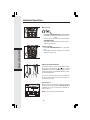
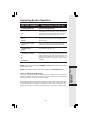
Press the middle NavKey. The screen will display:
•
Press the EDIT softkey.
VTech
1-800-595-9511
RINGER:
Melody 1
3 of 11 DELETE
EDIT
•
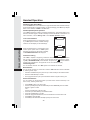
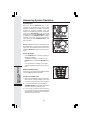
Press the up or down NavKey to the option you want
to edit then enter the corrections as needed.
Press the softkey
to delete.
VTech
18005959511
RINGER:
Melody 1
PICTURE:
SAVE
•
When finished, press the SAVE softkey. The
screen will display the edited entry.
VTech
1-800-595-9511
RINGER:
PICTURE:
Melody 1
(none)
3 of 11 DELETE
EDIT
Deleting Phonebook Entries
•
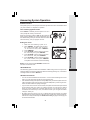
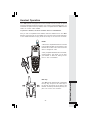
Following the first 2 steps in Searching for and
Dialing Phonebook Entries, locate the entry
you want to delete.
VTech
Pat Johnson
Rose
3 of 11
VTech
1-800-595-9511
•
Press the middle NavKey. The screen will display:
RINGER:
Melody 1
PICTURE:
EDIT
3 of 11 DELETE
1
•
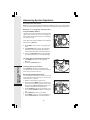
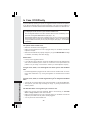
Press the DELETE softkey. The screen will display:
•
To confirm deletion, press YES. To exit without
deleting, press NO.
Are you sure?
YES
21
NO
Basic Operation
PICTURE: