1
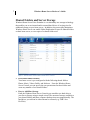
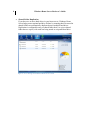
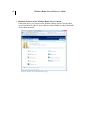
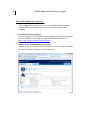
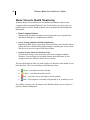
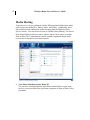
19 Windows Home Server Reviewer’s Guide The Windows Home Server Console provides you the ability to: View the Backup Status of your Home Computers The Computers & Backup tab allows you to view the backup status and configure backups on the computers where you have installed the Windows Home Server Connector software. Configure User Accounts The User Accounts tab allows you to add up to 10 user accounts. You can change the shared folders that users have access to and enable remote access for each user. Each user will automatically be provided with a shared folder that only they (by default) have access to (e.g. \\server\users\jeff). Configure Shared Folders The Shared Folders tab allows you to add and remove shared folders and change properties of shared folders. If you have two or more hard drives in your home server, when you create a new folder, you can select Enable Folder Duplication so two copies of the shared folder will exist on separate hard drives. Configure Server Storage The Server Storage tab allows you to view, add, and remove hard drives on your home server. You can see the status of your server storage, and attempt to repair any hard drives that show a status of Unhealthy. You can also see a graphical representation of the total disk space usage on your home server. View the Health Status of your Home Network The Network Health indicator provides you with Healthy, At Risk and Critical health notifications for your home server, and your home computers. Adjust Server Settings You can change the configuration settings for your home server, such as: Windows Update settings, Computer Backup settings, Password policy, and the date and time. Additionally, you will find the ability to restart your home server.