1
Windows Home Server Reviewer’s Guide
3
Introduction
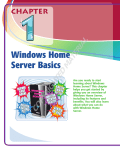
Windows® Home Server helps families simplify the way they keep and share
their documents, photos, videos, and music. Windows® Home Server brings it all
together for families with multiple personal computers.and music.
Protect
Windows Home Server automatically backs up your home computers. Computers
and individual files can be easily restored. Additionally, computer health
monitoring allows you to see the health of computers running Windows Vista® in
your home. You will know if your anti-virus programs and other system software
are up-to-date.
Connect
Every member of the family can access what they need on the home server from
another computer in the house. You can also share information with faraway
friends and family through a personalized Web address, or access your own files
from a computer with a Web browser when you’re away from home.
Organize
Your family photos, videos and music, and other important documents are
together in one central place. Folders can be created by subject or topic, so your
family can stay organized and up-to-date.
Grow
You can simply connect a new hard drive to Windows Home Server as your
storage needs increase. Also, application developers can create innovative
Windows Home Server Add-Ins to expand the functionality of your home server.
For example, Add-ins can be created for home automation, home webcams, media
sharing, and home security solutions, Windows Home Server will be part of the
family today—and in the future.
Windows Home Server is simple to set up and easy to use. It provides a reliable,
familiar way for families to stay connected, whether they’re in the next room or
across the country.