1
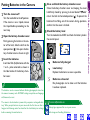
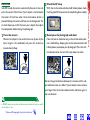
9 Check the results
26
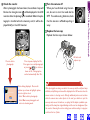
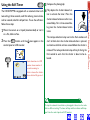
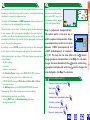
10 Turn the camera off
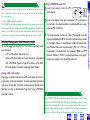
When you have finished using the camera, be sure to turn the mode dial to
OFF. To avoid wasting batteries, check
that the camera is off before putting it
away.
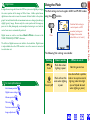
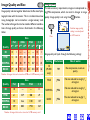
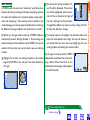
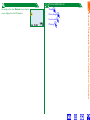
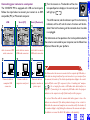
11 Replace the lens cap
Replace the lens cap as shown below.
▼
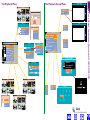
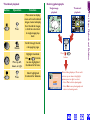
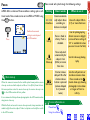
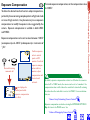
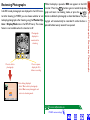
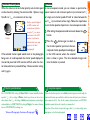
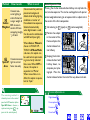
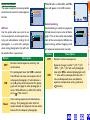
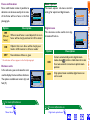
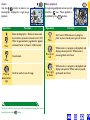
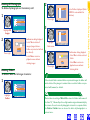
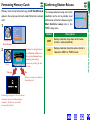
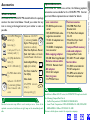
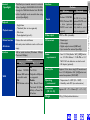
Press to pause display for 20 s.
Press again to record photograph,
or press
(
) to delete as
shown at left. Photograph recorded automatically after 20 s.
Press to delete
photograph
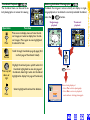
DELETE
erase images?
No
Yes
MENU
OF F
SELECT
▼
SET
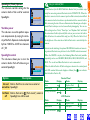
Delete dialog displayed. Press multi
selector up or down to highlight option,
press to right to select.
• Select Yes to delete photograph
• Select No to save photograph and
return to shooting mode
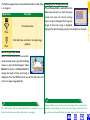
Lift latch and
replace cap
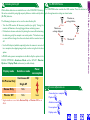
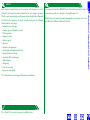
While photographs are being recorded to the memory card, the autofocus lamp
will blink, and a flashing card icon will be displayed in the LCD monitor when the
camera returns to shooting mode. Although additional pictures can be taken
while the camera saves earlier photos to the card, you should not eject the
memory card, remove the batteries, or unplug the AC adapter (available separately) until the lamp has stopped blinking and the icon has disappeared from
the monitor. Removing the card or cutting power while recording is in progress
could result in loss of data.
First Steps:Taking a Photograph
After a photograph has been taken, the autofocus lamp will
blink and an hourglass icon ( ) will be displayed in the LCD
monitor while the photograph is recorded. Before the photograph is transferred to the memory card, it will be displayed briefly in the LCD monitor.