1
Charging the battery
To use your communicator, you must connect the travel charger or the HotSync cable and charge
the battery. When you’re near your computer, connect your communicator to the HotSync cable
with the travel charger connected to a wall outlet as shown in the section that begins on page 23.
When travelling, connect the travel charger cable directly to your communicator as shown in this
section.
When wireless mode is on, a fully charged battery provides approximately 2.5 hours of talk time
or 60 hours of standby time. When wireless mode is off, a fully charged battery provides
approximately three weeks of use in handheld mode.
If the battery drains to the point where your communicator does not turn on, it stores your data
safely for about three days. Therefore, we recommend that you charge the battery daily to avoid
potential data loss. See Appendix A for tips on extending the life of the battery.
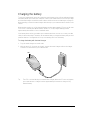
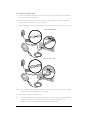
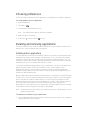
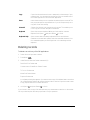
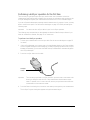
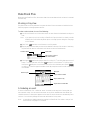
To charge the battery with the travel charger:
1. Plug the travel charger into a wall outlet.
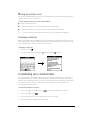
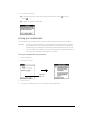
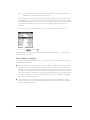
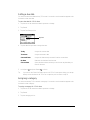
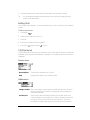
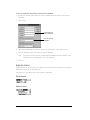
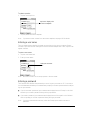
2. With the word “UP” facing up (as shown), connect the travel charger cable to the charger
connector on the bottom of your communicator.
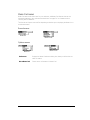
LED
Tip:
The LED is solid red while your communicator charges. When the LED turns solid green,
your communicator is charged. It takes approximately 90 minutes to charge a fully
drained battery.
Chapter 1
Page 17