1
110 Section 9: Branching and Looping
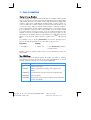
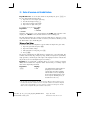
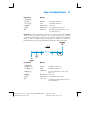
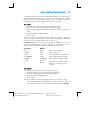
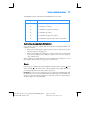
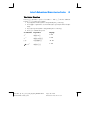
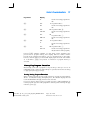
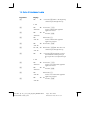
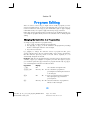
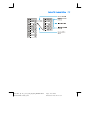
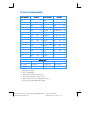
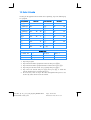
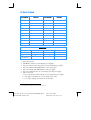
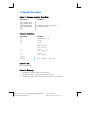
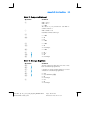
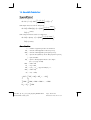
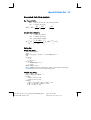
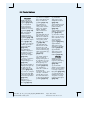
Keystrokes
Display
gi07
04- 43, 33
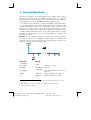
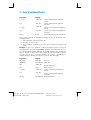
07 If condition is true, branches to
program line 07.
:2
05-
45
gi08
06- 43, 33
:1
07-
b
08-
fs
–12.36
2 If condition is false, recalls 25% tax
rate to X-register.
08 Branches to program line 08.
45
1 Recalls 20% tax rate to X-register.
25 Calculates tax.
Sets calculator to Run mode.
(Display shows results of running of
previous program.)
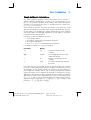
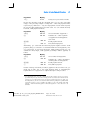
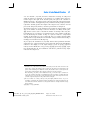
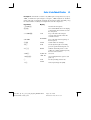
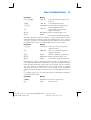
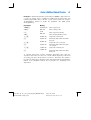
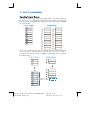
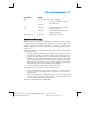
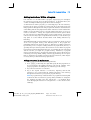
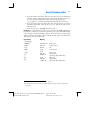
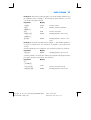
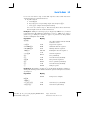
Now, we'll store the required numbers in registers R0, R1, and R2, then we’ll run the
program, using Ç so that we can check that the branching occurs properly. It’s
good practice with programs containing conditional test instructions to check that
the program branches correctly for all possible conditions: in this case, if the
income is less than, equal to, or greater than the test value.
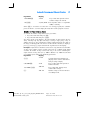
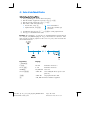
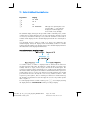
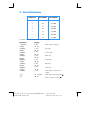
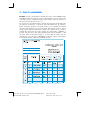
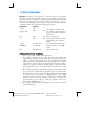
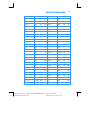
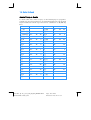
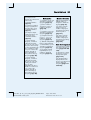
Keystrokes
Display
20000?0
20,000.00
Stores test value in register R0.
20?1
20.00
Stores 20% tax rate in register R1.
25?2
25.00
Stores 25% tax rate in register R2.
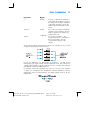
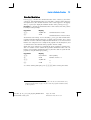
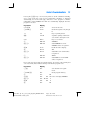
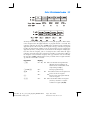
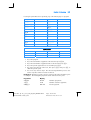
15000
15,000.
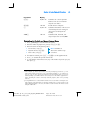
Keys income less than test value into
display and X-register.
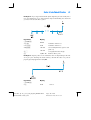
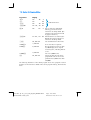
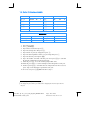
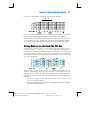
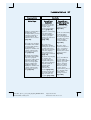
Ê
01-
45
0 Line 01: :0.
20,000.00
Ê
02-
Test value has been recalled to
X-register, moving income to
Y-register.
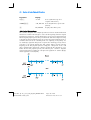
34 Line 02: ~
15,000.00
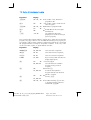
Ê
03-
43
Income has been placed in
X-register and test value has been
placed in Y-register.
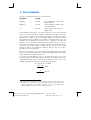
34 Line 03: go
15,000.00
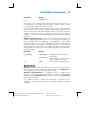
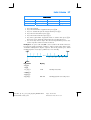
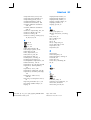
Ê
04- 43, 33
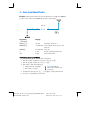
07 Condition tested by o was true,
so program execution continued
with line 04: gi07.
File name: hp 12c_user's guide_English_HDPMBF12E44
Page: 110 of 209
Printered Date: 2005/7/29
Dimension: 14.8 cm x 21 cm