1
DigiSnap -VS- MC-EU1
Feature Summary
Feature
Compatibility
Manufacturers / Models
Connector
Industry Common Protocol
Nikon 880 / 990 Protocol
Time-Lapse Features
1) Minimum Interval
2) Maximum Interval
3) Number of Pictures
4) Configurable in Field
5) Take Manual Picture
6) Zoom still active
Extended Protocol Features
1) Half-Press Shutter Release
2) Bulb - Manual
3) Bulb - Time-Lapse
4) Smooth Zoom Action
5) Playback Control
Advanced Time-Lapse
(Time-Lapse sequences triggered per
time of day)
Maximum Cable Length
Camera Battery Life (estimated)
(Nikon 990, LCD off, Time-Lapse,
NiMH batteries)
1) Standard Protocol
2) Extended Protocol
Battery
Remote Control Battery Life
(estimated), Time-Lapse
Upgradeable Firmware
(future capability?)
Size
Customized Applications
Price
Manufacturer
Harbortronics DigiSnap 2000
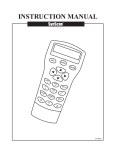
Nikon MC-EU1
Nikon / Coolpix 700, 800, 880
Nikon / Coolpix 900, 950, 990
Olympus / C2020, C3030, many others
Sanyo / many models
Epson / PhotoPC… many models
Agfa ?
Industry standard DB-9
Yes
Yes
Nikon / Coolpix 880, 990
0 seconds
10 days
1..255, Infinite
Yes*
Yes
Yes
120 seconds
1 day
Infinite
Yes
No
No
Yes*
Yes*
Yes*
Yes*
Not currently
8 Programmable Sequences*
Yes
Yes
No
Yes
Yes
N/A
> 500 feet, using additional serial cables
2.5 feet
10 days
4 hrs
AAA Alkaline
(available everywhere)
1 – 2 weeks
N/A
4 hrs
Lithium CR2032
(specialty stores)
1 – 2 weeks
Yes, distributed by email!*
No
Handheld (cord detaches to fit DigiSnap in
pocket)
Yes!
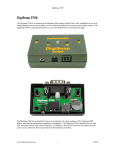
The DigiSnap 2000 has built in capability
for remote triggering and control, as well
as connections for custom designed
internal daughter boards for other
connectors and sensing needs.
The DigiSnap 2000 firmware may be
tailored for custom applications, and
easily upgraded by the end customer.
Handheld, w/ 3 foot cord
$120
Harbortronics is a small business who
makes all products in the USA, and has
great customer service!
$130
Nikon…
Custom to Nikon
No
Yes
No
(* new feature since original DigiSnap 1000)
Harbortronics
1
April, 2001
DigiSnap -VS- MC-EU1
Camera Compatibility
The MC-EU1 is designed for the Nikon Coolpix 990 / 880 cameras, and uses a protocol custom to these cameras. If
you need a remote controller for another camera type, or several camera models, this product will not work for you.
The DigiSnap was designed to be compatible with a wide range of camera models, from many manufacturers. An
example of this was when Harbortronics developed a DigiSnap distributor, whereby ten cameras could be activated
with a single button press. It was shown to work fine with a Coolpix 950, a Coolpix 990, and a C3030Z all
connected at the same time. The DigiSnap uses both a standard protocol common to many camera manufacturers, as
well as the one developed expressly for the MC-EU1.
Connector
The serial port connector used on the Coolpix 990 and 880 cameras is custom to Nikon.
The MC-EU1 utilizes this connector directly. This is nice and simple, until you have a need to stand more than 3 feet
from the camera. There are no extension cables available!
The DigiSnap uses an industry standard DB9 connector, and requires an adapter cable (provided by the camera
manufacturer to connect to PC serial ports) to connect to the camera. Using a standard connector means that it’s
trivially easy to extend the distance from the camera (this is a Remote controller, after all), by adding in a longer
serial cable, available at any computer store. The DigiSnap has been tested with a 700 ft serial cable, and worked
fine at that length with the several cameras tested.
Using a standard interface also permits the use of other accessories made for serial devices, such as radio modem
links. Can you say “really really remote” three times fast? Let’s get creative!
Batteries
The MC-EU1 uses a lithium button cell, which can be rather frustrating to locate when it dies. They are widely
available in stores that handle electronics, but not everyone else carries them.
The DigiSnap uses a single AAA cell, which is available in most any grocery or hardware store in the known world.
The battery life of the MC-EU1 and DigiSnap controller are similar… they will both last between 1 and 2 weeks of
continuous use (i.e. time-lapse control).
Signal Interface
The DigiSnap uses a true RS-232 level interface, maximizing the distance potential. The MC-EU1 uses logic level
signals, which works OK at the distance enforced by the length of the cable, but will be less reliable if extended (i.e.
if you cut the cable and solder in some additional cable length).
Simple Time-Lapse
Interval
The MC-EU1 time lapse interval can be set from 2 minutes to 24 hrs, in 1 second increments. While sufficient for
some applications, the two minute minimum interval may be very limiting.
The DigiSnap can be set to any interval from zero seconds to about 10 days, in 1 second increments. We’ve seen
several series of stop-gap ‘movies’ using the time-lapse set to about 10 seconds, and only occasionally is the interval
set to more than 2 minutes! Note, when set to zero seconds, the DigiSnap essentially commands the camera to take
pictures as quickly as possible, dependent generally on the image compression.
Harbortronics
2
April, 2001
DigiSnap -VS- MC-EU1
Number of Pictures
The MC-EU1 presumes an infinite number of picture is always desired. Once started, it will take pictures at that
interval until you stop it.
The DigiSnap can be configured to take any number of pictures, from 1 to 255, or infinite. There are applications
where it can be nice to initiate a sequence of say five shots per button press.
Manual Shutter Release During Time-Lapse
Pressing the shutter release on the MC-EU1 while in time-lapse mode will terminate the time-lapse session.
Pressing the shutter release on the DigiSnap commands the camera to take another shot at that moment, and continue
the time-lapse sequence. We once set up the DigiSnap to capture the boats moving in and out of Gig Harbor over the
course of a day, and were able to take a few shots between intervals when something particularly interesting was
happening in the scene, without impacting the overall long term sequence.
Advanced Time-Lapse
In performing nature studies, many situations naturally align themselves to the time of day. Flowers may open in the
morning, and close at night. Animals may appear at watering holes and feeding stations at particular times of the
day. Human activities are aligned even more tightly with the daily clock, such as work, traffic, etc. There are loads
of studies that would benefit from being able to trigger time-lapse sequences according to a daily clock.
The MC-EU1 can only perform simple time lapse capture, independent of the time of day.
The DigiSnap can be configured with up to eight time-lapse sequences, automatically triggering at particular times
of day. One current application is a year-long study of crop growth where several pictures are captured per day, at
specific times. The DigiSnap makes this sort of study trivially easy to control!
Camera Battery Life
Something which may not be obvious until you’ve purchased everything and set up a long term time-lapse study is
the battery drain. Lets compare operation using the Nikon 990 camera, controlled with the MC-EU1 and the
DigiSnap. The 990 draws about 800 mA from the batteries when the LCD is active, regardless of which controller is
used. That explains why the batteries die so quickly!
When communicating with the MC-EU1, and the LCD turned off, the camera still continuously draws about 450
mA! When taking time-lapse sequences with the LCD off, the power drain is still more than 300 mA! Using internal
NiMH batteries, the camera will only work about 4 hrs at this rate, even if no pictures are taken!
When the DigiSnap is set to use the standard camera protocol instead of the extended protocol developed for the
MC-EU1, the power drain is reduced dramatically! If the LCD is off, the baseline camera battery drain is about 5
mA, with pulses of about 350 mA during the brief exchanges of information. The camera should operate for more
than 10 days on internal batteries at this rate!
For anyone interested in time-lapse photography, this can be a critical issue to consider. The MC-EU1 can
realistically be only used for short time-lapse sequences, unless the camera is connected to a rather beefy external
power source, whereas the DigiSnap can easily accommodate week long sequences on battery power alone!
For astrophotograhy time-lapse use, the additional power dissipation within the camera (about 2.25 watts) when
using the MC-EU1 creates self-heating, which increases the imager noise. Using the DigiSnap with the standard
protocol minimizes the self-heating dramatically.
Single Picture Operation
The MC-EU1 utilizes an extended protocol feature of the 990 / 880 cameras, allowing the MC-EU1 to substantially
duplicate the features of the camera’s shutter release button. Half-Press and Bulb operations are possible.
Harbortronics
3
April, 2001
DigiSnap -VS- MC-EU1
The DigiSnap is also compliant with this extended protocol, and can also access these useful features. The DigiSnap
can be configured to enable and disable these features, or to use the standard protocol, providing great flexibility in
how it’s used.
Other Features
Bulb Operation
The DigiSnap can be configured for another feature that is not possible with the MC-EU1. For some applications,
most particularly astrophotography, the bulb setting on the Coolpix 990 / 880 is used to open the shutter for a
particularly long period of time. The MC-EU1 and DigiSnap can both control the shutter using the bulb setting when
taking pictures manually. The DigiSnap can also access the bulb setting during time-lapse photography! The shutter
open time can be configured. For instance, an astrophotographer may want to take a several hour sequence of
pictures, taken at say 1 minute intervals, with shutter open time of 10 seconds. This is easily accomplished with the
DigiSnap! It’s even possible using Advanced Time-Lapse to automate this to run for many nights in a row, taking
pictures only during certain hours.
Any application that demands that the shutter be opened for a repeatable period, greater than the camera’s internal 8
second limit can only be controlled using the DigiSnap. The MC-EU1 allows for bulb operation, but it can only be
manually activated, leading to timing errors. The DigiSnap can be set for either manual or automatic control.
Focal Length
The MC-EU1 provides the capability to control the camera zoom.
The original DigiSnap 1000 uses only a single button, and is not able to control the camera zoom. The DigiSnap
2000 incorporates four buttons, and can also zoom control the camera zoom.
The MC-EU1 does not permit changing the focal length while in Time-Lapse operation, while the DigiSnap does.
Playback
The MC-EU1 provides the capability to control the image playback on the camera.
The DigiSnap is not currently programmed for that function, but could be updated in the future if demand is high
enough.
Upgrade Capability
There is no provision in the MC-EU1 to allow code changes. It does what it does, and that’s all it’ll ever do.
The DigiSnap firmware is upgradeable from any PC, and indeed several firmware upgrades have been released. It is
anticipated that as new cameras are released, and new features are demanded by DigiSnap customers, additional
firmware releases will be made. The DigiSnap firmware can also be customized… Harbortronics has worked with
several customers to tailor operation to suit their unique needs.
Configuration
The MC-EU1 uses an on-board LCD display to indicate operational status and time-lapse settings. While very tiny,
the display is nonetheless useful. The MC-EU1 uses several buttons to select features, and configure the time-lapse
settings.
The DigiSnap 2000, provides the ability to configure the time-lapse interval in the field, which is the most
commonly changed parameter. All other parameters are accessed through a terminal interface to a computer. The
DigiSnap was designed for simplicity of the hardware, and uses only a single light for status. There are a large
number of parameters that are configurable, which would be rather expensive and un-wieldy to handle with an onboard display.
Harbortronics
4
April, 2001