1
proc3
1 INTRODUCTION
The Pro-C3 projector represents the state of the art in image processing
combined with the innovative DLP™ sytsem and outstanding optics.
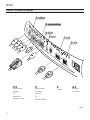
Its range of inputs (1 Composite Video input, 1 S-Video input, 1 Components or RGB input, 1 graphic RGB input, 2 HDMI™ inputs) allow it to
be connected to a wide range of analogue and digital sources: DVD
players, video recorders, satellite and terrestrial receivers, computers,
video game consoles, camcorders, etc.
Its image processing system allows optimum reproduction of a wide
range of input signals, from interlaced video to high definition and
digital graphics.
Faithful reproduction of signals at higher resolutions (such as high
definition video and graphics) occurs without loss of information or
reduction of image sharpness thanks to the processor’s high pixel rate
signal acquisition capabilities.
Different input signal resolutions can be adapted to match the specified
screen resolution without loss of image quality, thanks to a generous
selection of preset aspect ratios, some of which are user definable.
All picture adjustments can be made with the remote control interacting with a simple menu-activated On Screen Display; alternatively,
the projector can be controlled by a domestic automation system
via its serial port.
The appliance has been subjected to exhaustive operating tests by
SIM2 to ensure maximum quality.
The projector bulb life should thus initially be around 30-60 hours.
Besides the usual checks, the Quality Control department also runs
additional statistical tests before despatch.
In this instance the packaging may show signs of having been
opened, and the hours operation of the lamp may be higher than
the value required under standard procedures.
CONTENTS
1
2
3
4
5
6
7
8
9
INTRODUCTION
IMPORTANT SAFETY INSTRUCTIONS UNPACKING
PRODUCT OVERVIEW
INSTALLATION
SWITCHING THE PROJECTOR ON AND OFF
CONNECTIONS
REMOTE CONTROL
ON SCREEN MENU
2
3
7
8
10
12
13
16
17
10 CLEANING AND MAINTENANCE
11 PRODUCT DISPOSAL
12 TROUBLESHOOTING GUIDE
13 OPTIONAL ACCESSORIES
14 SERIAL ENTERFACE AND EASY CINEMA
Technical specifications
On Screen Menu Layout Dimensions
Projection distance
Resolutions
26
26
27
28
28
29
30
32
33
37
manual version 2.3 (18-04-2007)
DLP and DMD are registered trademarks of Texas Instruments.
HDMI, the HDMI logo and the expression High-Definition Multimedia Interface
are trade marks or registered marks of HDMI licensing LLC