1
Video/Picture/Music Playback
Instantly Watching Movies from Netflix
Please check that the most current software is
loaded on this player by using the software update
function (See pages 45–47) or by visiting http://www.
sharpusa.com/products/support/ to check for a
download of the newest software version.
This function allows you to enjoy Netflix through the
Internet.
Netflix is an online DVD and Blu-ray Disc rental service,
offering rental-by mail and streaming instantly to Netflix
unlimited members.
4
5
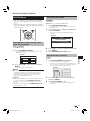
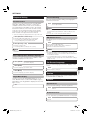
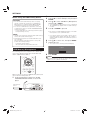
Read the Disclaimer displayed on the screen. If
you agree, press a on the last page to select
“Agree”, then press ENTER.
(If you do not agree, this service cannot be
used.)
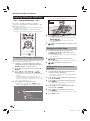
Obtain the Netflix activation code.
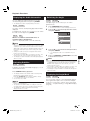
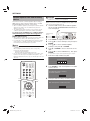
If you don’t have a Netflix account
1 Press a/b to select “no-start my FREE trial”,
then press ENTER.
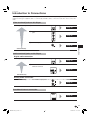
The screen of this player shown on the TV
• To enjoy this function, make a broadband Internet
connection to both your PC and this player (See page 18),
and then set communication settings (See pages 42–43),
then perform the following operation.
• Before using this function, please read “Network Service
Disclaimer” (page 56).
NOTE
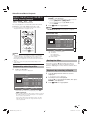
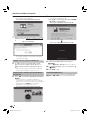
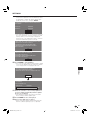
2 Subscribe by visiting http://www.netflix.com/sharp
from your PC.
3 Press a/b to select “I’m now a member”, then
press ENTER.
The screen of this player shown on the TV
Playback
• Disc playback and this function cannot be used at the
same time.
• As the registration process takes time, we recommend
setting “Auto Power Off” to “No” before starting the
registration. (See page 40.)
• The streaming quality (SD or HD) depends on the network
speed and original bit rate of the title.
• For more information on Netflix visit http://www.netflix.
com/help or login to your Netflix account and click “Help”
at the top of the page.
• Netflix is only available in the US.
• Illustrations are examples and may differ from the actual
Netflix screens.
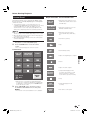
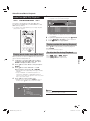
The buttons which can be used :
a/b/c/d / ENTER / d PLAY / F PAUSE /
H STOP / G REV / J FWD / EXIT
Settings for watching Netflix content on
your TV
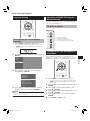
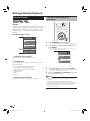
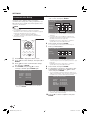
1
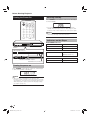
Press SETUP to display the Menu screen.
• The same operation can be performed by pressing
ENTER after selecting the MENU icon on the Wall
Paper screen.
2
If you have a Netflix account
Press a/b to select “yes-activate instant
streaming from Netflix”, then press ENTER.
The screen of this player shown on the TV
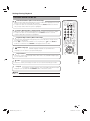
Press a/b to select “e-Contents”, then press
d or ENTER.
The screen of this player shown on the TV
Movie
Picture
Music
e-Contents
Settings
3
Press a/b to select “Netflix”, then press d or
ENTER.
(Continued on the next page)
31
BD-HP24UA_en.indd 31
2010/06/10 17:58:50