1
Chapter 2
Setting Up The NAM Traffic Analyzer
Traffic
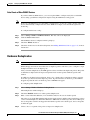
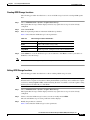
Deleting a SPAN Session
Note
This section does not apply to NME-NAM devices.
Note
Deleting a SPAN session that has multiple SPAN destinations will affect all destinations.
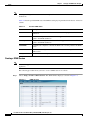
To delete a SPAN session, select it from the Active SPAN Session dialog box, then click Delete.
Data Sources
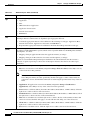
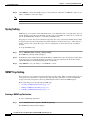
Data sources are the source of traffic for the NAM Traffic Analyzer. Some examples are: physical data
ports of the NAM where you get SPAN data, a specific router or switch that sends NetFlow to the NAM,
or a WAAS device segment that sends data to NAM or ERSPAN and which goes to NAM's management
port.
A new feature in NAM 5.0 is the “auto discovery” of data sources, in which you can click the Auto
Create button to tell the NAM to automatically discover the data sources. You will be able to see details
such as the IP addresses of devices sending packets to the NAM and the time that the last NDE packet
was received (in NAM 4.x, this was called “Listening Mode”).
Note
If you have configured sites (see Sites, page 2-58), you can assign data sources to that particular site. If
you do this, and you also configure data sources, the two could overlap since sites can also be a primary
“view” into data sources. If there is a mismatch between the two, you will not see any data.
Note
We recommend that you configure a site using subnets instead of selecting a data source. See Specifying
a Site Using Subnets, page 2-59.
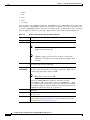
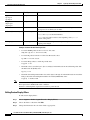
The following sections contain specific information about the types of data sources:
•
SPAN, page 2-10
•
ERSPAN, page 2-10
•
VACL, page 2-17
•
NetFlow, page 2-18
•
WAAS, page 2-29
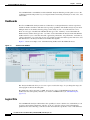
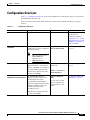
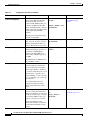
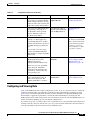
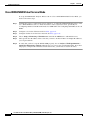
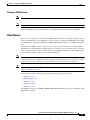
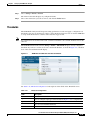
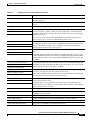
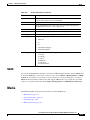
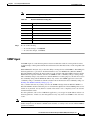
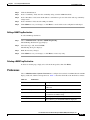
The NAM Data Sources page (Setup > Traffic > Data Sources) lists the data sources configured for that
NAM Traffic Analyzer.
User Guide for the Cisco Network Analysis Module (NAM) Traffic Analyzer, 5.0
OL-22617-01
2-9