1
Chapter 2
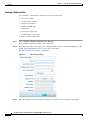
Setting Up The NAM Traffic Analyzer
Alarms
Note
You could see two alarms for the same occurrence if both the source and the destination are in the same
site.
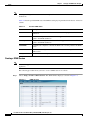
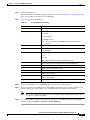
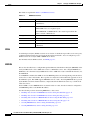
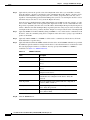
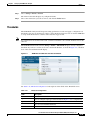
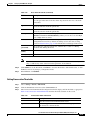
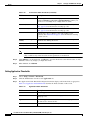
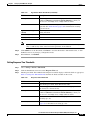
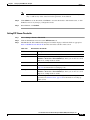
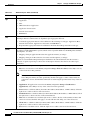
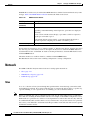
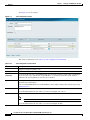
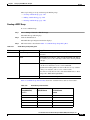
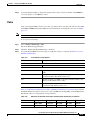
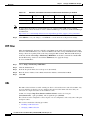
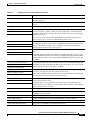
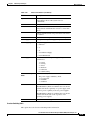
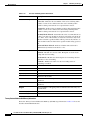
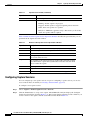
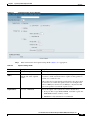
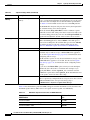
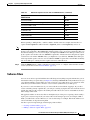
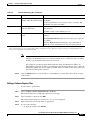
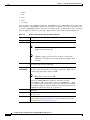
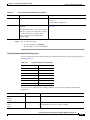
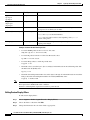
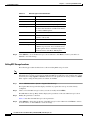
When you choose Setup > Alarms > Actions, you will see events that have been created. See Table 2-13,
Alarm Configuration for descriptions of the fields.
Table 2-13
Alarm Configuration
Field
Description
Name
Name given to the alarm at setup.
Email
If turned on, will show “Enable”. If not turned on,
will show “Disable.” E-mail server settings are
configured on Administration > System >
E-Mail Setting.
Trap
If configured, will show “Community: xxxxx” as
configured on Administration > System >
SNMP Trap Setting. If not configured, will be
blank.
Trigger Capture
If configured, will show “Session:xxxxx” as
configured on Capture > Packet
Capture/Decode > Sessions. If no captures are
configured, will be blank.
Syslog Remote
If turned on, will say “Enable”. If turned off, will
say “Disable.” Settings configured on
Administration > System > Syslog Setting.
Status
“Missing Trap” means that the trap configured for
that alarm action has been deleted.
“OK” means the Alarm action was successfully
created.
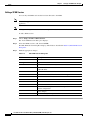
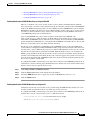
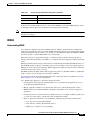
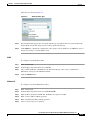
Alarm Action Configuration
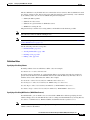
When a threshold’s rising water mark is crossed, the alarm condition is met. This will trigger the alarm
action to take effect. The NAM supports the following alarm actions:
•
E-mail syslog: An alarm action that e-mails the syslog content of the alarm condition. To avoid
e-mail flooding the network, the NAM does not send more than five e-mails in any given hour.
•
Trap: An alarm action that sends NAM trap message to one or more trap servers. Any trap server
that has the same community string will receive the trap message. The NAM use Cisco Syslog MIB
in the trap message. To avoid trap flooding, the NAM’s limit is ten trap messages per interval.
•
Remote syslog: An alarm action that sends syslog messages to remote syslog servers. The NAM’s
limit is ten syslog messages per interval to avoid flooding the network.
•
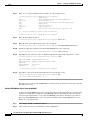
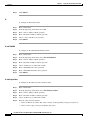
Trigger capture: An alarm action to start or stop a pre-defined capture session.
The NAM supports any combination of the above four actions in one alarm condition.
User Guide for the Cisco Network Analysis Module (NAM) Traffic Analyzer, 5.0
OL-22617-01
2-37