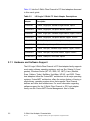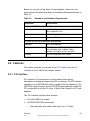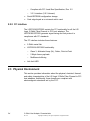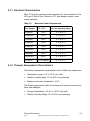
1
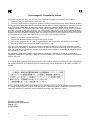
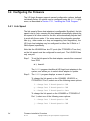
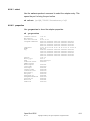
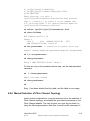
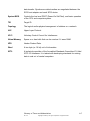
k - Change Port 1 Board Speed to Auto
Step 3. Exit the FCUTIL utility using the menu option q - Quit.
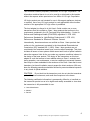
3.4.2 Interrupt Coalescing
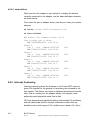
These host adapters have the ability to complete multiple I/O requests
per host interrupt. This ability may be enabled or disabled. When
enabled, the Interrupt Coalescing depth and timeout values are
configurable. These values may be used to tune host adapter
performance within a system environment.
Note that the LSI44929 has two FC ports (the ITI7004G2-LC has four),
so Interrupt Coalescing must be configured for each port. The LSI40919
has only one port.
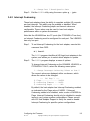
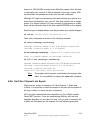
Step 1. To set Interrupt Coalescing for the host adapter, execute this
command from DOS:
A:\ fcutil
The FCUTIL program identifies all LSI Logic host adapters in the
system, and allows you to select which adapter to update.
Step 2. The FCUTIL program displays a menu of options.
To change Interrupt Coalescing on the LSI44929, LSI40919, or
ITI7004G2-LC Port 0, select the following menu option:
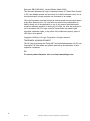
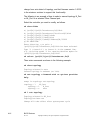
l - Change Interrupt Coalescing Values on Port 0
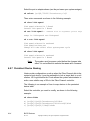
The current values are displayed within a submenu, which
allows the values to be changed:
--- IOC Page 1 --1) Flags ................ 0x0001
2) Coalescing Timeout ... 0x500
3) Coalescing Depth ....... 0x9
By default, the host adapter has Interrupt Coalescing enabled,
as indicated by the Flags value of 0x0001. If Interrupt
Coalescing needs to be disabled, enter a value of 0x0000 for
Flags. Interrupt Coalescing should only be disabled to resolve
issues in very unique system configurations. Please consult
with LSI Host Adapter Support to verify the need to disable
Interrupt Coalescing for specific system configurations.
Configuring the Firmware
Ver. 2.0
Copyright © 2002 by LSI Logic Corporation. All rights reserved.
3-5