1
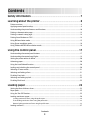
Loading a cut form or envelope manually ............................................................................................................................ 37
Aligning the left margin ............................................................................................................................................................... 39
Setting Top-of-Form...........................................................................................................................................................40
Setting Top-Of-Form for continuous forms in push mode.............................................................................................. 40
Setting Top-Of-Form for continuous forms in pull mode................................................................................................ 41
Setting Top-Of-Form for a cut form or an envelope .......................................................................................................... 41
Setting Top-Of-Form in a macro ............................................................................................................................................... 42
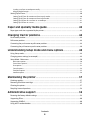
Paper and specialty media guide..................................................43
Paper types and sizes supported by the printer......................................................................................................43
Changing tractor positions............................................................44
Push tractor position..........................................................................................................................................................44
Pull tractor position............................................................................................................................................................44
Converting the push tractor to pull tractor position..............................................................................................44
Converting the pull tractor to push tractor position..............................................................................................46
Understanding Setup mode and menu options........................48
Using Setup mode...............................................................................................................................................................48
Changing menu settings (an example).......................................................................................................................49
Setup Mode - Main menu.................................................................................................................................................50
Main menu options........................................................................................................................................................................ 50
Forms Macro options..................................................................................................................................................................... 51
Data options ..................................................................................................................................................................................... 52
Control options................................................................................................................................................................................ 54
Emulation options .......................................................................................................................................................................... 55
Interface options............................................................................................................................................................................. 56
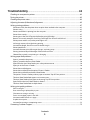
Maintaining the printer...................................................................57
Ordering supplies................................................................................................................................................................57
Removing the ribbon cartridge......................................................................................................................................57
Cleaning the printer............................................................................................................................................................57
Recycling Lexmark products...........................................................................................................................................58
Administrative support...................................................................59
Restoring the factory default settings..........................................................................................................................59
Supporting IPSec.................................................................................................................................................................60
Supporting SNMPv3...........................................................................................................................................................60
Using 802.1x authentication...........................................................................................................................................60
Contents
4