1
Getting started
1
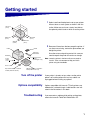
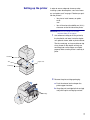
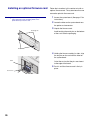
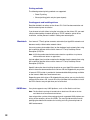
Select a well-ventilated place to set up your printer.
Allow at least as much space as shown in the illustration. Make sure you have a sturdy, low table or
the optional printer stand on which to set the printer.
2
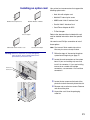
Remove all items from the box except the printer. If
any items are missing, contact the place where you
bought the printer.
137.16 cm
(4.5 ft)
304.8 mm
(12 in.)
304.8 mm
(12 in.)
304.8 mm
(12 in.)
508 mm
(20 in.)
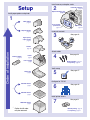
CDs
Printer
Paper bail
and bracket
Handhold
Operator panel
overlay
(non-English only)
Power
switch
cover
Save the carton and packing material in case you
need to repack the printer for service or storage.
Note: Leave the printer in the box until you are ready to
install it. Then ask someone to help you lift the
printer using the handholds.
Power cord
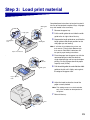
Tray number decals - Lexmark
T Family T622 model only
500 sheet drawer - Lexmark T
Family T622 model only
Turn off the printer
Options compatibility
Troubleshooting
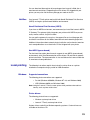
If your printer is already set up, make sure the printer
power is off and the power cord and any cables are
unplugged before installing any options.
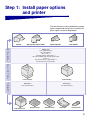
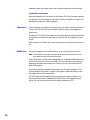
Options compatible with Lexmark T Family printers are
labeled with a colored triangle. Label locations are indicated in the illustrations in this book.
If you encounter a problem while setting up the printer,
refer to the Lexmark T620/T622 Publications CD.
1