1
Self=Cleaning
iNSTRUCTiONS
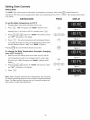
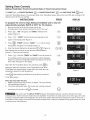
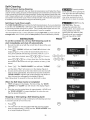
Stopping
or interrupting
PRESS
a Self-Cleaning
DISPLAY
Cycle
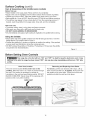
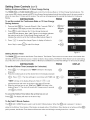
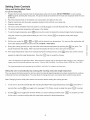
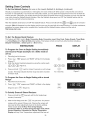
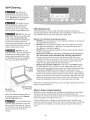
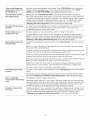
If it becomes necessary to stop or interrupt a self-cleaning cycle
due to excessive smoke or fire in the oven:
1. Press 0.
2.
Once the oven has cooled down for approximately 1 HOUR
and the "DOOR LOCKED" icon is no longer displayed, the
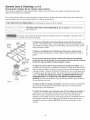
oven door can then be opened (Figure 1).
Figure 1
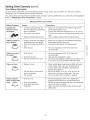
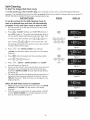
Note: Self-Clean cycle can never be set to start more than 12 hours in advance.
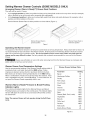
Adjusting Oven Temperature
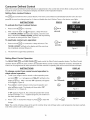
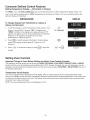
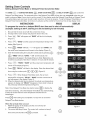
The temperature in the oven has been pre-set at the factory. When first using the
oven, be sure to follow recipe times and temperatures. If you think the oven is cooking
too hot or too cool for the temperature you select, you can adjust the actual oven
temperature to be more or less than what is displayed. Before adjusting, test a recipe
by using a temperature setting that is higher or lower than the recommended
temperature. The baking results should help you to decide how much of an adjustment
is needed.
INSTRUCTIONS
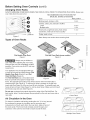
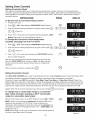
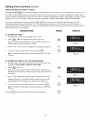
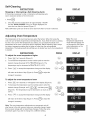
To adjust
1.
2.
the oven temperature
PRESS
temperature adjustments
made with this feature will
not change the Self-Clean
cycle temperature or the
Broil temperature.
DISPLAY
higher
Press ,Bake
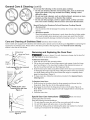
9 for 6 seconds (Figure 2).
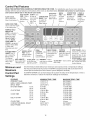
To increase the temperature use the number pads to enter the
desired change (Example 30°F) (_
(_)
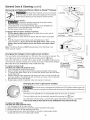
(Figure 3). The
Figure 2
temperature may be increased as much as 35°F (19°C).
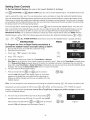
3.
Note: The oven
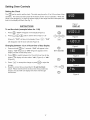
Press
to accept the temperature
change and the display
will return to the time of day (Figure 4). Press _=_
to reject the
Figure 3
change if necessary.
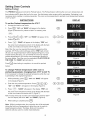
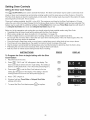
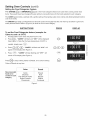
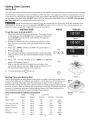
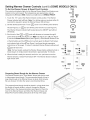
To adjust
1.
2.
the oven temperature
lower
desired change (Example -30°F) @
(Figure 6). The temperature
(lg°C).
3.
Figure 4
y;'-"-_
0o
Press (B_k._)
for 6 seconds,
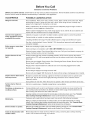
will appear in the display (Figure 5).
To decrease the temperature use the number pads to enter the
Press
@
and then press _
may be decreased
to accept the temperature
as much as 35°F
change and the display
will return to the time of day (Figure 7). Press _
QQ
Q
Figure 5
to reject the
change if necessary.
Figure 6
Note: The oven temperature adjustments are permanent and will
stay forever in the unit memory unless you manually change it again.
Even a power outage will not reset these changes. Follow the same
procedure again if you wish to change it to a different setting.
41
Figure 7