1
IR Keyboard.fm Page 9 Wednesday, March 3, 2004 1:25 PM
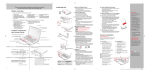
bottom of the button to scroll up or down a page. When you
have reached the desired section of the page, release the
button. (Figure 7)
Figure 7. Scrolling
Keyboard Layout
Your computer has an integral 86-key keyboard. The keys
perform all the standard functions of a 101-key keyboard,
including the Windows keys and other special function keys.
This section describes the following keys.
■
■
■
■
Numeric keypad
Cursor keys
Function keys
Windows keys
Numeric Keypad
Certain keys on the keyboard perform dual functions as
both standard character keys and numeric keypad keys.
NumLk can be activated by pressing the [NumLk] key.
Turning off the NumLk feature is done the same way. Once
this feature is activated you can enter numerals 0 through 9,
perform addition ( + ), subtraction ( - ), multiplication ( * ),
9