1
L
Albatross Rev.c
A5 size
96/08/23
Chapter 6
Pass 0, DR
Vertical black or white bands or lines
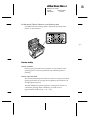
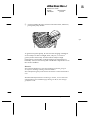
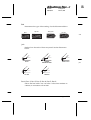
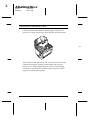
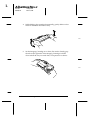
Clean the printer lens. Remove the Imaging Cartridge and
place it on a clean, flat surface. Clean the lens as shown below.
r6-4
Wipe the lens from end to end with a dry, lint-free cloth. Then
reinsert the imaging cartridge in the printer and close the
printer cover. If the problem persists, install a new imaging
cartridge as described later in this chapter and print several
pages to check the print quality.
6-10
Troubleshooting and Maintenance