1
L
Dove
Rev. C
A5 size
10/28/98
chap2.mif
Pass 0
Proof Sign-off:
Nishi
<leadername>
<editorname>
_______
_______
_______
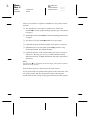
Manually Loading Paper
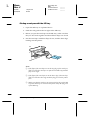
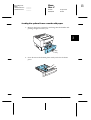
You can manually load paper. Manually loading paper can be
helpful when you want to check the print quality after each page
is printed.
❏ This loading procedure is almost the same as the procedure
for automatic paper feeding, except you load paper sheet-bysheet, send print data to print the first page, and press the On
Line button to print each page.
To load paper maually, follow the steps below.
1. Access the printer driver menus in one of the following ways:
❏ To access the printer driver from your application
software, click the Print or Page Setup command on the
File menu. You also need to click Setup, Options,
Properties, or a combination of these buttons.
❏ To access the driver from Windows 3.1 or Windows 3.11
for Workgroups, double-click the Control Panel icon in
the Main program group, then double-click the Printers
icon. Choose your EPSON printer from the Installed
Printers list and click Setup.
❏ To access the driver from Windows NT 3.51, double-click
the Control Panel icon in the Main program group, then
double-click the Printers icon. Double-click your printer
icon and select Properties from the Printers menu. Make
sure your printer is selected and click Setup.
❏ To access the driver from Windows 95, 98, and NT 4.0,
click Start, point to Settings, and click Printers. Next,
right-click the icon of your EPSON printer and click
Properties (in Windows 95) or Document Defaults (in
Windows NT 4.0).
2-8
Paper Handling