1
L
Dove
Rev. C
A5 size
10/28/98
chap6.mif
Pass 0
Proof Sign-off:
Nishi
<leadername>
<editorname>
_______
_______
_______
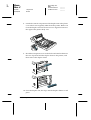
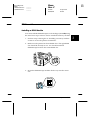
Take out the Imaging Cartridge, shake it gently from side to side
to distribute the toner, and then reinstall it. If the problem persists,
replace the cartridge as described on page 6-30.
The Toner Save mode may be on. Turn off the Toner Save mode
using the printer driver.
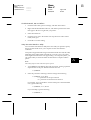
The image is too dark
Lighten the Density setting on the Panel menu of your printer
driver.
If the problem persists, replace the cartridge as described on page
6-30.
Non-printed side of the page is dirty
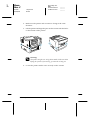
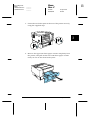
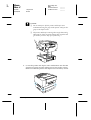
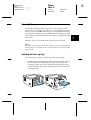
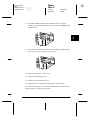
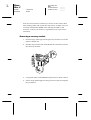
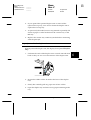
Toner may have spilled in the paper feed path. Turn off the
printer. Remove the Imaging Cartridge and then clean the paper
path of the printer using a clean, soft, lint-free cloth.
w
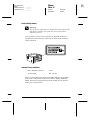
Warning:
Opening the printer exposes the fuser, which is marked by a label
with the words CAUTION HIGH TEMPERATURE. Be careful
not to touch the fuser.
Memory problems
Mem Overflow
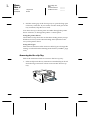
The printer has insufficient memory available for the current task.
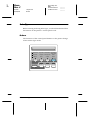
To correct the error, press the Continue button on the control
panel. If the message remains, reset the printer as described on
page 6-29. You can also clear this message by turning the printer
off, waiting 10 seconds, and then turning it back on.
6-18
Troubleshooting and Maintenance