1
L
R4C624Setup Guide
Rev_C
A5 size
6/15/00
SETUP.FM
Pass 0
c
Proof Sign-off:
M.Otsuka, CRE M.Moriyama_______
N.Nomoto
_______
_______
Caution:
Never turn off the printer while the P power light is flashing.
Doing so may damage the printer.
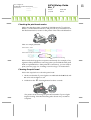
3. When the P power light stops flashing, print a nozzle check pattern
to confirm that the head is clean and to reset the cleaning cycle.
If print quality hasn’t improved after repeating the nozzle checking and
cleaning procedures four or five times, contact your dealer.
Printing Your First Page
After making sure your printer is operating correctly, you are ready to
print your first page. To familiarize yourself with the printer software,
we recommend printing one of the sample files provided with your
printer software. To print a sample file, or your own document, doubleclick the file or open it in the appropriate application, make the Paper
Size and Media Type settings, then print the document. For details on
printing from an application, see the software manual for that
application.