1
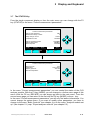
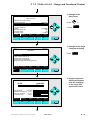
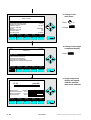
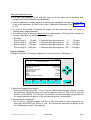
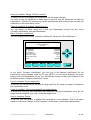
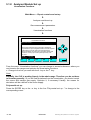
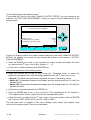
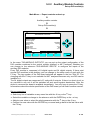
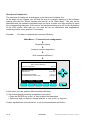
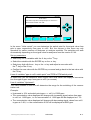
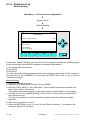
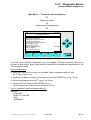
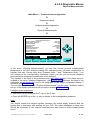
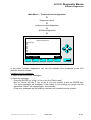
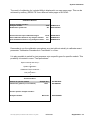
Line of variables "Reading refresh rate":
In this line you can determine how often the display shall be built up in a certain time
interval. Options: 1s to 60s. Standard: 1s.
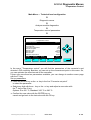
Line of variables "Drop out of menus after":
In this line you can decide if and after which time without front panel operations the display
shall change from the current menu to the single component display.
♦ Options: 10s, 30s, 1min, 5min, 10min, 30min, Never.
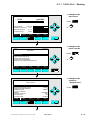
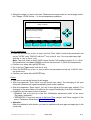
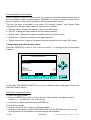
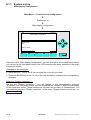
Date and time set up:
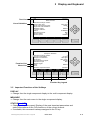
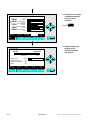
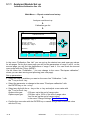
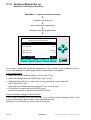
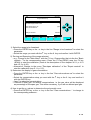
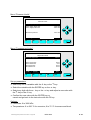
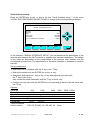
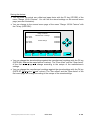
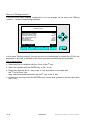
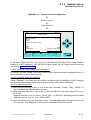
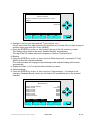
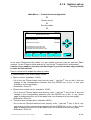
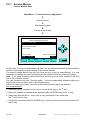
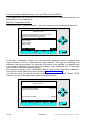
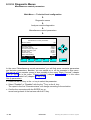
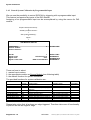
Press the ENTER key or the → -key in the line "Date and time..." to change to the
corresponding submenu:
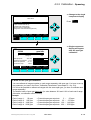
CLD
95.0 ppm
Date and Time
Time display format (am/pm):
Network updating:
Minutes:
Hours:
(Entered as 24Hrs format)
Day:
Month:
Year:
Current time:
HOME
F1
21
2
1998
13:48:20 21 Feb 1998
ESCAPE
F2
24 Hrs
Enabled
0
12
SET
F3
F4
INFO
F5
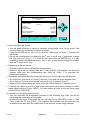
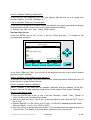
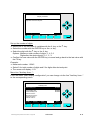
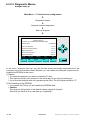
In the menu "Date and Time" you can set up the date and the time of the control module
(platform or MLT analyzer).
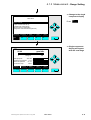
Line of variables "Time display format (am/pm)":
In this line you can decide if the time of the control module should be displayed in the 12
hours format or in the 24 hours format.
Line of variables "Network updating":
Select "Enabled" if you want that all modules combined with the platform or the MLT
analyzer can use the date and time setup of the control module. Else, select "Disabled".
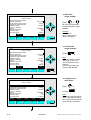
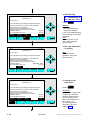
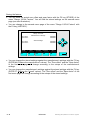
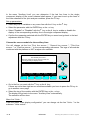
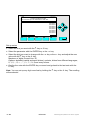
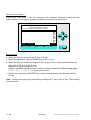
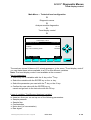
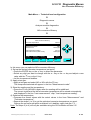
Set up a new date or time:
1) Press the ENTER key or the → -key in the line "Minutes", "Hours", "Day", "Month" or
"Year" to select the corresponding number.
2) Select any digit with the ← -key or the → -key and adjust a new value with the ↑ -key or
the ↓ -key.
♦ Options: Minutes: 0 to 59, Hours: 0 to 23, Day: 1 to 28/30/31 depending on the month
selected, Month: 1 to 12, Year: 1996 to 2035.
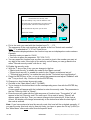
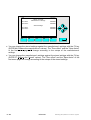
3) Press the F4 key to set the new date or time. The new adjustment will appear in the line
"Current time". The display in this line will be refreshed every five second.
90003749(1) [NGA-e (Software CLD 2.3/MLT 3.1.X)] 04/98
NGA 2000
5 - 49