1
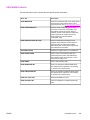
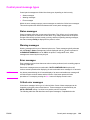
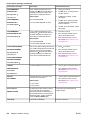
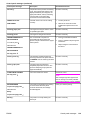
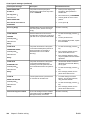
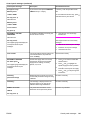
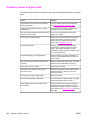
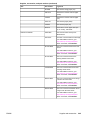
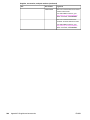
Control panel messages (continued)
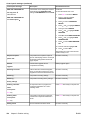
Control panel message
Description
Recommended action
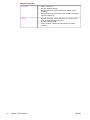
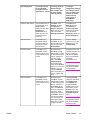
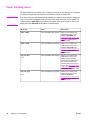
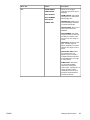
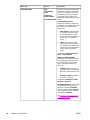
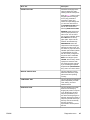
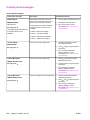
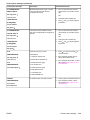
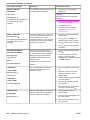
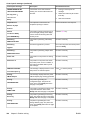
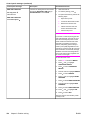
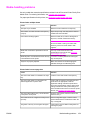
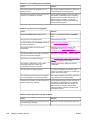
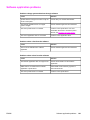
13.XX.YY JAM IN
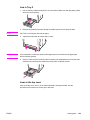
A page is jammed in the multi-purpose
tray.
1.
Press for detailed information
about clearing the jam.
2.
Press and
instructions.
3.
If the message persists after
clearing all pages, contact
HP Support at http://www.hp.com/
support/clj4610.
1.
Press for detailed information
about clearing the jam.
2.
Press and
instructions.
3.
If the message persists after
clearing all pages, contact
HP Support at http://www.hp.com/
support/clj4610.
1.
Press for detailed information
about clearing the jam.
2.
Press and
instructions.
3.
If the message persists after
clearing all pages, contact
HP Support at http://www.hp.com/
support/clj4610.
1.
Press for detailed information
about clearing the jam.
2.
Press and
instructions.
3.
If the message persists after
clearing all pages, contact
HP Support at http://www.hp.com/
support/clj4610.
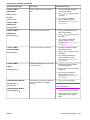
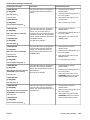
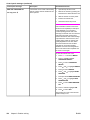
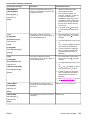
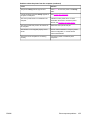
1.
Press
PAPER PATH
Clear jam then
press
alternates with
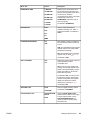
13.XX.YY JAM IN
to step through the
PAPER PATH
For help press
13.XX.YY JAM IN
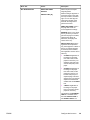
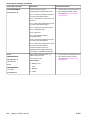
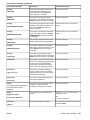
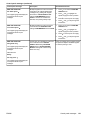
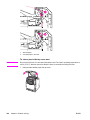
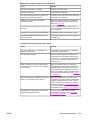
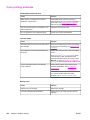
There is a jam in the media path.
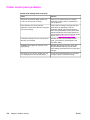
PAPER PATH
For help press
13.XX.YY JAM IN
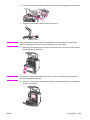
There is a jam in the top cover area.
TOP COVER AREA
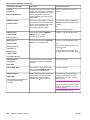
For help press
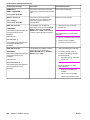
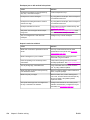
13.XX.YY JAM IN
TRAY X
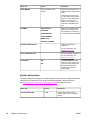
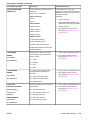
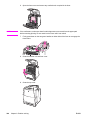
A page is jammed in Tray 2, Tray 3, Tray
4 or multiple trays.
For help press
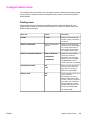
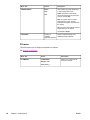
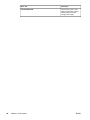
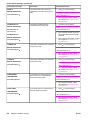
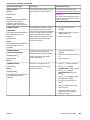
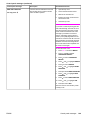
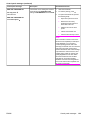
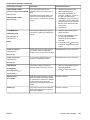
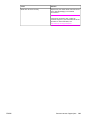
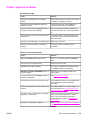
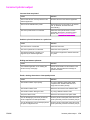
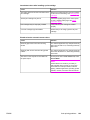
20 INSUFFICIENT MEMORY
For help press
The printer has received more data from
the computer than fits in available
memory.
to step through the
to step through the
to step through the
to continue printing.
NOTE
alternates with
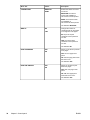
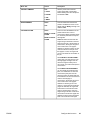
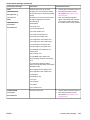
A loss of data will occur.
20 INSUFFICIENT MEMORY
2.
Reduce the complexity of the print
job to avoid this error in the future.
3.
Adding memory to the printer may
allow printing of more complex
pages.
To continue press
ENWW
Control panel messages
131