Download
Cisco Systems UCSSPENTVB200M3 Server User Manual
1
2
3
4
5
6
7
8
9
10
11
12
13
14
15
16
17
18
19
20
21
22
23
24
25
26
27
28
29
30
31
32
33
34
Transcript
Procedure
Step 1
Step 2
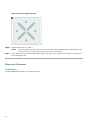
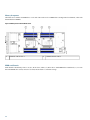
Press and hold the button down as shown in the figure below.
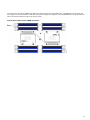
While holding the back end of the cover, pull the cover back and then up.
Figure 7: Opening a Cisco UCS B200 M3 Blade Server
10