1
moving between !DB/EXPLAIN and OMEGAMON
II 102
N
national language 41
navigation
fast pathing 29
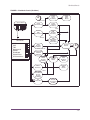
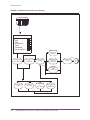
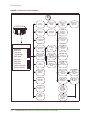
flow charts 109
near-term history panels 115, 117
Normal Status Word 96
O
object analysis panels 124
OMEGAMON II profile to migrate 22
OMEGAVIEW
trigger key 24
zooming to OMEGAMON II 21
optimizing SQL and DB2 applications 89
Options menu 32, 40
options, logon
modifying 22
output dataset requirements
IFCID trace facility 85
Resources (realtime) 115
Sign On 20
Specify User Authorities 48
System Status 25
system status 110
Terminal Options 43
workloads 112
password
for logon 21
PDF
see adobe portable document format 9
portable document format, Adobe 9
Preferences panel 41
field descriptions 41
profile maintenance 48
profiles
active 52
copying 50
creating 50
deleting 51
dynamic profile update facility 52
modifying description 51
switching 52
Pushbuttons 28
P
PA1 function key 21
panel features 25
customize 41
panel help 36
panels
alerts 118
Analyze Problems 77
Application Trace Facility 122
colors 27
common features 25
Copy a Profile 50
D2/EXPLAIN Options 99
data display area 27
Delete a Profile 51
Exit Confirmation 24
flow charts 109
GoTo from Thread Detail 126
GoTo from Thread History Detail 126
highlighting 27
historical 117
installation parameters 120
Modify Profile Description 51
navigation 109
object analysis 124
Options menu 40, 57 , 93
Preferences 41
Resources (near-term history) 115
R
red status 67
Resource panels
near-term history 117
Resources panels 115
rules for exceptions 79
S
save options 56
for SQL text 56
Scrolling 27
search facility 37
security account information 21
setting thresholds 78
Sign On panel
accessing 20
field descriptions 21
signing off 24
signing on 20
Specify User Authorities panel 48
SQL analysis and tuning 90
SQL copy and paste facility 43
SQL Process function key 97
SQL Process Level 97
SQL text 56
starting IFCID trace 85
status indicators
131