1
Dimensions and Standards 19
Dimensions and Operating Conditions 19
Standards 19
Introduction 4
Creating your Network 5
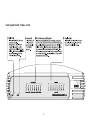
Dual Speed Switch 5 plus—Front 5
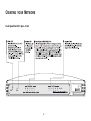
Dual Speed Switch 8 plus—Front 6
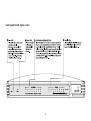
Dual Speed Switch 16 plus—Front 7
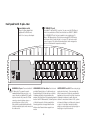
Dual Speed Switch 16 plus—Rear 8
How the Switch Can Be Used 9
Switching 9
Connecting 10BASE-T and 100BASE-TX Networks 10
Before You start 10
Unit Connections 10
Worksation Connections 10
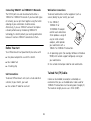
Twisted Pair (TP) Cables 10
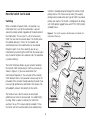
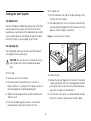
Stacking the Units Together 11
The Rubber Feet 11
The Stacking Clip 11
Positioning Your Switch 12
Securing Your Switch 12
Connecting Workstations and Other Equipment to Your Switch
13
Connecting OfficeConnect Units to Your Switch 13
Checking Unit Connections 14
Spot Checks 14
Environmental Statements 20
End Of Life Statement 20
Regulated Materials Statement 20
Environmental Statement about the Documentation 20
Environmental Statement about the Product Packaging 20
Important Safety Information 21
Wichtige Sicherheitshinweise 22
Consignes importantes de sécurité 23
Online Technical Services 24
World Wide Web Site 24
3Com Knowledgebase Web Services 24
Technical Support 24
Support from Your Network Supplier 25
Support from 3Com 25
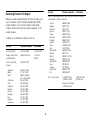
Returning Products for Repair 27
3Com Corporation Limited Warranty 29
Regulatory Notices 31
Problem Solving 15
Networking Terminology 17
3