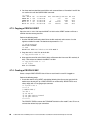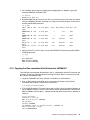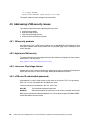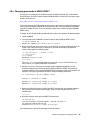
1
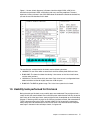
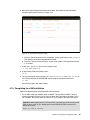
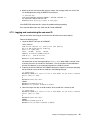
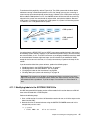
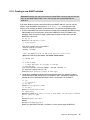
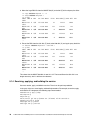
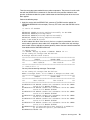
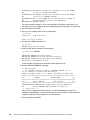
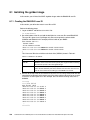
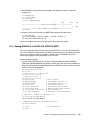
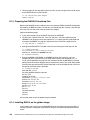
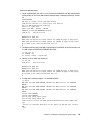
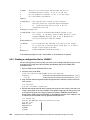
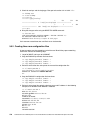
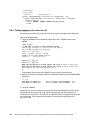
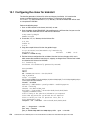
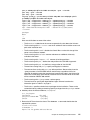
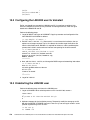
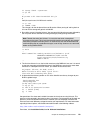
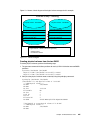
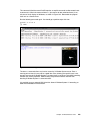
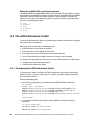
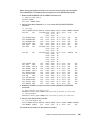
A block diagram of this process is shown in Figure 9-1. Figure 9-1 Cloning block diagram The top of the figure shows the Linux cloner/installation server that is running on the RH6CLONE user ID. To use FLASHCOPY or dd, the RH6CLONE user ID requires a LINK to the source minidisks that RH6GOLD owns and the destination minidisks that LINUX01 owns. The figure shows that the LINK statement is issued as read-only (RR) for the source and read/write (W) for the target. The VDISK-based swap spaces at virtual addresses 300 and 301 are defined in-memory, so they do not need to be copied. 9.5 Defining three more virtual machines So far, you have installed Linux manually twice onto RH6CLONE and RH6GOLD. You have created a new user ID named LINUX01 and cloned to it. Now it is time to prepare for more cloning of each of the virtual servers described in the remaining chapters. The following steps are performed: “Defining three more user IDs” on page 168 “Creating three new configuration files” on page 170 “Adding new virtual machines to the startup process” on page 171 “Testing logging on to a new user ID” on page 172 9.5.1 Defining three more user IDs Define three more user IDs for Linux virtual servers. Perform the following steps: 1. Log on to MAINT. 168 z/VM and Linux on IBM System z: The Virtualization Cookbook for Red Hat Enterprise Linux 6.0