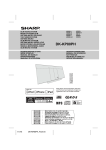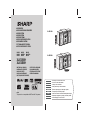
1
MIKROWIEŻA MIKRO KOMPONENS RENDSZER MIKROSYSTÉM MIKROSYSTÉM МІКРОСИСТЕМА MIKRO COMPONENT SUSTAV MIKRO MÜZIK SISTEMI ΣΥΣΤΗΜΑ ΜΙΚΡΟΣΤΟΙΧΕΙΩΝ MICRO COMPONENT SYSTEM MODEL MODEL MODEL MODEL МОДЕЛЬ MODEL MODEL ΜΟΝΤΕΛΟ MODEL XL-E2180H XL-E2580H XL-E2180H XL-E2580H INSTRUKCJA OBSŁUGI HASZNÁLATI ÚTMUTATÓ NÁVOD K POUŽITÍ NÁVOD NA POUŽÍVANIE ІНСТРУКЦІЯ З ЕКСПЛУАТАЦІЇ UPUTSTVA ZA UPORABU KULLANIM KILAVUZU ΕΓΧΕΙΡΙΔΙΟ ΛΕΙΤΟΥΡΓΙΑΣ OPERATION MANUAL Note: This product is not compatible with MTP and AAC file systems. POLSKI MAGYAR ČESKY SLOVENSKY УКРАЇНСЬКА HRVATSKI TÜRKÇE ΕΛΛΗΝΙΚΑ ENGLISH ... ... ... ... ... ... ... ... ... Patrz strony od i do xii oraz od PL-1 do PL-42. Lásd az i - xii és HU-1 - HU-42 oldalakat. Viz strany i až xii a CZ-1 až CZ-42. Prosím, pozrite si strany i až xii a SK-1 až SK-42. Дивіться: сторінки від i до xii, а також від UA-1 до UA-42. Vidi stranicu od i do xii ili od HR-1 do HR-42. Lütfen i’den xii’a kadar ve TR-1’den TR-42’a kadar sayfaları inceleyiniz. Παρακαλούμε παραπεμφθείτε στις σελίδες i με xii και GR-1 με GR-42. Please refer to pages i to xii and E-1 to E-42. XL-E2180H XL-E2580H PL - WAŻNE INFORMACJE z Gdy urządzenie znajduje się w trybie czuwania, jego wewnętrzne elementy są pod napięciem. Jeśli urządzenie znajduje się w trybie czuwania, może zostać włączone przy pomocy pilota lub automatycznie przy pomocy zegara. z Wewnątrz urządzenia nie ma żadnych elementów wymagających obsługi użytkownika. Obudowa może być zdejmowana wyłącznie przez wykwalifikowanych pracowników serwisu. Wewnętrzne elementy urządzenia znajdują się pod napięciem. Przed zdjęciem odbudowy, lub gdy urządzenie ma zostać przez dłuższy czas nieużywane, należy wyjąć wtyczkę z gniazdka elektrycznego. z Nagrań audiowizualnych chronionych prawami autorskimi nie można kopiować bez zgody właściciela tych praw. Prosimy o postępowanie zgodne z obowiązującym prawem. z Produkt jest URZĄDZENIEM LASEROWYM KLASY 1. z Urządzenie należy chronić przed zalaniem i wilgocią. OSTRZEŻENIE: Pod pokrywą znajduje się źródło niewidzialnego promieniowania laserowego. Nie wolno patrzeć w wiązkę lasera bezpośrednio, ani przy użyciu przyrządów optycznych. i HU - SPECIÁLIS MEGJEGYZÉSEK z Amikor az ON/STAND-BY gomb STAND-BY helyzetben van, a készülék még hálózati feszültség alatt van. Amikor az ON/STAND-BY gomb STAND-BY helyzetben van, a készülék a távvezérlő segítségével bekapcsolható. z A készülék nem tartalmaz a felhasználó által javítható alkatrészeket. A burkolatokat ne távolítsa el, hacsak nem rendelkezik megfelelő képesítéssel. A készülék feszültség alatt van, ezért szervizelés előtt húzza ki a dugaszt a hálózati aljzatból, illetve amikor hosszabb ideig nem használja a készüléket. z Az audio-vizuális anyag törvényvédett tulajdont is tartalmazhat, melynek rögzítése és másolása esetleg tilos a védjegy tulajdonosának engedélye nélkül. Az adott országban érvényes jogszabályok az irányadók. z A készülék 1. OSZTÁLYBA SOROLT LÉZERTERMÉK. z A tűzveszély és az áramütés megelőzése érdekében ügyeljen arra, hogy a készülék ne érintkezzen folyadékokkal. Ne helyezzen semmilyen folyadékkal töltött tárgyat (pl. vázát) a készülékre. FIGYELMEZTETÉS: A burkolat megbontásakor láthatatlan lézersugár léphet ki a készülékből. Ne nézzen a fénysugárba se szabad szemmel, se optikai eszközön keresztül! XL-E2180H XL-E2580H CZ - ŮLEŽITÉ INFORMACE z Je-li přístroj v pohotovostním režimu, jeho vnitřní části jsou pod napětím. Přístroj v pohotovostním režimu můžete zapnout pomocí dálkového ovládání nebo automaticky pomocí časovaného zapnutí. UPOZORNĚNÍ: Po otevření a uvolnění zámků se vystavujete neviditelnému laserovému záření. Vyvarujte se přímému pohledu do paprsku. z Omezte riziko zásahu elektrickým proudem tak, že nebudete snímat žádný kryt. Uvnitř zařízení nejsou žádný části, které by si mohl uživatel opravit sám, proto ponechte veškerý servis kvalifikovaným technikům. Chcete-li otevřet kryt nebo nebudete-li přístroj delší dobu používat, odpojte napájecí kabel z elektrické zásuvky. PŘÍSTROJ NEVYSTAVUJTE KAPAJÍCÍ NEBO STŘÍKAJÍCÍ VODĚ. z Audiovizuální nahrávky chraněné autorským právem nesmí být kopírované bez souhlasu majitele. Postupujte v souladu s právem. PŘED SEJMUTÍM KRYTU NUTNO VYJMOUT VIDLICI ZE SÍŤOVÉ ZÁSUVKY. VÝSTRAHA: VÝROBEK JE VYBAVEN LASEREM. PŘI NESPRÁVNÉ MANIPULACI S PŘÍSTROJEM V ROZPORU S TÍMTO NÁVODEM MŮŽE DOJÍT K NEBEZPEČÉMU OZÁŘENÍ. NEOTVÍREJTE A NESNÍMEJTE PROTO ŽÁDNÉ KRYTY A PŘÍSTROJ NEOPRAVUJTE. OPRAVU A SERVIS SVĚŘTE ODBORNÉMU SERVISU. z Je to LASEROVÝ VÝROBEK TŘÍDY 1. z Zabraňte kontaktu přístroje s vodou a vlhkem. ii XL-E2180H XL-E2580H SK - DÔLEŽITÉ INFORMÁCIE z Ak je jednotka v pohotovostnom režime, jej vnútorné časti sú pod napätím. Jednotku, ktora je v pohotovostnom režime, môžete zapnut´ pomocou diaľkového ovládača alebo automatický pomocou časovača. UPOZORNENIE: Pod krytom sa nachádza zdroj neviditeľného laserového žiarenia. Nepozerajte sa na snímač lasera priamo alebo pomocou optických nástrojov. z Vo vnútri zariadenia sa nenachádzajú žiadne časti ktoré vyžadujú obsluhu použivateľa. Kryt môže demontovat´ vylučne kvalifikovaný pracovník servisu. Vnútorné časti zariadenia sa nachádzajú pod napätím. Predtým než demontujete kryt alebo keď zariadenie bude cez dlhší čas nepouživané, odpojte zástrčku zo zásuvky. PROSTROJ NEVYSTAVUJTE KVAPKAJÚCEJ ALEBO STRIEKAJÚCEJ VODE. z Audiovizuálne záznamy, ktoré sú chránené autorskými právami nesmiete kopírovat´ bez súhlasu ich majiteľa. Prosíme, postupujte v súlade s platnými právnymi predpismi. z Výrobok je LASEROVÁ JEDNOTKA 1. TRIEDY. z Zariadenie nevystavujte pôsobeniu vlkosti a dbajte, aby sa do jednotky nedostala voda. iii PRED ZLOŽENÍM KRYTU PRÍSTROJ ZO SIETE. JE NUTNE ODPOJIŤ VÝSTRAHA: VÝROBOK JE VYBAVENÝ LASEROM. PRI NESPRÁVNO MANIPULOVANÍ S PRÍSTROJOM V ROZPORE S TÝMTO NÁVODOM MÔŽE DÔJSŤ K NEBEZPEČNEMU OŽIARENIU. NEODKRÝVAJTE PRETO ŽIADNE KRYTY A PRÍSTROJ NEOPRAVUJTE. OPRAVU A SERVIS PRENECHAJTE ODBORNÉMU SERVISU. UA - ВАЖЛИВА ІНФОРМАЦІЯ HR - POSEBNE NAPOMENE z У режимі очікування пристрою його внутрішні елементи знаходяться під напругою. Тому в режимі очікування пристрій можна увімнкути за допомогою пульта або автоматично за допомогою таймера. z Dok je tipka ON/STAND-BY uključena na STAND-BY poziciju, uređaj je i dalje pod glavnim naponom. Dok je tipka ON/STAND-BY uključena na STAND-BY poziciju, moguće je uključiti uređaj pomoću timer-a ili daljinskog upravljača. z В середині пристрою немає елементів, які б вимагали обслуговування зі сторони користувача. Верхню кришку може зняти тільки кваліфікований працівник сервісного центру. Внутрішні елементи пристрою знаходяться під напругою. Перед тим, як зняти кришку, або у випадку, коли Ви довго не користувалися пристроєм, слід витягнути штепсель з електричної розетки. z Ovaj uređaj ne sadrži dijelove koje bi korisnik mogao sam popraviti. Nikad ne skidajte sami poklopac uređaja, već to prepustite kavalificirnoj osobi za servisiranje. Uređaj je pod naponom koji može biti opasan, zato uvijek isključite glavni utikač iz zidne utičnice prije bilo kakvih servisnih radova ili u slučaju da nemate namjeru koristiti uređaj duže vremena. z Аудіовізуальні записи, які захищені відповідними параграфами авторського права, забороняється копіювати без дозволу власника авторських прав. Поступайте згідно із діючим законодавством. z Даний продукт є ЛАЗЕРНИМ ПРИСТРОЄМ КЛАСУ 1. z Оберігайте пристрій від від дії води та вологи. ПРИМІТКА: Під кришкою пристрою знаходиться невидиме джерело лазерного випромінювання. Не дивіться на промінь лазера безпосередньо, ані за допомогою оптичних приладів. XL-E2180H XL-E2580H z Audio-vizualni materijal mogao bi biti zaštićen autorskim pravima koji ne dozvoljavaju presnimavanje bez dozvole vlasnika autorskih prava. Molimo vas da se obratite nadležnoj ustanovi u vašoj zemlji. z Ovaj je proizvod klasificiran kao LASERSKI PROIZVOD 1. KLASE. z Ne izlažite uređaj vodi, kapanju i pljuskanju u cilju sprečavanja požara ili strujnog udara. Nikavi predmeti puni vode, kao na primjer vaze, ne bi se smjeli postavljati na uređaj. OPREZ: Nevidljivo lasersko zračenje u slučaju otvaranja poklopca. Ne gledajte direktno u snop zraka i ne promatrajte ih pomoću optičkih instrumenata. iv XL-E2180H XL-E2580H TR - ÖZEL NOTLAR z ON/STAND-BY (AÇMA/BEKLEME) dügmesi STANDBY (BEKLEME) konumu olarak ayarlanmiş durumunda şebeke voltaji hala ünitenin içerisindedir. ON/STANDBY (AÇMA/BEKLEME) dügmesi STAND-BY (BEKLEME) konumu olarak ayarlanmiş durumunda ünite zamanlayici modu tarafindan veya uzaktan kumanda araciligiyla çaliştirilabilir. z Cihazin içinde kullanicinin servis yapabilecegi hiçbir parça yoktur. Yetkiniz yokken hiçbir zaman kapaklari açmayiniz. Bu ünitenin tehlikeli voltaji var, herhangi bir servis işleminden önce ve onun uzun zaman kullanilmayacagi sürede fişini prizden her zaman çekiniz. z Görsel işitsel materyal telif hakki ile korunan ve telif hakki sahibinin iznini almadan kaydedilemeyen çalişmalari içerebilir. Lütfen sizin ülkenizde geçerli olan uygun mevzuatlari inceleyiniz. z Yangin veya elektrik çarpma tehlikesini önlemek amaciyla bu cihazi damlama veya serpmeye maruz birakmayiniz. Aygitin üstüne vazo gibi sivi ile doldurulmuş objeler yerleştirilemez. z Bu ürün SINIF 1 LAZER ÜRÜNÜ olarak siniflandirilmiştir. DIKKAT: Bu ürün düşük güçlü lazer cihazini içermektedir. Devamli emniyeti saglamak için herhangi bir kapagi açmayiniz veya ürünün içerisine erişim saglamayi denemeyiniz. Bütün servis işlemleri için yetkili personele başvurunuz. v GR - ΕΙΔΙΚΕΣ ΣΗΜΕΙΩΣΕΙΣ z Όταν το κομβίον ΛΕΙΤΟΥΡΓΙΑ/ΣΕ ΑΝΑΜΟΝΗ είναι στη θέση ΣΕ ΑΝΑΜΟΝΗ, τάση ηλεκτρικού δικτύου υπάρχει ακόμη μέσα στο συγκρότημα. Όταν το κομβίον ΛΕΙΤΟΥΡΓΙΑ/ΣΕ ΑΝΑΜΟΝΗ είναι στη θέση ΣΕ ΑΝΑΜΟΝΗ, το συγκρότημα μπορεί να μπει σε λειτουργία από την κατάσταση χρονοδιακόπτη ή από το τηλεχειριστήριο. z Αυτό το συγκρότημα δεν αποτελείται από στοιχεία που μπορούν να συντηρηθούν από το χρήστη. Ποτέ μην αφαιρείτε σκέπαστρα εκτός αν είστε εξουσιοδοτημένος για αυτό. Αυτό το συγκρότημα περιέχει επικίνδυνη τάση, απομακρύνετε πάντα το βύσμα της τάσης ηλεκτρικού δικτύου από το ρευματοδότη πριν από οποιαδήποτε επιχείρηση συντήρησης καθώς επίσης, όταν το συγκρότημα δε χρησιμοποιείται για μακρά περίοδο. z Το οπτικοακουστικό υλικό μπορεί να περιέχει εργασίες με προστατευόμενα πνευματικά δικαιώματα που απαγορεύεται να ηχογραφηθούν χωρίς την άδεια του ιδιοκτήτη των πνευματικών δικαιωμάτων. Παρακαλώ παραπεμφθείτε στην ανάλογη νομοθεσία της χώρας σας. z Για την πρόληψη κινδύνου πυρκαγιάς ή ηλεκτροπληξίας, μην εκθέτετε τη συσκευή σε σημείο που στάζει ή που μπορεί να πιτσιλιστεί. Μην τοποθετείτε επάνω στη συσκευή αντικείμενα που περιέχουν υγρά, όπως για παράδειγμα βάζα. z Αυτό το προϊόν είναι ταξινομημένο ως 1ης ΤΑΞΕΩΣ ΠΡΟΙΟΝ ΛΕΙΖΕΡ. ΠΡΟΣΟΧΗ: Το προϊόν αυτό περιέχει συσκευή λέιζερ χαμηλής τάσεως. Για να σιγουρέψετε συνεχόμενη ασφάλεια μην απομακρύνετε τα σκέπαστρα και μην προσπαθείτε να επέμβετε στο εσωτερικό του προϊόντος. Παραπέμψτε όλη τη συντήρηση σε εξουσιοδοτημένο προσωπικό. ENG - SPECIAL NOTES XL-E2180H XL-E2580H z When the ON/STAND-BY button is set at STAND-BY position, mains voltage is still present inside the unit. When the ON/STAND-BY button is set at STAND-BY position, the unit may be brought into operation by the timer mode or remote control. z This unit contains no user serviceable parts. Never remove covers unless qualified to do so. This unit contains dangerous voltages, always remove mains plug from the socket before any service operation and when not in use for a long period. z Audio-visual material may consist of copyrighted works which must not be recorded without the authority of the owner of the copyright. Please refer to relevant law in your country. z To prevent fire or shock hazard, do not expose this appliance to dripping or splashing. No objects filled with liquids, such as vases, shall be placed on the apparatus. z This product is classified as a CLASS 1 LASER PRODUCT. This product contains a low power laser device. To ensure continued safety do not remove any cover or attempt to gain access to the inside of the product. Refer all servicing to qualified personnel. vi XL-E2180H XL-E2580H PL - INFORMACJE DOTYCZĄCE USUWANIA ZUŻYTEGO URZĄDZENIA A. Informacje dla użytkowników (prywatne gospodarstwa domowe) dotyczące usuwania odpadów 1. W krajach Unii Europejskiej Uwaga: Jeśli chcą Państwo usunąć to urządzenie, prosimy nie używać zwykłych pojemników na śmieci! Zużyty sprzęt elektryczny i elektroniczny należy usuwać oddzielnie, zgodnie z wymogami prawa dotyczącymi odpowiedniego przetwarzania, odzysku i recyklingu zużytego sprzętu elektrycznego i elektronicznego. Po wdrożeniu przepisów unijnych w Państwach Członkowskich prywatne gospodarstwa domowe na terenie krajów UE mogą bezpłatnie* zwracać zużyty sprzęt elektryczny i elektroniczny do wyznaczonych punktów zbiórki odpadów. W niektórych krajach* można bezpłatnie zwrócić stary produkt do lokalnych punktów sprzedaży detalicznej pod warunkiem, że zakupią Państwo podobny nowy produkt. *) W celu uzyskania dalszych informacji na ten temat należy skontaktować się z lokalnymi władzami. Uwaga: Państwa produkt oznaczony jest tym symbolem. Oznacza to, że zużytego sprzętu elektrycznego i elektronicznego nie należy łączyć z odpadami z gospodarstw domowych. Dla tego typu produktów istnieje odrębny system zbiórki odpadów. Jeśli zużyty sprzęt elektryczny i elektroniczny jest wyposażony w baterie lub akumulatory, należy je usunąć oddzielnie, zgodnie z wymogami lokalnych przepisów. Jeśli ten produkt zostanie usunięty we właściwy sposób, pomogą Państwo zapewnić, że odpady zostaną poddane przetworzeniu, odzyskowi i recyklingowi, a tym samym zapobiec potencjalnym negatywnym skutkom dla środowiska naturalnego i zdrowia ludzkiego, które w przeciwnym razie mogłyby mieć miejsce na skutek niewłaściwej obróbki odpadów. 2. Kraje pozaunijne Jeśli chcą Państwo pozbyć się produktu, należy skontaktować się z władzami lokalnymi i uzyskać informacje na temat prawidłowej metody usunięcia produktu. B. Informacje dla użytkowników biznesowych dotyczące usuwania odpadów 1. W krajach Unii Europejskiej W przypadku gdy produkt używany jest do celów handlowych i zamierzają go Państwo usunąć: Należy skontaktować się z dealerem firmy SHARP, który poinformuje o możliwości zwrotu wyrobu. Być może będą Państwo musieli ponieść koszty zwrotu i recyklingu produktu. Produkty niewielkich rozmiarów (i w małej liczbie) można zwrócić do lokalnych punktów zbiórki odpadów. 2. Kraje pozaunijne Jeśli chcą Państwo usunąć ten produkt, należy skontaktować się z władzami lokalnymi i uzyskać informacje na temat prawidłowej metody jego usunięcia. INFORMACJA NA TEMAT USUWANIA BATERII Bateria dostarczona wraz z produktem może zawierać śladowe ilości ołowiu. W krajach Unii Europejskiej: Przekreślony pojemnik na odpady oznacza, że zużytych baterii nie należy wyrzucać do pojemników z odpadami domowymi! Dla zużytych baterii istnieją oddzielne systemy zbiórki, które zapewnią prawidłowe przetwarzanie i odzysk zgodnie z obowiązującym prawem. Szczegóły na temat systemów zbiórki otrzymają Państwo u lokalnych władz. W Szwajcarii: Zużyte baterie można zwrócić w punkcie sprzedaży. Kraje pozaunijne: W celu uzyskania szczegółowych informacji na temat prawidłowej metody pozbycia się zużytych baterii, proszę o kontakt z władzami lokalnymi. vii HU - TÁJÉKOZTATÓ A MEGFELELŐ ÁRTALMATLANÍTÁSRÓL XL-E2180H XL-E2580H A. Hulladék-elhelyezési tájékoztató felhasználók részére (magán háztartások) 1. Az Európai Unióban Figyelem: Ha a készüléket ki akarja selejtezni, kérjük, ne a közönséges szemeteskukát használja! A használt elektromos és elektronikus berendezéseket külön, és a használt elektromos és elektronikus berendezések szabályszerű kezeléséről, visszanyeréséről és újrahasznosításáról rendelkező jogszabályokkal összhangban kell kezelni. A tagállamok általi végrehajtást követően az EU államokon belül a magán háztartások használt elektromos és elektronikai berendezéseiket díjmentesen juttathatják vissza a kijelölt gyűjtőlétesítményekbe*. Egyes országokban* a helyi kiskereskedés is díjmentesen visszaveheti Öntől a régi terméket, ha hasonló új terméket vásárol. *) A további részletekről, kérjük, érdeklődjön az önkormányzatnál. Figyelem: A terméket ezzel a jelöléssel láttákel. Ez azt jelenti, hogy a használt elektromos és elektronikus termékeket nem szabad az általános háztartási hulladékkal keverni. Ezekhez a termékekhez külön hulladékgyűjtő rendszer üzemel. Ha használt elektromos vagy elektronikus berendezésében elemek vagy akkumulátorok vannak, kérjük, előzetesen ezeket selejtezze ki a helyi előírásoknak megfelelően. A termék szabályszerű kiselejtezésével Ön segít biztosítani azt, hogy a hulladék keresztülmenjen a szükséges kezelésen, visszanyerési és újrahasznosítási eljáráson, ezáltal közreműködik a lehetséges káros környezeti és humán egészségi hatások megelőzésében, amelyek ellenkező esetben a helytelen hulladékkezelés következtében előállhatnának. 2. Az EU-n kívüli egyéb országokban Ha a terméket ki szeretné selejtezni, kérjük, forduljon az önkormányzathoz, és érdeklődjön a helyes hulladékelhelyezési módszerről. B. Hulladék-elhelyezési tájékoztató vállalati felhasználók részére 1. Az Európai Unióban Ha a terméket üzleti célokra használta, és ki kívánja selejtezni: Kérjük, forduljon a SHARP kereskedéshez, ahol tájékoztatják Önt a termék visszavételéről. Lehetséges, hogy a visszavételből és újrahasznosításból eredő költségeket felszámítják. Előfordulhat, hogy a helyi hulladékbegyűjtő létesítmény átveszi a kisebb termékeket (és kis mennyiségeket). 2. Az EU-n kívüli egyéb országokban Ha a terméket ki szeretné selejtezni, kérjük, forduljon az önkormányzathoz, és érdeklődjön a helyes hulla-dékelhelyezési módszerről. TÁJÉKOZTATÓ AZ ELHASZNÁLT ELEMEK ELHELYEZÉSÉRŐL A termékhez tartozó elem nyomokban ólmot tartalmaz. EU: Az áthúzott kerekes szemétgyűjtő tartály jelzi, hogy a használt elemeket nem szabad a háztartási szemétbe tenni. A használt elemek számára egy elkülönített begyűjtési rendszert hoztak létre, ami lehetővé teszi a jogszabály rendelkezései szerint a megfelelő kezelést és újrahasznosítást. Kérjük, vegye fel a kapcsolatot a helyi hatósággal a begyűjtés és újrahasznosítás részleteivel kapcsolatban. Svájc: A használt elemeket az értékesítési helyre kell visszavinni. Más nem uniós országok: Kérjük, vegye fel a kapcsolatot a helyi hatósággal a használt elemek ártalmatlanításának helyes eljárásával kapcsolatban. viii XL-E2180H XL-E2580H CZ - INFORMACE O LIKVIDACI POUŽITÉHO VYBAVENÍ A. Informace o likvidaci pro uživatele (domácnosti) 1. V zemích Evropské unie Upozornění: Toto zařízení nelikvidujte v běžných odpadkových koších! Použíté elektické a elektronické vybavení je třeba likvidovat samostatně a v souladu s legislativou, která vyžaduje řádnou likvidaci, obnovení a recyklaci použitého elektického a elektronického vybavení. Na základě dohody členských států mohou domácnosti v zemích Evropské unie vracet použité elektrické a elektronické vybavení v určených sběrnách zdarma*. V některých zemích* od vás může místní prodejce odebrat zdarma použitý výrobek, pokud zakoupíte nový podobný. *) Další podrobnosti vám sdělí orgány místní správy. Upozornění: Váš výrobek je označen tímto symbolem. Znamená to, že je zakázáno likvidovat použitý elektický nebo elektronický výrobek s běžným domácímodpadem. Pro tyto výrobky je k dispozici samostatný sběrný systém. Pokud použité elektrické nebo elektronické vybavení obsahuje baterie nebo akumulátory, zlikvidujte je předem samostatně v souladu s místními vyhláškami. Řádnou likvidací toho výrobku pomáháte zajistit, že bude odpad vhodným způsobem zlikvidován, obnoven a recyklován a zabráníte tak možnému poškození životního prostředí a zdraví obzvatel, ke kterému by mohlo dojít v případě nesprávné likvidace. 2. V ostatních zemích mimo Evropskou unii Chcete-li tento výrobek zlikvidovat obrat’te se na místní orgány, které vás seznámí s vhodnou metodou likvidace. B. Informace o likvidaci pro podnikatelské subjekty 1. V zemích Evropské unie Chcete-li zlikvidovat výrobek, který je používán pro ponikatelské účely: Obrat’te se na prodejce SHARP, který vás informuje o odebrání výrobku. Odebrání a recyklace mohou být zpoplatněny. Malé výrobky (a malá množství) mohou odebírat místní sběrny odpadu. 2. V ostatních zemích mimo Evropskou unii Chcete-li tento výrobek zlikvidovat obrat’te se na místní orgány, které vás seznámí s vhodnou metodou likvidace. INFORMACE O LIKVIDACI BATERIÍ Baterie připojená k výrobku může obsahovat stopové množství olova. V zemích Evropské unie: Přeškrtnutá nádoba na odpad znamená, že použíté baterie nesmí být vyhozeny do domácí popelnice! Pro vybité baterie existují zvláštní systémy sběru, které umožňují správné opětné použítí a recyklaci v souladu s platnými právními předpisy. Pro podrobnosti spojené se systémy sběru kontaktujte lokální úřady. Ve Švýcarsku: použíté baterie mohou být vráceny do prodejny. Země mimo Evropskou unii: Pro podrobnosti spojené se správným způsobem zbavení se vybitých baterií kontaktuje lokální úřady. ix SK - INFORMÁCIE O LIKVIDÁCII POUŽITÉHO ZARIADENIA XL-E2180H XL-E2580H A. Informácie o likvidácii pre používateľov (domácnosti) 1. V Európskej únii Pozor: Ak chcete zlikvidovat’ toto zariadenie, nepoužívajte bežný kôš na odpadky! Použité elektrické a elektronické zariadenia musia byt’ spracované oddelene a podľa platných zákonov, ktoré vyžadujú správne zaobchádzanie, obnovu a recyklovanie použitých elektrických a elektronických zariadení. Podľa implementácie v jednotlivých členských štátoch môžu domácnosti v štátoch EÚ vrátit’ použité elektrické a elektronické zariadenia na určené zberné miesta bez poplatkov*. V niektorých štátoch* môžu vaše staré výrobky zdarma odobrat’ tiež miestni maloobchodní predajcovia, ak si zakúpite podobný nový výrobok. *) Ďalšie podrobnosti sa dozviete od vašich miestnych orgánov. Pozor: Výrobok je označený týmto symbolom. Znamená to, že použité elektrické a elektronické výrobky by sa nemali miešat’ s bežným domovým odpadom. Pre tieto výrobky existuje samostatný zberný systém. Ak sa vo vašich použitých elektrických alebo elektronických zariadeniach nachádzajú batérie, zlikvidujte ich samostatne vopred, podľa miestnych požiadaviek. Správnou likvidáciou tohto výrobku pomôžete pri zabezpečení toho, aby odpad prešiel potrebnou úpravou, obnovou a recykláciou a takto sa predchádzalo možným negatívnym vplyvom na životné prostredie a zdravie osôb, ku ktorým by inak mohlo dochádzat’ v dôsledku nevhodného zaobchádzania s odpadom. 2. V ostatných štátoch mimo EÚ Ak si želáte znehodnotit’ tento výrobok, obrát’te sa na vaše miestne orgány a informujte sa o správnej metóde likvidácie. B. Informácie o likvidácii pre komerčných používateľov 1. V Európskej únii Ak sa výrobok používa na komerčné účely a chcete ho znehodnotit’: Obrát’te sa na vášho predajcu SHARP, ktorý vás informuje o spätnom odobratí výrobku. Môžu vám byt’ účtované náklady vyplývajúce zo spätného odobratia a recyklácie. Malé výrobky (a malé množstvá) môžu spätne odobrat’ vaše lokálne zberné miesta. 2. V ostatných štátoch mimo EÚ Ak si želáte znehodnotit’ tento výrobok, obrát’te sa na vaše miestne orgány a informujte sa o správnej metóde likvidácie. INFORMÁCIE O LIKVIDÁCII BATÉRIE Batéria dodávaná s výrobkom môže obsahovať stopové prvky a toxické kovy olovo. V Európskej Únii: Prečiarknutý odpa`dkový kôš znamená, že použité batérie by sa nemali miešať s bežným domovým odpadom. Pre použité batérie je určený špeciálny systém separovaného zberu, ktorý zabezpečuje správnu obnovu a recyklovanie podľa platných zákonov. Podrobné informácie týkajúce sa systémov separovaného zberu Vám poskytnú miestne orgány. V Švajčiarsku: Použité batérie môžete zadarmo vrátiť predajcovi. V ostatných štátoch mimo EÚ: V záujme získania podrobných informácií týkajúcich sa správnej metódy vyhadzovania použitých batérií, prosím, obráťte sa na Vaše miestne orgány. x XL-E2180H XL-E2580H GR - Πληροφορίες για σωστή απόρριψη Προσοχή: Το προϊόν σας είναι σημαδεμένο με αυτό το σύμβολο. Αυτό σημαίνει ότι χρησιμοποιημένα ηλεκτρικά και ηλεκτρονικά προϊόντα δεν πρέπει να αναμιχθούν με κοινά οικιακά απορρίμματα. Υπάρχει σύστημα ξεχωριστής περισυλλογής για αυτά τα προϊόντα. Α. Πληροφορίες απόρριψης για χρήστες (ιδιωτική οικιακή χρήση) 1. Στην Ευρωπαϊκή Ένωση Προσοχή: Αν θέλετε να απορρίψετε αυτή τη συσκευή παρακαλώ μη χρησιμοποιείτε κανονικούς κάδους απορριμμάτων. O χρησιμοποιημένος ηλεκτρικός και ηλεκτρονικός εξοπλισμός πρέπει να μεταχειρίζεται μεμονωμένα και σύμφωνα με τη νομοθεσία που απαιτεί κατάλληλη μεταχείριση, αποκατάσταση και ανακύκλωση χρησιμοποιημένου ηλεκτρικού και ηλεκτρονικού εξοπλισμού. Ακολουθώντας τις εφαρμογές των κρατών μελών, οι ιδιοκτήτες συσκευών ιδιωτικής, οικιακής χρήσης στα κράτη μέλη της ΕΕ μπορούν να επιστρέφουν τον χρησιμοποιημένο ηλεκτρικό και ηλεκτρονικό εξοπλισμό τους σε ενδεδειγμένες εγκαταστάσεις συλλογής χωρίς επιβάρυνση*. Σε κάποιες χώρες* ο τοπικός μεταπράτης μπορεί να παραλάβει το παλαιό σας προϊόν χωρίς επιβάρυνση αν αποκτήσετε ένα παρόμοιο καινούργιο. *) Παρακαλούμε να επικοινωνήσετε με τις τοπικές αρχές για περεταίρω λεπτομέρειες. Αν ο χρησιμοποιημένος ηλεκτρικός ή ηλεκτρονικός εξοπλισμός σας έχει μπαταρίες ή συσσωρευτές, παρακαλούμε να τα απορρίψετε νωρίτερα σύμφωνα με τις τοπικές απαιτήσεις. Με τη σωστή απόρριψη αυτού του προϊόντος θα βοηθήσετε στην επιβεβαίωση ότι τα απόβλητα υποβάλλονται την απαραίτητη επεξεργασία, αποκατάστασης και ανακύκλωσης και ότι έτσι αποφεύγονται εν δυνάμει αρνητικές επιδράσεις στο περιβάλλον και στην ανθρώπινη υγεία που μπορούν αλλιώς να προκληθούν εξαιτίας της ανάρμοστης μεταχείρισης αποβλήτων. 2.Σε άλλες χώρες εκτός ΕΕ Αν θέλετε να απορρίψετε αυτό το προϊόν, παρακαλούμε να επικοινωνήσετε με τις τοπικές αρχές και να ρωτήσετε για τη σωστή μέθοδο απόρριψης. Β. Πληροφορίες απόρριψης για χρήστες (επαγγελματική χρήση) 1. Στην Ευρωπαϊκή Ένωση Αν το προϊόν χρησιμοποιείται για επαγγελματικούς σκοπούς και θέλετε να το απορρίψετε: Παρακαλούμε να επικοινωνήσετε με τον προμηθευτή σας που θα σας πληροφορήσει για την ανάληψη του προϊόντος. Μπορεί να χρεωθείτε για τα έξοδα που θα προκύψουν από την ανάληψη και την ανακύκλωση. Μικρά προϊόντα (και μικρά ποσά) μπορούν να αναληφθούν από τοπικές υπηρεσίες περισυλλογής. Για την Ισπανία: Παρακαλούμε επικοινωνήστε με το καθιερωμένο σύστημα περισυλλογής ή τις τοπικές αρχές για την επιστροφή των χρησιμοποιημένων σας προϊόντων. 2. Σε άλλες χώρες εκτός ΕΕ Αν επιθυμείτε να απορρίψετε αυτό το προϊόν, παρακαλώ επικοινωνήστε με τις τοπικές αρχές και ρωτήστε για τη σωστή μέθοδο απόρριψης. Πληροφορίες για την απόρριψη μπαταριών Η μπαταρία που προμηθεύεστε με αυτό το προϊόν περιέχει ίχνη Μολύβδου. Για την Ε.Ε (Ευρωπαϊκή Ένωση).: Το σύμβολο του διαγραμμένου τροχοφόρου κάδου απορριμμάτων υποδεικνύει ότι οι χρησιμοποιημένες μπαταρίες δεν πρέπει να απορριφθούν μαζί με τα υπόλοιπα οικιακά απορρίμματα! Υπάρχει ξεχωριστό σύστημα περισυλλογής για τις χρησιμοποιημένες μπαταρίες, για να πραγματοποιηθεί η ανάλογη επεξεργασία και ανακύκλωση σύμφωνα με τη νομοθεσία. Παρακαλούμε επικοινωνήστε με τις τοπικές αρχές για λεπτομέρειες περί του προγράμματος περισυλλογής και ανακύκλωσης. Για την Ελβετία: Η χρησιμοποιημένη μπαταρία πρέπει να επιστραφεί στον τόπο από τον οποίο την προμηθευτήκατε. Για άλλες χώρες εκτός Ευρωπαϊκής Ένωσης: Παρακαλούμε επικοινωνήστε με τις τοπικές αρχές για τη σωστή μέθοδο απόρριψης των χρησιμοποιημένων μπαταριών. xi ENG - INFORMATION ON PROPER DISPOSAL XL-E2180H XL-E2580H A. Information on Disposal for Users private households) 1. In the European Union Attention: If you want to dispose of this equipment, please do not use the ordinary dustbin! Used electrical and electronic equipment must be treated separately and in accordance with legislation that requires proper treatment, recovery and recycling of used electrical and electronic equipment. Following the implementation by member states, private households within the EU states may return their used electrical and electronic equipment to designated collection facilities free of charge*. In some countries* your local retailer may also take back your old product free of charge if you purchase a similar new one. *) Please contact your local authority for further details. Attention: Your product is marked with this symbol. It means that used electrical and electronic products should not be mixed with general household waste. There is a separate collection system for these products. If your used electrical or electronic equipment has batteries or accumulators, please dispose of these separately beforehand according to local requirements. By disposing of this product correctly you will help ensure that the waste undergoes the necessary treatment, recovery and recycling and thus prevent potential negative effects on the environment and human health which could otherwise arise due to inappropriate waste handling. 2. In other Countries outside the EU If you wish to discard this product, please contact your local authorities and ask for the correct method of disposal. B. Information on Disposal for Business Users 1. In the European Union If the product is used for business purposes and you want to discard it: Please contact your SHARP dealer who will inform you about the take-back of the product. You might be charged for the costs arising from take-back and recycling. Small products (and small amounts) might be taken back by your local collection facilities. 2. In other Countries outside the EU If you wish to discard of this product, please contact your local authorities and ask for the correct method of disposal. INFORMATION ON BATTERY DISPOSAL The battery supplied with this product contains traces of Lead. For EU: The crossed-out wheeled bin implies that used batteries should not be put to the general household waste! There is a separate collection system for used batteries, to allow proper treatment and recycling in accordance with legislation. Please contact your local authority for details on the collection and recycling schemes. For Switzerland: The used battery is to be returned to the selling point. For other non-EU countries: Please contact your local authority for correct method of disposal of the used battery. xii ENGLISH XL-E2180H XL-E2580H ENGLISH Introduction Accessories Thank you for purchasing this SHARP product. To obtain the best performance from this product, please read this manual carefully. It will guide you in operating your SHARP product. z XL-E2180H Micro Component System consisting of XL-E2180H (main unit) and CP-UR2180H (speaker system). z XL-E2580H Micro Component System consisting of XL-E2580H (main unit) and CP-UR2580H (speaker system). Please confirm that the following accessories are included. General Information The illustrations printed in this operation manual are for the model XL-E2180H. E-1 Remote control 1 AM loop aerial 1 “AA” size battery (UM/SUM-3, R6, HP-7 or similar) 2 Special Note Supply of this product does not convey a license nor imply any right to distribute content created with this product in revenue-generating broadcast systems (terrestrial, satellite, cable and/or other distribution channels), revenue-generating streaming applications (via Internet, intranets and/or other networks), other revenuegenerating content distribution systems (pay-audio or audio-ondemand applications and the like) or on revenue-generating physical media (compact discs, digital versatile discs, semiconductor chips, hard drives, memory cards and the like). An independent license for such use is required. For details, please visit http://mp3licensing.com MPEG Layer-3 audio coding technology licensed from Fraunhofer IIS and Thomson. FM aerial 1 Contents General Information Precautions Page Precautions . . . . . . . . . . . . . . . . . . . . . . . . . . . . . . . . . . . . . . .2 - 3 Controls and indicators . . . . . . . . . . . . . . . . . . . . . . . . . . . . . .3 - 5 General XL-E2180H XL-E2580H ENGLISH z Please ensure that the equipment is positioned in a well-ventilated area and ensure that there is at least 10 cm (4") of free space along the sides, top and back of the equipment. 1 2 Preparation for Use System connections . . . . . . . . . . . . . . . . . . . . . . . . . . . . . . . .6 - 8 Remote control . . . . . . . . . . . . . . . . . . . . . . . . . . . . . . . . . . . . . . . 9 Basic Operation CD or MP3/WMA disc Playback 3 z Use the unit on a firm, level surface free from vibration. Listening to a CD or MP3/WMA disc . . . . . . . . . . . . . . . . .12 - 14 Advanced CD or MP3/WMA disc playback . . . . . . . . . . . .14 - 16 MP3/WMA folder mode (only for MP3/WMA files) . . . . . . .17 - 18 USB Memory Playback Listening to USB mass storage device / MP3 Player . . . .19 - 20 To remove USB memory device . . . . . . . . . . . . . . . . . . . . . . . . 20 Advanced USB playback . . . . . . . . . . . . . . . . . . . . . . . . . . . . . . 21 Recording on USB Memory device . . . . . . . . . . . . . . . . . 22 - 23 Radio Listening to the radio . . . . . . . . . . . . . . . . . . . . . . . . . . . . .24 - 25 Advanced Features Using the Radio Data System (RDS) . . . . . . . . . . . . . . . . .26 - 30 Timer and sleep operation (Remote Control only) . . . . . .31 - 34 Enhancing your system . . . . . . . . . . . . . . . . . . . . . . . . . . .35 - 36 References Troubleshooting chart . . . . . . . . . . . . . . . . . . . . . . . . . . . . .36 - 38 Maintenance . . . . . . . . . . . . . . . . . . . . . . . . . . . . . . . . . . . . . . . . 38 Specifications . . . . . . . . . . . . . . . . . . . . . . . . . . . . . . . . . . . .39 - 41 z Keep the unit away from direct sunlight, strong magnetic fields, excessive dust, humidity and electronic/electrical equipment (home computers, facsimiles, etc.) which generate electrical noise. z Do not place anything on top of the unit. z Do not expose the unit to moisture, to temperatures higher than 60°C (140°F) or to extremely low temperatures. z If your system does not work properly, disconnect the AC power lead from the wall socket. Plug the AC power lead back in, and then turn on your system. z In case of an electrical storm, unplug the unit for safety. General Information General control . . . . . . . . . . . . . . . . . . . . . . . . . . . . . . . . . . . . . 10 Setting the clock (Remote Control only) . . . . . . . . . . . . . . . . . 11 4 5 6 7 9 E-2 XL-E2180H XL-E2580H ENGLISH Precautions (continued) Controls and indicators z Hold the AC power plug by the head when removing it from the wall socket, as pulling the lead can damage internal wires. z The AC power plug is used as a disconnect device and shall always remain readily operable. General Information z Do not remove the outer cover, as this may result in electric shock. Refer internal service to your local SHARP service facility. z The ventilation should not be impeded by covering the ventilation openings with items, such as newspapers, tablecloths, curtains, etc. z No naked flame sources, such as lighted candles, should be placed on the apparatus. z Attention should be drawn to the environmental aspects of battery disposal. z This unit should only be used within the range of 5°C - 35°C (41°F - 95°F). z The apparatus is designed for use in moderate climate. Warning: The voltage used must be the same as that specified on this unit. Using this product with a higher voltage other than that which is specified is dangerous and may result in a fire or other type of accident causing damage. SHARP will not be held responsible for any damage resulting from use of this unit with a voltage other than that which is specified. Volume control E-3 The sound level at a given volume setting depends on speaker efficiency, location, and various other factors. It is advisable to avoid exposure to high volume levels. Do not turn the volume on to full at switch on and listen to music at moderate levels. Excessive sound pressure from earphones and headphones can cause hearing loss. Front panel Reference page 1. Disc Tray . . . . . . . . . . . . . . . . . . . . . . . . . . . . . . . . . . . . . . . . 13 2. ON/STAND-BY Button . . . . . . . . . . . . . . . . . . . . . . . . . . . . . 10 3. Tray Open/Close Button . . . . . . . . . . . . . . . . . . . . . . . . . . . 12 4. Timer Indicator . . . . . . . . . . . . . . . . . . . . . . . . . . . . . . . . . . . 32 5. Disc or USB Play or Pause Button . . . . . . . . . . . . . . . . . . . 14 6. Disc Stop Button . . . . . . . . . . . . . . . . . . . . . . . . . . . . . . 12, 14 7. Volume Control . . . . . . . . . . . . . . . . . . . . . . . . . . . . . . . . . . . 10 8. Audio In Socket . . . . . . . . . . . . . . . . . . . . . . . . . . . . . . . . . . 35 9. Headphone Socket . . . . . . . . . . . . . . . . . . . . . . . . . . . . . . . . 35 10. CD Button . . . . . . . . . . . . . . . . . . . . . . . . . . . . . . . . . . . . . . . 12 11. Tuner (Band) Button . . . . . . . . . . . . . . . . . . . . . . . . . . . 24, 26 12. Remote Sensor . . . . . . . . . . . . . . . . . . . . . . . . . . . . . . . . . . . . 9 13. AUDIO IN Button . . . . . . . . . . . . . . . . . . . . . . . . . . . . . . . . . . 35 14. USB Button . . . . . . . . . . . . . . . . . . . . . . . . . . . . . . . . . . . . . . 19 15. USB Terminal . . . . . . . . . . . . . . . . . . . . . . . . . . . . . . . . . . . . 19 XL-E2180H XL-E2580H ENGLISH 1 2 4 5 6 7 8 9 10 3 16 17 12 1314 11 18 19 15 3 4 5 Reference page 1. MP3/WMA Folder Indicator . . . . . . . . . . . . . . . . . . . . . . . . . 20 2. MP3/WMA Title Indicators . . . . . . . . . . . . . . . . . . . . . . . 18, 20 3. MP3 Indicator . . . . . . . . . . . . . . . . . . . . . . . . . . . . . . . . . 13, 19 4. WMA Indicator . . . . . . . . . . . . . . . . . . . . . . . . . . . . . . . . 13, 19 5. RDS Indicator . . . . . . . . . . . . . . . . . . . . . . . . . . . . . . . . . . . . 26 6. Traffic Announcement Indicator . . . . . . . . . . . . . . . . . . . . . 26 7. Dynamic PTY Indicator . . . . . . . . . . . . . . . . . . . . . . . . . . . . 26 8. Traffic Programme Indicator . . . . . . . . . . . . . . . . . . . . . . . . 26 9. Sleep Indicator . . . . . . . . . . . . . . . . . . . . . . . . . . . . . . . . . . . 34 10. Timer Play Indicator . . . . . . . . . . . . . . . . . . . . . . . . . . . . . . . 33 11. MP3/WMA Total Indicator . . . . . . . . . . . . . . . . . . . . . . . 13, 19 12. Daily Timer Indicator . . . . . . . . . . . . . . . . . . . . . . . . . . . . . . 33 13. FM Stereo Mode Indicator . . . . . . . . . . . . . . . . . . . . . . . . . . 24 14. FM Stereo Receiving Indicator . . . . . . . . . . . . . . . . . . . . . . 24 15. Memory Indicator . . . . . . . . . . . . . . . . . . . . . . . . . . . . . . 16, 25 16. Extra Bass Indicator . . . . . . . . . . . . . . . . . . . . . . . . . . . . . . 10 17. Disc or USB Repeat Play Indicator . . . . . . . . . . . . . . . . 15, 21 18. Disc or USB Pause Indicator . . . . . . . . . . . . . . . . . . . . . . . 14 19. Disc or USB Play Indicator . . . . . . . . . . . . . . . . . . . . . . 13, 20 Rear panel Reference page 1. Speaker Terminals . . . . . . . . . . . . . . . . . . . . . . . . . . . . . . . . . 7 2. AC Power Lead . . . . . . . . . . . . . . . . . . . . . . . . . . . . . . . . . . . . 8 3. FM 75 Ohms Aerial Socket . . . . . . . . . . . . . . . . . . . . . . . . . . 7 4. AM Aerial Earth Terminal . . . . . . . . . . . . . . . . . . . . . . . . . . . 7 5. AM Loop Aerial Terminal . . . . . . . . . . . . . . . . . . . . . . . . . . . 7 6. Subwoofer Pre-output Socket . . . . . . . . . . . . . . . . . . . . . . 36 3 1 6 2 4 5 6 7 Speaker system 1. Tweeter 2. Woofer 3. Bass Reflex Duct 4. Speaker Wire 1 2 General Information Display 1 3 2 4 9 E-4 XL-E2180H XL-E2580H Controls and indicators (continued) ENGLISH Remote control 1 8 General Information 9 10 16 17 21 11 18 19 22 2 3 4 23 12 13 25 5 6 7 E-5 20 15 24 26 14 27 28 29 Reference page 1. Remote Control Transmitter . . . . . . . . . . . . . . . . . . . . . . . . . 9 2. USB Recording Enter Button . . . . . . . . . . . . . . . . . . . . 22, 23 3. USB Recording Mode Button . . . . . . . . . . . . . . . . . . . . 22, 23 4. Clock/Timer Button . . . . . . . . . . . . . . . . . . . . . . . . . 11, 31, 34 5. Direct Search Buttons . . . . . . . . . . . . . . . . . . . . . . . . . . . . . 14 6. Equaliser Mode Select Button . . . . . . . . . . . . . . . . . . . . . . . 10 7. Extra Bass/Demo Button . . . . . . . . . . . . . . . . . . . . . . . . . 8, 10 8. On/Stand-by Button . . . . . . . . . . . . . . . . . . . . . . . . . . . . . . . 10 9. CD Button . . . . . . . . . . . . . . . . . . . . . . . . . . . . . . . . . . . . . . . 12 10. Tuner (Band) Button . . . . . . . . . . . . . . . . . . . . . . . . . . . 24, 26 11. AUDIO IN/USB Button . . . . . . . . . . . . . . . . . . . . . . . . . . 19, 35 12. MP3/WMA Folder Button . . . . . . . . . . . . . . . . . . . . . . . . . . . 17 13. MP3/WMA Display Button. . . . . . . . . . . . . . . . . . . . . . . . . . . 19 14. Volume Up and Down Buttons . . . . . . . . . . . . . . . . . . . . . . 10 15. Clear/Dimmer Button . . . . . . . . . . . . . . . . . . . . . . . . . . . 10, 16 16. Play Mode Button . . . . . . . . . . . . . . . . . . . . . . . . . . . . . . . . . 12 17. Disc Stop Button . . . . . . . . . . . . . . . . . . . . . . . . . . . . . . . . . 14 18. USB Recording Button . . . . . . . . . . . . . . . . . . . . . . . . . 22, 23 19. USB Stop Button . . . . . . . . . . . . . . . . . . . . . . . . . . . . . . . . . 19 20. Memory Button . . . . . . . . . . . . . . . . . . . . . . . 11, 16, 25, 31, 34 21. Disc Play or Pause Button . . . . . . . . . . . . . . . . . . . . . . 14, 15 22. USB Play or Pause Button . . . . . . . . . . . . . . . . . . . . . . . 20, 21 23. Tuning Up Button, Folder Up Buttom . . . . . . . . . . . . . . 19, 24 24. Track Up or Fast Forward, Tuner Preset Up, Time Up Button . . . . . . . . 11, 14, 19, 25, 31 25. Track Down or Fast Reverse, Tuner Preset Down, Time Down Button . . . 11, 14, 19, 25, 31 26. Tuning Down Button, Folder Down Button . . . . . . . . . 19, 24 27. RDS ASPM Button . . . . . . . . . . . . . . . . . . . . . . . . . . . . . . . . 26 28. RDS PTY Button . . . . . . . . . . . . . . . . . . . . . . . . . . . . . . . . . . 26 29. RDS Display Button . . . . . . . . . . . . . . . . . . . . . . . . . . . . . . . 26 System connections XL-E2180H XL-E2580H ENGLISH 1 Make sure to unplug the AC power lead before making any connections. Aerial connection (see page 7) FM aerial AM loop aerial 3 Left speaker Preparation for Use Right speaker 2 4 5 6 7 Speaker connection (see page 7) Wall socket (AC 220 - 240 V ~ 50 Hz) 9 AC power connection (see page 8) E-6 XL-E2180H XL-E2580H ENGLISH System connections (continued) Aerial connection Speaker connection Supplied FM aerial: Connect the FM aerial wire to the FM 75 OHMS socket and position the FM aerial wire in the direction where the strongest signal can be received. Connect the black wire to the minus (-) terminal, and the red wire to the plus (+) terminal. Preparation for Use Supplied AM loop aerial: Connect the AM loop aerial to the AM and Earth (GND) terminals. Position the AM loop aerial for optimum reception. Place the AM loop aerial on a shelf, etc., or attach it to a stand or a wall with screws (not supplied). RIGHT LEFT Red Black Caution: z Use speakers with an impedance of 4 ohms or more, as lower impedance speakers can damage the unit. Note: Placing the aerial on the unit or near the AC power lead may cause noise pickup. Place the aerial away from the unit for better reception. Installing the AM loop aerial: < Assembling > < Attaching to the wall > Wall E-7 SPEAKERS RATED SPEAKER IMPEDANCE: 4 OHMS MIN. Screws (not supplied) z Do not mistake the right and the left channels. The right speaker is the one on the right side when you face the unit. z Do not let the bare speaker wires touch each other. z Do not allow any objects to fall into or to be placed in the bass reflex ducts. z Do not stand or sit on the speakers. You may be injured. Speaker grilles are removable Make sure nothing comes into contact with the speaker diaphragm when you remove the speaker grilles. ERS SPEAK EDANCE: AKER IMP RATED SPE MS MIN. 4 OH RIGHT LEFT Incorrect XL-E2180H XL-E2580H ENGLISH Demonstration mode After checking all the connections have been made correctly, plug the AC power lead of this unit into the wall socket. If you plug in the unit first, the unit will enter the demonstration mode. The first time the unit is plugged in, the unit will enter the demonstration mode. You will see words scroll. Wall socket (AC 220 - 240 V ~ 50 Hz) Note: z Unplug the AC power lead from the wall socket if the unit will not be in use for a prolonged period of time. To cancel the demonstration mode: When the unit is in the power standby mode (demonstration mode), press the X-BASS/DEMO button on the remote control. The unit will enter the low power consumption mode. To return to the demonstration mode: When the unit is in the power stand-by mode, press the X-BASS/ DEMO button on the remote control again. Note: When the power is on, the X-BASS/DEMO button can be used to select the extra bass mode. External FM aerial Use an external FM aerial if you require better reception. Consult your dealer. 1 2 3 Preparation for Use AC power connection 4 5 6 7 External FM aerial 75 ohms coaxial cable Note: When an external FM aerial is used, disconnect the supplied FM aerial wire. 9 E-8 XL-E2180H XL-E2580H ENGLISH Remote control Battery installation 1 2 Preparation for Use 3 E-9 Open the battery cover. Insert the supplied batteries according to the direction indicated in the battery compartment. When inserting or removing the batteries, push them towards the battery terminals. Close the cover. Notes concerning use: z Replace the batteries if the operating distance is reduced or if the operation becomes erratic. Purchase 2 “AA” size batteries (UM/ SUM-3, R6, HP-7 or similar). z Periodically clean the transmitter on the remote control and the sensor on the unit with a soft cloth. z Exposing the sensor on the unit to strong light may interfere with operation. Change the lighting or the direction of the unit if this occurs. z Keep the remote control away from moisture, heat, shock, and vibrations. Test of the remote control Check the remote control after checking all the connections (see pages 6 - 8). Point the remote control directly at the remote sensor on the unit. Precautions for battery use: z Replace all old batteries with new ones at the same time. z Do not mix old and new batteries. z Remove the batteries if the unit will not be used for long periods of time. This will prevent potential damage due to battery leakage. Caution: z Do not use rechargeable batteries (nickel-cadmium battery, etc.). z Installing the batteries incorrectly may cause the unit to malfunction. z Batteries (battery pack or batteries installed) shall not be exposed to excessive heat such as sunshine, fire or the like. Battery removal: Open the battery cover and pull up the battery to take out. The remote control can be used within the range shown below: Press the ON/STAND-BY button. Does the power turn on? Now, you can enjoy the music. General control XL-E2180H XL-E2580H ENGLISH Volume control Main unit operation: When the VOLUME control is turned clockwise, the volume will increase. When it is turned anti-clockwise, the volume will decrease. Remote control operation: Press the VOLUME (+ or -) button to increase or decrease the volume. 1 2 0 ..... 30 MAXIMUM 3 When the power is first turned on, the unit will enter the extra bass mode which emphasises the bass frequencies, and “X-BASS” will appear. To cancel the extra bass mode, press the X-BASS/DEMO button on the remote control. Equaliser To turn the power on Press the ON/STAND-BY button to turn the power on. After use: When the EQUALIZER MODE button on the remote control is pressed, the current mode setting will be displayed. To change to a different mode, press the EQUALIZER MODE button repeatedly until the desired sound mode appears. FLAT Equalizer off. Illumination light control ROCK For rock music. When the power is turned on, the ring around the volume control lights up. To turn on/off the light, hold down the CLEAR/DIMMER button on the remote control for more than 2 seconds. CLASSIC For classical music. POPS For pop music. Volume auto fade-in VOCAL Vocals are enhanced. If you turn off and on the main unit with the volume set to 27 or higher, the volume starts at 16 and fades in to the last set level. JAZZ For jazz. Press the ON/STAND-BY button to enter the power stand-by mode. Basic Operation Bass control 4 5 6 7 9 E-10 XL-E2180H XL-E2580H Setting the clock (Remote Control only) ENGLISH 5 Press the or button to adjust the hour and then press the MEMORY button. Press the or button once to advance the time by 1 hour. Hold it down to advance continuously. Basic Operation 6 In this example, the clock is set for the 24-hour (0:00) display. 1 2 3 4 Press the ON/STAND-BY button to turn the power on. Press the CLOCK/TIMER button. Within 10 seconds, press the or button to select “CLOCK”, and then press the MEMORY button. Press the or button to select 24-hour or 12-hour display and then press the MEMORY button. “0:00” “AM 12:00” “AM 0:00” E-11 The 24-hour display will appear. (0:00 - 23:59) The 12-hour display will appear. (AM 12:00 - PM 11:59) The 12-hour display will appear. (AM 0:00 - PM 11:59) Press the or button to adjust the minutes and then press the MEMORY button. Press the or button once to advance the time by 1 minute. Hold it down to change the time in 5-minute intervals. To confirm the time display: [When the unit is in the stand-by mode] Press the CLOCK/TIMER button. The time display will appear for about 10 seconds. [When the power is on] Press the CLOCK/TIMER button. Within 10 seconds, press the or button to display the time. The time display will appear for about 10 seconds. Note: The “CLOCK” will appear or time will flash to confirm the time display when the AC power supply is restored after a power failure or unplugging the unit. If incorrect, readjust the clock as follows. To readjust the clock: Perform “Setting the clock” from step 1. If the “CLOCK” does not appear in step 3, step 4 (for selecting the 24-hour or 12-hour display) will be skipped. To change the 24-hour or 12-hour display: 1 Clear all the programmed contents. [Refer to “Factory Reset, Clearing All Memory” on page 37 for details.] 2 Perform “Setting the clock” from step 1 onwards. Listening to a CD or MP3/WMA disc XL-E2180H XL-E2580H ENGLISH This system can play back a standard CD, CD-R/RW in the CD format and CD-R/RW with MP3 or WMA files, but cannot record on them. Some audio CD-R and CD-RW discs may not be playable due to the state of the disc or the device that was used for recording. WMA: WMA files are Advanced System Format files that include audio files which are compressed with Windows Media Audio codec. WMA is developed by Microsoft as an audio format file for Windows Media Player. z “MP3” and “WMA” indicator will light up after the unit reads information on an MP3 or WMA disc. z Bitrate which is supported by WMA is 64 ~ 160 kbps. Auto power on function: When you press any of the following buttons, the unit turns on. z CD button (main unit and remote control): The unit turns on and the “CD” function is activated. z CD / button on the remote control: The unit turns on and CD playback starts (regardless of the last function). z / button on the main unit: The unit turns on and playback of the last function starts (CD, TUNER, AUDIO IN, USB). 2 MICRO COMPONENT SYSTEM XL-E2180 CD or MP3/WMA disc Playback MP3: MP3 is a form of compression. It is an acronym which stands for MPEG Audio Layer 3. MP3 is a type of audio code which is processed by significant compression from the original audio source with very little loss in sound quality. z This system supports MPEG 1 Layer 3, MPEG 2 Layer 3, and VBR files. z During VBR file playback, time counter in the display may differ from its actual playback time. z Bitrate which is supported by MP3 is 32 ~ 320 kbps. 1 Auto power off function: In the stop mode of CD, MP3 or WMA operation, the main unit enters the stand-by mode after 15 minutes of inactivity. 3 4 5 6 7 9 E-12 XL-E2180H XL-E2580H Listening to a CD or MP3/WMA disc (continued) ENGLISH 1 2 3 4 Press the ON/STAND-BY button to turn the power on. Press the CD button. Press the OPEN/CLOSE button to open the disc tray. Place the disc on the disc tray, label side up. CD or MP3/WMA disc Playback Be sure to place 8 cm (3" ) disc in the middle of the disc tray. 12 cm (5") 5 Press the [CD] 8 cm (3") OPEN/CLOSE button to close the disc tray. TOTAL indicator MP3 indicator WMA indicator [MP3/WMA] Total number of Total playing Total number tracks on the disc time of the disc of files z Due to the structure of the disc information, it takes longer to read an MP3/WMA disc than a normal CD (approximately 20 to 90 seconds). 6 Press the / button to start playback. Disc play indicator z After the last track is played, the unit will stop automatically. E-13 To remove the discs: In the stop mode, press the OPEN/CLOSE button. Caution: z Do not place two discs in one disc tray. z Do not play discs of special shapes (heart, octagon, etc). It may cause malfunctions. z Do not push the disc tray while it is moving. z If the power fails while the tray is open, wait until the power is restored. z If TV or radio interference occurs during CD operation, move the unit away from the TV or radio. Advanced CD or MP3/WMA disc playback Function Play Stop Pause Main unit Remote control Operation Press in the stop mode. Press in the playback mode. Track up/ Track down Press in the playback mode. Press the / button to resume playback from the paused point. Press in the playback or stop mode. If you press the button in the stop mode, press the / button to start the desired track. Fast forward/ Fast reverse Press and hold down in the playback mode. Release the button to resume playback. Notes for CD or MP3/WMA disc: z When the end of the last track is reached during fast forward, “END” will appear on the display and CD operation will be paused. When the beginning of the first track is reached during fast reverse, the unit will enter the playback mode. z Rewritable multi-session discs with unfinished writing, can still be played. ENGLISH 1 Direct track search By using the direct search buttons, the desired tracks on the current disc can be played. Use the direct search buttons on the remote control to select the desired track while playing the selected disc. Selected track number z The direct search buttons allow you to select up to number 9. z When selecting number 10 or higher, use the “+10” button. A. For example, to choose 13 1 Press the “+10” button once. 2 Press the “1” button. 3 Press the “3” button. B. For example, to choose 130 1 Press the “+10” button twice. 2 Press the “1” button. 3 Press the “3” button. 4 Press the “0” button. 2 CD or MP3/WMA disc Playback Various disc functions XL-E2180H XL-E2580H 3 4 5 6 7 Notes: z A track number higher than the number of tracks on the disc cannot be selected. z During random play, direct search is not possible. To stop playback: Press the (CD ) button. 9 E-14 XL-E2180H XL-E2580H Advanced CD or MP3/WMA disc playback (continued) ENGLISH Repeat play Repeat play can play one track, all tracks or a programmed sequence continuously. CD or MP3/WMA disc Playback To repeat one track: Press the PLAY MODE button once. Press the / button. E-15 Random play The tracks on the disc can be played in random order automatically. To random play all tracks: Press and hold down PLAY MODE button on the remote control. Press the / button. To repeat all tracks: Press the PLAY MODE button twice. Press the / button. To repeat desired tracks: Perform steps 1 - 6 in “Programmed play” section on page 16 and then press the PLAY MODE button once. Press the / button. To cancel repeat play: Press the PLAY MODE button again until “ ” disappears. To cancel random play: Press the PLAY MODE button. “R” will disappear. Notes: z If you press the button during random play, you can move to the track selected next by the random operation. On the other hand, the button does not allow you to move to the previous track. The beginning of the trackbeing played will be located. z In random play, the unit will select and play tracks automatically. (You cannot select the order of the tracks.) Caution: After performing repeat or random play, be sure to press the (CD ) button. Otherwise, the disc will play continuously. XL-E2180H XL-E2580H You can choose up to 32 selections for playback in the order you like. 1 2 While in the stop mode, press the MEMORY button on the remote control to enter the programming save mode. Press the direct search buttons on the remote control to select the desired track. Selected track number You can also select a track by pressing the or button. 3 4 5 Press the MEMORY button to save the track number. Repeat steps 2 - 3 for other tracks. Up to 32 tracks can be programmed. If you make a mistake, the programmed tracks can be cleared by pressing the CLEAR/DIMMER button. Press the (CD ) button. The total number in memory will appear. 6 Press the / button to start playback. ENGLISH To clear the programmed selections: Press the CLEAR/DIMMER button on the remote control while the “MEMORY” indicator is flashing. Each time the button is pressed, one track will be cleared, beginning with the last track programmed. To cancel the programmed play mode: While in the stop mode and the “MEMORY” indicator is lit, press the CLEAR/DIMMER button on the remote control. The “MEMORY” indicator will disappear and all the programmed contents will be cleared. Adding tracks to the programme: If a programme has been previously stored, the “MEMORY” indicator will be displayed. Then follow steps 1 - 6 to add tracks. The new tracks will be stored after the last track of the previous program. To check which tracks are programmed: While the unit is stopped in the programmed play mode, press the or button. MP3/WMA Folder programmed: Only tracks in the same folder can be select. Select which folder to be programmed before entering program mode. (refer page 17 to select folder) Notes: z When a disc is ejected, the program is automatically cancelled. z Even if you press the ON/STAND-BY button to enter the stand-by mode or change the function from CD to another, the programmed selections will not be cleared. z During the program operation, random play is not possible. 1 2 CD or MP3/WMA disc Playback Programmed play 3 4 5 6 7 9 E-16 XL-E2180H XL-E2580H CD or MP3/WMA disc Playback ENGLISH MP3/WMA folder mode (only for MP3/WMA files) To playback MP3/WMA (Windows Media Audio) file There are many music sites on the internet that you can download MP3/WMA (Windows Media Audio) music files. Follow the instructions from the website on how to download the music files. You can then playback these downloaded music files by burning them to a CD-R/RW disc or by connecting a USB Memory Player device. z Your downloaded song/files are for personal use only. Any other usage of the song without owner’s permission, is against the law. About folder playback order If MP3/WMA files are recorded in several folders, a folder number will be set to each folder automatically. These folders can be selected by the FOLDER button on the remote control. If there is no supported file formats inside the selected folder, the folder is skipped and the next folder will be selected. Example: How to set folder number if MP3/WMA format files are recorded as below figure. 1. ROOT folder is set as folder 1. 2. As for folders inside ROOT folder (Folder A and Folder B), the folder which is recorded earlier on the disc will be set as folder 2 and folder 3. 3. As for folder inside Folder A (Folder C and Folder D), the folder which is recorded earlier on the disc will be set as folder 4 and folder 5. 4. Folder E that is inside Folder D will be set as folder 6. Folder mode on/off can be operated by the FOLDER button on the remote control. Files that are played when folder mode is set to the on position, may differ from those played back when folder mode is turned off. Folder Mode Off case: All the files starting from the selected file will be played back. If file 3 inside Folder C is selected, all the files starting from file 3 will be played back until file 10 of Folder E. Folder Mode On case: All the files inside the selected folder will be played back. In case Folder D is selected, file 6, 7 and 8 will be played back. File 9 and 10 in Folder E will not be played back. ROOT (FOLDER 1) FOLDER A (FOLDER 2) z The folder and file order information which is recorded on the disc depends on the writing software. There maybe possibilities that this unit will playback the files not according to our expected playback order. z For CD MP3/WMA, 512 numbers of folders and files inclusives of the folders which have non playable files can be read. FOLDER B (FOLDER 3) E-17 FOLDER C (FOLDER 4) FILE 3 FILE 4 FILE 5 FOLDER D (FOLDER 5) FILE 6 FILE 7 FILE 8 FOLDER E (FOLDER 6) FILE 1 FILE 2 FILE 9 FILE 10 XL-E2180H XL-E2580H ENGLISH Procedure to play back MP3/WMA disc with folder mode on 4 To play back CD-R/RW. Press the / (CD / ) button. Playback will start and file name will be displayed. z Title, Artist & Album name are displayed if they are recorded on the disc. z Display content can be changed by pressing the DISPLAY button. Press the CD button, and load an MP3/WMA disc. z After disc is loaded, disc info will be displayed. MP3 indicator WMA indicator File Name Display TITLE-1 Indicator Title Display Disc Name TOTAL indicator Total number of files 2 Function Display FOLDER number 3 TITLE-2 Indicator Artist Display TITLE-3 Indicator Album Display Press the FOLDER button, and press the TUNING ( or ) button to select desired playback folder. (Folder mode on) ( FOLDER indicator ) Clock Display Total files in Folder 3 Select desired file to be played back by pressing the button. or 2 In case of playback with the folder mode on, press the TUNING ( or ) button, and the folder can be selected even though it is in playback/pause mode. It will continue playback/pause mode in the 1st track of the selected folder. ( ) Only appears when clock is already set. Note: z If “NO SUPPORT” is displayed, it means “Copyright protected WMA file” or “Not supported playback file” is selected. CD or MP3/WMA disc Playback 1 1 3 4 5 6 7 9 E-18 XL-E2180H XL-E2580H Listening to USB mass storage device / MP3 Player ENGLISH 3 USB Memory Playback AUDIO IN Press the / (USB / ) button. Playback will start and the file name will be displayed. z Title, Artist & Album name are displayed if they are recorded in the USB memory device. z Display content can be changed by pressing the DISPLAY button. Note: This product is not compatible with MTP and AAC file systems. TITLE-1 Indicator Title Display Function Display TITLE-2 Indicator Artist Display TITLE-3 Indicator Album Display ( ) Clock Display To play back USB/MP3 Player with Folder mode off 1 File Name Display Press the USB button, and lift up the USB door. Connect the USB Memory device that has MP3/WMA format files on the unit. ( ) Only appears when clock is already set. Note: To pause playback: Press the USB / button. Auto power off function: In the stop mode of USB operation, the main unit enters the stand-by mode after 15 minutes of inactivity. To play back USB/MP3 Player with Folder mode on When the USB memory is connected to the main unit, the device information will be displayed. Volume ID 1 MP3 indicator WMA indicator Press the USB button, and push up the USB door. Connect the USB Memory device that has MP3/WMA format files on the unit. When the USB memory is connected to the main unit, the device information will be displayed. TOTAL indicator Total number of files 2 Select desired file to be played back by pressing the button. or Volume ID MP3 indicator WMA indicator TOTAL indicator Total number of files E-19 To remove USB memory device XL-E2180H XL-E2580H ENGLISH Press the FOLDER button, and press the TUNING ( button to select desired playback folder. or ) FOLDER indicator FOLDER number 3 or ) Select desired file to be played back by pressing the button. 2 4 Press the / (USB / ) button. Playback will start and the file name will be displayed. z Title, Artist & Album name are displayed if they are recorded in the USB memory device. z Display content can be changed by pressing the DISPLAY button. File Name Display ( TITLE-1 Indicator Title Display Function Display ( TITLE-2 Indicator Artist Display ( TITLE-3 Indicator Album Display ( ) Clock Display ( ) Only appears when clock is already set. Note: To pause playback: Press the USB / button. Auto power off function: In the stop mode of USB operation, the main unit enters the stand-by mode after 15 minutes of inactivity. 3 Disconnect USB memory device from the USB terminal. or Notes: z SHARP will not be held liable for the loss of data whilst the USB memory device is connected to the audio system. z Files compressed in MP3 and / or WMA format can be played back when connected to the USB terminal. z This USB memory’s format supports FAT 16 or FAT 32. z SHARP cannot guarantee that all USB memory devices will work on this audio system. z USB cable is not recommended for use in this audio system to connect to USB memory device. Use of the USB cable will affect the performance of this audio system. z This USB memory cannot be operated via USB hub. z The USB terminal in this unit is not intended for a PC connection but is used for music streaming with a USB memory device. z External HDD-storage cannot be played back via USB terminal. z If the data inside the USB memory is large, it may take longer time for the data to be read. z This product can play WMA and MP3 files. It will automatically detect the file type being played. If unplayable file is played on this product, “NO SUPPORT” is indicated and the file will be automatically skipped. This will take a few seconds. If abnormal indications appear on the display due to the unspecified file, turn off the unit and then turn it on again. z This product relates to USB mass storage devices and MP3 players.It may however face some irregularities due to various unforeseen reasons from some devices. Should this happen, turn off the unit and then turn it on again. z The USB port is only intended for direct connection to a USB memory device without any cable. 1 2 Always remove the USB memory device after “UNPLUG OK” appears on the display. Improper removal of the USB memory device may cause irregularities such as continuous appearance of “READING FILES”. Should this happen, turn off the unit and then turn it on again. Total files in Folder 2 z To start playback with folder mode on, go to step 4. z To change the playback folder, press the TUNING ( button to select another folder. Press the USB button to stop playback. Then press the USB button again and wait until “UNPLUG OK” is displayed. USB Memory Playback 2 1 4 5 6 7 9 E-20 XL-E2180H XL-E2580H ENGLISH Advanced USB playback Repeat play Repeat play can play all tracks sequence continuously. To repeat all tracks: Press the PLAY MODE button once. To cancel repeat play: Press the PLAY MODE button again until “ ” will disappear. USB Memory Playback Random play E-21 The tracks can be played in random order automatically. To random play all tracks: Press and hold down PLAY MODE button on the remote control. z For MP3/WMA files, please put “.MP3” “.WMA” extension. Files cannot be played back if there is no MP3/WMA extension. z Playlists are not supported on this unit. z This unit can display Folder Name or File Name up to 32 characters. z Maximum total number of MP3/WMA files is 65280. Maximum total number of folders is 255 inclusive of root directory. Folders with non playable files are also counted. z The display playback time may not be displayed correctly when playing back a variable bitrate file. z Time display cannot be changed by the DISPLAY button. z The ID3TAG information supported are TITLE, ARTIST and ALBUM only. z Title name, artist name and album name can be displayed by pressing the DISPLAY button during file playback or pause mode. z WMA meta tag also supports title, artist and album name which are recorded in WMA files. z Copyright protected WMA files cannot be played back. File Erase To cancel random play: Press the PLAY MODE button. “R” will disappear. Notes: z If you press the button during random play, you can move to the track selected next by the random operation. However, the button does not allow you to move to the previous track. It will go to the beginning of the current track instead. z In random play, the unit will select and play tracks automatically. (You cannot select the order of the tracks.) Note: ( ) When folder mode is on, the selected play mode can be used for the files in the selected folder only. Notes: z This unit only supports “MPEG-1 Audio Layer-3” format. (Sampling Frequency is 32, 44.1, 48kHz) “MPEG-2 Audio Layer-3” , “MPEG-2.5 Audio Layer-3” and MP1, MP2 format are not supported. z Programme playback for USB memory is not available. z Playback order for MP3 files may differ depending on the writing software used during file download. z Bitrate which is supported by MP3 is 32~320 kbps, WMA is 64~160 kbps. 1. At USB STOP condition, press or key to select the desired MP3 or WMA file to be erased. 2. Press MODE key, and the display will show “ERASE” menu. 3. Within 10 seconds press ENTER key. “ERASE?” will be displayed. To cancel file erase operation, press USB STOP key. 4. Press ENTER key again to confirm the file erase selection. “FILE ERASE” will be displayed. 5. “COMPLETE” will be displayed for a few seconds once erasing process is finished. Folder Erase 1. At USB STOP condition (Folder mode on), press TUNING ( or ) key to select the desired folder to be erased. 2. Press MODE key, and the display will show “ERASE” menu. 3. Within 10 seconds press ENTER key. “ERASE?” will be displayed. To cancel folder erase operation, press USB STOP key. 4. Press ENTER key again to confirm the folder erase selection. “FOL ERASE” will be displayed. 5. “COMPLETE” will be displayed for a few seconds once erasing process is finished. Recording on USB Memory device ENGLISH 5 CD to USB recording There are four kinds of recording from CD to USB. 1. One File Recording (for CD) or One File Copy (for MP3 disc). 2. One Disc Recording (for CD) or One Disc Copy (for MP3 disc). 3. Programme Recording. 4. One Folder Copy (for MP3 disc only). Select the bitrate before starting recording. Press the MODE button and “BIT RATE” will be displayed and then press ENTER button. z This bitrate selection is valid for CD, TUNER and AUDIO IN function only. Within 10 seconds, press the or button to select the desired bitrate, and press the ENTER button. Disc Recording (for CD) or Disc Copy (for MP3 disc) 1 Perform steps 1 - 5 in “Listening to a CD or MP3/WMA disc” section on page 13. 2 Whilst in the stop mode, press the RECORD button to start USB recording. “REC START” will be displayed for a few seconds and recording will start after the USB device has been initialised. 3 During disc recording, the display will show normal CD playback but during disc copy process for MP3 disc, “COPY” will be displayed. 4 After the last track of the disc is played, the unit will stop playback and recording process automatically, and “WRITING USB” will be displayed for a few seconds. [96 kbps] One File Recording (for CD) or One File Copy (for MP3 disc) 1 Perform steps 1 - 5 in “Listening to a CD or MP3/WMA disc” section on page 13. 2 3 Press 4 During file recording, the display will show normal CD playback but during file copy process for MP3 disc, “COPY” will be displayed. or button to select the desired file to be recorded. Press the RECORD button to start USB recording at the selected track. “REC START” will be displayed for a few seconds and recording will start after the USB device has been initialised. [CD] [MP3] 1 2 [128 kbps] [192 kbps] After the selected song finishes playing, the unit will stop playback and recording process automatically and “WRITING USB” will be displayed for a few seconds. Programme Recording 1 2 Perform steps 1 - 6 in “Programmed play” section on page 16. 3 During recording process, the display will show normal CD programme playback. 4 After the last programme track is played, the unit will stop playback and recording process automatically, and “WRITING USB” will be displayed for a few seconds. 3 USB Memory Playback This system can record a standard CD, CD-R/RW in the CD format or CD-R/RW with MP3 files, TUNER function to the USB device. XL-E2180H XL-E2580H 4 5 6 7 Whilst in the stop mode, press the RECORD button to start USB recording. “REC START” will be displayed for a few seconds and recording will start after the USB device has been initialised. 9 E-22 XL-E2180H XL-E2580H USB Memory Playback ENGLISH E-23 Recording on USB Memory device (continued) One folder copy (for MP3 disc only) 1 Perform steps 1 - 2 in “Procedure to play back MP3/WMA disc with folder mode on” section on page 18. 2 Whilst in the stop mode, press the RECORD button to start USB recording. “REC START” will be displayed for a few seconds and recording will start after the USB device has been initialised. 3 4 During folder copy process, “COPY” will be displayed. After the last track of a selected folder finishes playing, the unit will stop playback and recording process automatically and “WRITING USB” will be displayed for a few seconds. Tuner to USB recording 1 To select tuner, press the TUNER (BAND) button and select desired band station (see “Tuning” on page 24). 2 Press the RECORD button to start recording. “REC START” will be displayed for a few seconds and recording will start after the USB device has been initialised. 3 During recording process, the display show as normal TUNER function. z It is not possible to display ID3 tag information during MP3 disc copy process. z Do not POWER OFF the main unit whilst “WRITING USB” shows on the display. Wait until “WRITING USB” display disappear before turning it off. z This system does not support WMA disc recording. z “USB FULL” message will be displayed if USB device is set in write-protect mode or if there is insufficient free space in it. z USB playback order is the same as MP3/WMA playback order (see page 17) and follow the recording order of the folder. USB folder structure (of recorded files) When recording files to USB memory, folders inside it will be created automatically according to the source selected. Example: If recording from CD to USB, the files will be saved in a folder named CDREC001. For next recording session, the next folder will be created and named CDREC002 and so on. If the source is TUNER (FM band), folder FMREC001 will be created. For TUNER (AM band), folder AMREC001 will be created. [TUNER] To stop recording: Press the USB STOP button. The unit will stop the recording process and “WRITING USB” will be displayed for a few seconds. Notes: z Recording can be operated in CD stop mode only. During CD playback, the RECORD button is invalid. z The sound is heard during CD disc recording but not with an MP3 disc. z Bitrate selection is valid for CD disc and TUNER recording only. It is invalid for MP3 disc. The default bitrate recording is 128 kbps. Maximum number of folders that can be created is 128. Listening to the radio XL-E2180H XL-E2580H ENGLISH Tuning 1 2 Press the ON/STAND-BY button to turn the power on. 3 Press the TUNING ( or ) button on the remote control to tune in to the desired station. Press the TUNER (BAND) button repeatedly to select the desired frequency band (FM or AM). 2 Manual tuning: Press the TUNING ( or ) button repeatedly to the tune in to the desired station. Auto tuning: When the TUNING ( or ) button is pressed for more than 0.5 seconds, scanning will start automatically and the tuner will stop at the first receivable broadcast station. Auto power on function: When you press any of the following buttons, the unit turns on. z TUNER (BAND) button (main unit and remote control): The unit turns on and the “TUNER” function is activated. z / button on the main unit: The unit turns on and playback of the last function starts (CD, TUNER, AUDIO IN, USB). 3 4 Radio Notes: z When radio interference occurs, auto scan tuning may stop automatically at that point. z Auto scan tuning will skip weak signal stations. z To stop the auto tuning, press the TUNING ( or ) button again. z When an RDS (Radio Data System) station is tuned in, the frequency will be displayed first, and then the RDS indicator will light up. Finally, the station name will appear. z Full auto tuning can be achieved for RDS stations “ASPM”, see page 27. To receive an FM stereo transmission: Press the TUNER (BAND) button to select stereo mode and “ST” indicator will be displayed. z “ ” will appear when an FM broadcast is in stereo. z If the FM reception is weak, press the TUNER (BAND) button to extinguish the “ST” indicator. The reception changes to monaural, and the sound becomes clearer. 1 5 6 7 FM stereo mode indicator FM stereo receiving indicator 9 E-24 XL-E2180H XL-E2580H Radio ENGLISH Listening to the radio (continued) Memorising a station To recall a memorised station You can store 40 AM and FM stations in memory and recall them at the push of a button. (Preset tuning) Press the PRESET ( or select the desired station. 1 2 Perform steps 1 - 3 in “Tuning” on page 24. To scan the preset stations Press the MEMORY button to enter the preset tuning saving mode. 3 Within 30 seconds, press the PRESET ( or ) button to select the preset channel number. Store the stations in memory, in order, starting with preset channel 1. The stations saved in the memory can be scanned automatically. (Preset memory scan) 1 Press the PRESET ( or ) button for more than 0.5 seconds. The preset number will flash and the programmed stations will be tuned in sequentially, for 5 seconds each. 2 Press the PRESET ( or ) button again when the desired station is located. 4 Within 30 seconds, press the MEMORY button to store that station in memory. If the “MEMORY” and preset number indicators disappear before the station is memorised, repeat the operation from step 2. 5 Repeat steps 1 - 4 to set other stations, or to change a preset station. When a new station is stored in the memory, the station previously memorised for that preset channel number will be erased. Note: The backup function protects the memorised stations for a few hours should there be a power failure or the AC power lead become disconnected. E-25 ) button for less than 0.5 seconds to To erase entire preset memory 1 2 Press the ON/STAND-BY button to enter the stand-by mode. Whilst pressing down the button, press the TUNER (BAND) button until “TUNER CLEAR” appears. Using the Radio Data System (RDS) ENGLISH Information provided by RDS 1 Each time the RDS DISPLAY button is pressed, the display will switch as follows: 2 3 Station name (PS) Programme type (PTY) Frequency Radio text (RT) You can control the RDS by using the buttons on the remote control only. Advanced Features RDS is a broadcasting service which a growing number of FM stations provide. These FM stations send additional signals along with their regular programme signals. They send their station names, and information about the type of programme such as sport, music, etc. When tuned to an RDS station, “RDS” and the station name will be displayed. “TP” (Traffic Programme) will appear on the display when the received broadcast carries traffic information, and “TA” (Traffic Announcement) will appear whilst a traffic information is on air. “PTYI” (Dynamic PTY Indicator) will appear whilst the Dynamic PTY station is received. XL-E2180H XL-E2580H 4 5 6 7 When tuning in to a station other than an RDS station or to an RDS station which sends weak signal, the display will change in the following order: NO PS NO PTY FM 98.80 MHz NO RT 9 E-26 XL-E2180H XL-E2580H ENGLISH Using the Radio Data System (RDS) (continued) Using the Auto Station Programme Memory (ASPM) Whilst in the ASPM operation mode, the tuner will automatically search for new RDS stations. Up to 40 stations can be stored. If you have already stored some stations in the memory, the number of new stations you can store will be less. Advanced Features 1 2 E-27 Press the TUNER (BAND) button to select the FM band. Press and hold down the RDS ASPM button on the remote control for at least 3 seconds. 1 After “ASPM” has flashed for about 4 seconds, scanning will start (87.50 - 108.00 MHz). 2 When an RDS station is found, “RDS” will appear for a short time and the station will be stored in memory. 3 After scanning, the number of stations stored in memory will be displayed for 4 seconds, and then “END” will appear for 4 seconds. To stop the ASPM operation before it is completed: Press the RDS ASPM button whilst it is scanning for stations. The stations which are already stored in memory will be kept there. Notes: z If the same station is broadcasting on different frequencies, the strongest frequency will be stored in the memory. z Any station which has the same frequency as the one stored in the memory will not be stored. z If 40 stations have already been stored in the memory, scanning will be aborted. If you want to redo the ASPM operation, erase the preset memory. z If no stations have been stored in the memory, “END” will appear for about 4 seconds. z If the RDS signals are very weak, station names may not be stored in the memory. To erase all of the contents of preset memory: 1 Press the ON/STAND-BY button to enter the power stand-by mode. 2 Whilst pressing down the button, press the TUNER (BAND) button until “TUNER CLEAR” appears. z After performing this operation, all of the preset memory information will be erased. To store a station name again if the wrong name was stored in memory: It may be impossible to store station names in the memory using the ASPM function if there is lots of noise or if the signal is too weak. In this case, perform as follows. 1 Press the PRESET ( or ) button to check whether the names are correct. 2 If you find a wrong name during receiving the station, wait until the correct name will be displayed. And then press the MEMORY button. 3 Within 30 seconds, press the MEMORY button whilst the preset channel number is flashing. z The new station name has been stored in memory correctly. XL-E2180H XL-E2580H Notes for RDS operation If any of the following events occur, it does not mean that the unit is faulty: z “PS”, “NO PS” and a station name appear alternately, and the unit does not operate properly. z If a particular station is not broadcasting properly or a station is conducting tests, the RDS reception function may not work properly. z When you receive an RDS station whose signal is too weak, information like the station name may not be displayed. z “NO PS”, “NO PTY” or “NO RT” will flash for about 5 seconds, and then the frequency will be displayed. Notes for radio text: z The first 10 characters of the radio text will appear for 4 seconds and then they will scroll across the display. z If you tune in to an RDS station which is not broadcasting any radio text, “NO RT” will be displayed when you switch to the radio text position. z Whilst radio text data is received or when the text contents change, “RT” will be displayed. ENGLISH To recall stations in memory To specify programmed types and select stations (PTY search): You can search a station by specifying the programme type (news, sports, traffic programme, etc. ... see pages 29 - 30) from the stations in the memory. 1 2 Press the TUNER (BAND) button to select the FM. Within 6 seconds, press the PRESET ( select the programme type. or ) button to Each time the button is pressed, the programme type will appear. If the button is held down for more than 0.5 seconds, the programme type will appear continuously. 4 3 Press the RDS PTY button on the remote control. “SELECT” and “PTY TI” will appear alternately for about 6 seconds. 3 1 2 Whilst the selected programme type is flashing (within 6 seconds), press the RDS PTY button again. Advanced Features Notes: z The same station name can be stored in different channels. z In a certain area or during certain period, the station names may temporarily be different. 4 5 6 7 After the selected programme type has been lit for 2 seconds, “SEARCH” will appear, and the search operation will start. 9 E-28 XL-E2180H XL-E2580H Advanced Features ENGLISH Using the Radio Data System (RDS) (continued) Notes: z If the display stops flashing, start again from step 2. If the unit finds the desired programme type, the corresponding channel number will flash for about 4 seconds, and then the station name will flash for 7 seconds, which will remain lit. z If you want to listen to the same programme type of another station, press the RDS PTY button whilst the channel number or station name is flashing. The unit will look for the next station. z If no station can be found, “NOT FOUND” will appear for 4 seconds. If you select the traffic programme: If you select the traffic programme (TP) in step 3, “TP” will appear. (This does not mean that you can listen to the traffic information at that time.) When the traffic information is broadcast, “TA” will appear. To specify station names and select stations manually: You can select a station by specifying the name (BBC R1, BBC R2, etc.) from the stations stored in memory. Before starting this operation, you must store one or more station names in memory. 1 Press the TUNER (BAND) button to select the FM band. 2 Press the PRESET ( or ) button on the remote control to select a desired station. 3 The station name will be displayed for 6 seconds. Then the display will change. Descriptions of the PTY (Programme Type) codes, TP (Traffic Programme) and TA (Traffic Announcement). You can search for and receive the following PTY, TP and TA signals. NEWS AFFAIRS INFO SPORT EDUCATE DRAMA CULTURE SCIENCE VARIED POP M ROCK M EASY M E-29 Short accounts of facts, events and publicly expressed views, reportage and actuality. Topical programme expanding or enlarging upon the news, generally in different presentation style or concept, including debate, or analysis. Programmes whose purpose is to impart advice in the widest sense. Programme concerned with any aspect of sport. Programme intended primarily to educate, of which the formal element is fundamental. All radio plays and serials. Programmes concerned with any aspect of national or regional culture, including language, theatre, etc. Programmes about the natural sciences and technology. Used for mainly speech-based programmes usually of light-entertainment nature, not covered by other categories. Examples include: quizzes, panel games, personality interviews. Commercial music, which would generally be considered to be of current popular appeal, often featuring in current or recent record sales charts. Contemporary modern music, usually written and performed by young musicians. Current contemporary music considered to be “easy-listening”, as opposed to Pop, Rock or Classical, or one of the specialised music styles, Jazz, Folk or Country. Music in this category is often but not always, vocal, and usually of short duration. XL-E2180H XL-E2580H ENGLISH CLASSICS OTHER M WEATHER FINANCE CHILDREN SOCIAL RELIGION PHONE IN TRAVEL LEISURE JAZZ Classical music for general, rather than specialist appreciation. Examples of music in this category are instrumental music, and vocal or choral works. Performances of major orchestral works, symphonies, chamber music, etc., and including Grand Opera. Musical styles not fitting into any of the other categories. Particularly used for specialist music of which Rhythm & Blues and Reggae are examples. Weather reports and forecasts and meteorological information. Stock Market reports, commerce, trading, etc. For programmes targeted at a young audience, primarily for entertainment and interest, rather than where the objective is to educate. Programmes about people and things that influence them individually or in groups. Includes: sociology, history, geography, psychology and society. Any aspect of beliefs and faiths, involving a God or Gods, the nature of existence and ethics. Involving members of the public expressing their views either by phone or at a public forum. Features and programmes concerned with travel to near and far destinations, package tours and travel ideas and opportunities. Not for use for announcements about problems, delays, or roadworks affecting immediate travel where TP/TA should be used. Programmes concerned with recreational activities in which the listener might participate. Examples include, Gardening, Fishing, Antique collecting, Cooking, Food & Wine, etc. Polyphonic, syncopated music characterised by improvisation. COUNTRY Songs which originate from, or continue the musical tradition of the American Southern States. Characterised by a straightforward melody and narrative story line. NATION M Current Popular Music of the Nation or Region in that country's language, as opposed to International “Pop” which is usually US or UK inspired and in English. OLDIES Music from the so-called “golden age” of popular music. FOLK M Music which has its roots in the musical culture of a particular nation, usually played on acoustic instruments. The narrative or story may be based on historical events or people. DOCUMENT Programme concerned with factual matters, presented in an investigative style. TEST Broadcast when testing emergency broadcast equipment or receivers. ALARM ! Emergency announcement made under exceptional circumstances to give warning of events causing danger of a general nature. NONE No programme type (receive only). TP Broadcasts which carry traffic announcements. TA Traffic announcements are being broadcast. 1 2 3 Advanced Features LIGHT M 4 5 6 7 9 E-30 XL-E2180H XL-E2580H ENGLISH Timer and sleep operation (Remote Control only) Timer playback: The unit turns on and plays the desired source (CD, TUNER, USB, AUDIO IN) at a preset time. Timer recording: The unit turns on and starts recording from TUNER at the preset time. This unit has 2 types of timer: ONCE TIMER and DAILY TIMER. Advanced Features Once timer: Once timer play or once timer recording works for one time only at a preset time. For example, if you are away but want to record a program on a radio station. Daily timer: Daily timer play or daily timer recording works at the same preset time every day. For example, set the timer as a wake-up call every morning. Using the once timer and daily timer in combination: For example, use the once timer to record a radio program, and use the daily timer to wake up. 1 2 Set the daily timer (pages 31 - 33). Set the once timer (pages 31 - 33). Start Once timer Stop Start Stop Note: When set times for the daily timer and once timer overlap, the once timer takes priority. Allow an interval of at least 1 minute between operations. E-31 Before setting timer: 1 Check that the clock is set to the correct time (refer to page 11). If it is not set, you cannot use the timer function. 2 For timer playback: Plug in USB or load discs to be played. For timer recording: Plug in USB for recording in the USB terminal. 1 2 3 1 minute or more Daily timer Timer playback or timer recording Press the ON/STAND-BY button to turn the power on. Press the CLOCK/TIMER button. Within 10 seconds, press the or button to select “ONCE” or “DAILY”, and press the MEMORY button. Set the clock to the correct time if “ONCE” or “DAILY” does not appear. XL-E2180H XL-E2580H ENGLISH 5 Within 10 seconds, press the or button to select “ONCE SET” or “DAILY SET”, and press the MEMORY button. 9 Press the or button to select “PLAY” or “REC”, and press the MEMORY button. 10 The illustrations show the daily timer setting. 6 Press the or button to adjust the hour and then press the MEMORY button. 11 Switch input with the or button, and then press the MEMORY button. To select the timer playback source: CD, TUNER, USB or AUDIO IN. z This operation will be skipped for timer recording. z When you select the tuner, select a station by pressing the or button, and then press the MEMORY button. z If a station has not been programmed, “NO PRESET” will be displayed and timer setting will be cancelled. Adjust the volume using the VOLUME control, and then press the MEMORY button. Do not turn the volume up too high. Press the ON/STAND-BY button to enter the power standby mode. The “TIMER” indicator lights up and the unit is ready for timer playback. The illustrations show the timer playback setting in the daily timer mode. 7 Press the or button to adjust the minutes and then press the MEMORY button. 1 2 3 Advanced Features 4 4 5 6 7 8 Set the time to finish as in steps 6 and 7 above. Continued to the next page. 9 E-32 XL-E2180H XL-E2580H Timer and sleep operation (Remote Control only) (continued) Advanced Features ENGLISH E-33 12 When the preset time is reached, playback or recording will start. The volume will increase gradually until it reaches the preset volume. The “ r ” indicator will blink during timer playback/recording. The “DAILY r ” indicator will blink during timer playback/ recording. 13 When the timer end time is reached, the system will enter the power stand-by mode automatically. Once timer: The timer will be cancelled. Daily timer: The timer operates at the same time every day. It will continue until the daily timer setting is cancelled. Cancel the daily timer when it is not in use. Notes: z When performing timer playback using another unit connected to the USB terminal or AUDIO IN sockets, select “USB” or “AUDIO IN” in step 9. This unit will turn on or enter the power stand-by mode automatically. However, the connected unit will not turn on or off. z To stop the timer playback/recording, follow step “Cancelling the timer setting in the timer stand-by mode” on the right hand side of this page. Checking the timer setting in the timer stand-by mode: 1 Press the CLOCK/TIMER button. 2 Within 10 seconds, press the or button to select “ONCE” or “DAILY”, and press the MEMORY button. 3 Within 10 seconds, press the or button to select “ONCE CALL” or “DAILY CALL”, and press the MEMORY button. The unit returns to the timer stand-by mode after displaying the settings in order. Cancelling the timer setting in the timer stand-by mode: 1 Press the CLOCK/TIMER button. 2 Within 10 seconds, press the or button to select “ONCE” or “DAILY”, and press the MEMORY button. 3 Within 10 seconds, press the or button to select “ONCE OFF” or “DAILY OFF”, and press the MEMORY button. Timer will be cancelled (the setting will not be cancelled). Reusing the memorised timer setting: The timer setting will be memorised once it is entered. To reuse the same setting, perform the following operations. 1 Turn the power on and press the CLOCK/TIMER button. 2 Within 10 seconds, press the or button to select “ONCE” or “DAILY”, and press the MEMORY button. 3 Within 10 seconds, press the or button to select “ONCE ON” or “DAILY ON”, and press the MEMORY button. 4 Press the ON/STAND-BY button to enter the power stand-by mode. XL-E2180H XL-E2580H The radio, compact disc and USB can all be turned off automatically. 1 2 3 4 Play back the desired sound source. Press the CLOCK/TIMER button. Within 10 seconds, press the or button to select “SLEEP”, and press the MEMORY button. Press the or button to select the time. (Maximum: 3 hours - Minimum: 1 minute) z 3 hours - 5 minutes 5-minute intervals z 5 minutes - 1 minute 1-minute intervals 5 Press the MEMORY button. “SLEEP” will appear. 6 The unit will enter the power stand-by mode automatically after the preset time has elapsed. The volume will be turned down 1 minute before the sleep operation finishes. To confirm the remaining sleep time: 1 Whilst “SLEEP” is indicated, press the CLOCK/TIMER button. 2 Within 10 seconds, press the or button to select “SLEEP X : XX”. “X : XX” is sleep remaining time. z The remaining sleep time is displayed for about 10 seconds. z You can change the remaining sleep time whilst it is displayed by pressing the MEMORY button (steps 4 - 5). To cancel the sleep operation: Press the ON/STAND-BY button whilst “SLEEP” is indicated. To cancel the sleep operation without setting the unit to the stand-by mode, proceed as follows. 1 Whilst “SLEEP” is indicated, press the CLOCK/TIMER button. 2 Within 10 seconds, press the or button to select “SLEEP OFF”, and press the MEMORY button. ENGLISH 3 To use timer and sleep operation together Sleep and timer playback: For example, you can fall asleep listening to the radio and wake up to CD in the next morning. 1 2 Set the sleep time (see left, steps 1 - 5). Whilst the sleep timer is set, set the timer playback (steps 2 10, pages 31 - 32). Sleep timer setting Timer playback setting 1 minute - 3 hours Sleep operation will automatically stop. End time Desired time 1 2 Advanced Features Sleep operation 4 5 6 Timer playback start time 7 9 E-34 XL-E2180H XL-E2580H ENGLISH Enhancing your system The connection lead is not included. Purchase a commercially available lead as shown below. Portable audio player, etc. Listening to the playback sounds of Portable Audio Player, etc. 1 Use a connection lead to connect the Portable Audio Player etc. to the AUDIO IN socket. When using video equipment, connect the audio output to this unit and the video output to a television. Advanced Features Audio cable (not supplied) E-35 2 3 4 Press the ON/STAND-BY button to turn the power on. Press the AUDIO IN button. Play the connected equipment. If volume level of the connected device is too high, sound distortion may occur. Should this happen, lower the volume of the connected device. If volume level is too low, increase the volume of the connected device. Note: To prevent noise interference, place the unit away from the television. Auto power on function (AUDIO IN): When you press any of the following buttons, the unit turns on. z AUDIO IN button (main unit and remote control): The unit turns on and the “AUDIO IN” function is activated. z / button on the main unit: The unit turns on and playback of the last function starts (CD, TUNER, AUDIO IN, USB). Headphones z Do not turn the volume on to full at switch on and listen to music at moderate levels. Excessive sound pressure from earphones and headphones can cause hearing loss. z Before plugging in or unplugging the headphones, reduce the volume. z Be sure your headphones have a 3.5 mm (1/8") diameter plug and impedance between 16 and 50 ohms. The recommended impedance is 32 ohms. z Plugging in the headphones disconnects the speakers automatically. Adjust the volume using the VOLUME control. Troubleshooting chart When a commercially available subwoofer with a built-in amplifier is connected to this unit, you can enjoy sound with emphasised bass. Connect an RCA lead from a commercially available speaker with a built-in amplifier to the SUBWOOFER PRE-OUT socket. Many potential problems can be resolved by the owner without calling a service technician. If something is wrong with this product, check the following before calling your authorised SHARP dealer or service centre. CD player Symptom Possible cause z Playback does not start. z Is the disc loaded upside down? z Playback stops in the z Does the disc satisfy the middle or is not performed standards? properly. z Is the disc distorted or scratched? z Playback sounds are z Is the unit located near excessive skipped, or stopped in the vibrations? middle of a track. z Is the disc very dirty? z Has condensation formed inside the unit? 1 2 General Symptom Possible cause z The clock is not set to the z Did a power failure occur? Reset correct time. the clock. (Refer page 11) z When a button is pressed, z Set the unit to the power standthe unit does not respond. by mode and then turn it back on. z If the unit still malfunctions, reset it. (Refer page 37) z No sound is heard. z Is the volume level set to “0”? z Are the headphones connected? z Are the speaker wires disconnected? Subwoofer with a built-in amplifier ENGLISH 3 4 References Subwoofer connection XL-E2180H XL-E2580H 5 6 7 9 E-36 XL-E2180H XL-E2580H ENGLISH Troubleshooting chart (continued) Remote control Symptom Condensation Possible cause z The remote z Is the AC power lead of the unit plugged in? control does not z Is the battery polarity correct? operate. z Are the batteries dead? z Is the distance or angle incorrect? z Does the remote control sensor receive strong light? References Tuner Symptom Possible cause z The radio makes unusual noises continuously. z Is the unit placed near the TV or computer? z Is the FM aerial or AM loop aerial placed properly? Move the aerial away from the AC power lead if it's located nearby. USB Symptom z Device cannot be detected. z Playback does not start. Possible cause z z z z Is there any MP3/WMA file available? Is the device properly connected? Is it MTP device? Does the device contain AAC file only? z Is it the copyright protected WMA file? z Is it the false MP3 file? z Wrong time z Is Variable Bitrate file being played back? display. z Wrong file name z Is the File Name written in Chinese or Japanese characters? display. z Recording cannot start. E-37 z Is the USB device in write protect mode? z Is it a CD-WMA disc? z Is the device’s memory already full? Sudden temperature changes, storage or operation in an extremely humid environment may cause condensation inside the cabinet (CD pickup, etc.) or on the transmitter on the remote control. Condensation can cause the unit to malfunction. If this happens, leave the power on with no disc in the unit until normal playback is possible (about 1 hour). Wipe off any condensation on the transmitter with a soft cloth before operating the unit. If problem occurs When this product is subjected to strong external interference (mechanical shock, excessive static electricity, abnormal supply voltage due to lightning, etc.) or if it is operated incorrectly, it may malfunction. If such problem occurs, do the following: 1 Set the unit to the stand-by mode and turn the power on again. 2 If the unit is not restored in the previous operation, unplug and plug in the unit again, and then turn the power on. Note: If neither operation above restores the unit, clear all the memory by resetting it. Factory Reset, Clearing All Memory 1 2 Press the ON/STAND-BY button to enter the power stand-by mode. Whilst pressing down the button, press the CD button until “CLEAR ALL” appears. CD Caution: This operation will erase all data stored in memory including clock, timer settings, tuner preset, and CD programme. Maintenance Cleaning the cabinet Remove all CDs from the unit. Make sure there is no CD in the disc tray. Then, set the unit to the power stand-by mode. Carrying the unit with discs left inside can damage the unit. Care of compact discs Compact discs are fairly resistant to damage, however mistracking can occur due to an accumulation of dirt on the disc surface. Follow the guidelines below for maximum enjoyment from your CD collection and player. z Do not write on either side of the disc, particularly the non-label side from which signals are read. Do not mark this surface. z Keep your discs away from direct sunlight, heat, and excessive moisture. z Always hold the CDs by the edges. Fingerprints, dirt, or water on the CDs can cause noise or mistracking. If a CD is dirty or does not play properly, clean it with a soft, dry cloth, wiping straight out from the centre, along the radius. NO YES Correct ENGLISH 1 Periodically wipe the cabinet with a soft cloth and a diluted soap solution, then with a dry cloth. Caution: z Do not use chemicals for cleaning (petrol, paint thinner, etc.). It may damage the cabinet finish. z Do not apply oil to the inside of the unit. It may cause malfunctions. 2 3 4 References Before transporting the unit XL-E2180H XL-E2580H 5 6 7 9 E-38 XL-E2180H XL-E2580H ENGLISH Specifications As part of our policy of continuous improvement, SHARP reserves the right to make design and specification changes for product improvement without prior notice. The performance specification figures indicated are nominal values of production units. There may be some deviations from these values in individual units. General (XL-E2180H) Power source Power consumption Dimensions References Weight AC 220 - 240 V ~ 50 Hz Power on: 40 W Power stand-by: 0.6 W(*) Width: 180 mm (7-1/6") Height: 260 mm (10-2/8") Depth: 273 mm (10-6/8") 4.0 kg (8.8 lbs.) General (XL-E2580H) Power source Power consumption Dimensions Weight AC 220 - 240 V ~ 50 Hz Power on: 55 W Power stand-by: 0.6 W(*) Width: 180 mm (7-1/6") Height: 260 mm (10-2/8") Depth: 273 mm (10-6/8") 4.4 kg (9.7 lbs.) ( * )This power consumption value is obtained when the demonstration mode is cancelled in the power stand-by mode. Refer to page 8 to cancel the demonstration mode. E-39 Amplifier (XL-E2180H) Output power Output terminals Input terminals PMPO: 128 W MPO: 64 W (32 W + 32 W) (10% T.H.D.) RMS: 64 W (32 W + 32 W) (10% T.H.D.) RMS: 40 W (20 W + 20 W) (1% T.H.D.) Speakers: 4 ohms Headphones: 16 - 50 ohms (recommended: 32 ohms) Subwoofer pre-out (audio signal): 150 mV/10 k ohms at 70 Hz Audio In (audio signal): 250 mV/47 k ohms Amplifier (XL-E2580H) Output power Output terminals Input terminals PMPO: 320 W MPO: 160 W (80 W + 80 W) (10% T.H.D.) RMS: 160 W (80 W + 80 W) (10% T.H.D.) RMS: 100 W (50 W + 50 W) (1% T.H.D.) Speakers: 4 ohms Headphones: 16 - 50 ohms (recommended: 32 ohms) Subwoofer pre-out (audio signal): 150 mV/10 k ohms at 70 Hz Audio In (audio signal): 250 mV/47 k ohms XL-E2180H XL-E2580H Type Single disc multi-play Compact Disc player Signal readout Non-contact, 3-beam semiconductor laser pickup D/A converter D/A Multi-bit converter Frequency response 20 - 20,000 Hz Dynamic range ENGLISH USB 90 dB (1 kHz) Tuner Frequency range FM: 87.5 - 108 MHz AM: 522 - 1,620 kHz Support preset memory 40 presets (AM and FM). USB host interface z Complies with USB 1.1 (Full Speed)/ 2.0 Mass-Storage-Class. z Supports Bulk only and CBI protocol. Support file z MPEG 1 Layer 3 z WMA (Non DRM) Bitrate support z MP3 (32 ~ 320 kbps) zWMA (64 ~ 160 kbps) Other z Maximum total number of MP3/WMA files is 65280. z Maximum total number of folders is 255 INCLUSIVE of root directory. (Folders with non playable files are also counted.) z The ID3TAG information supported are TITLE, ARTIST and ALBUM only. z Supports ID3TAG version 1 and version 2. z Maximum number of folders that can be recorded is 128. z Maximum number of files in a folder that can be recorded is 128. File system support z Supports USB devices with Microsoft Windows/DOS/FAT 12/ FAT16/ FAT 32. z 2 kbyte block length for sector. 1 2 3 4 References CD player 5 6 7 9 E-40 XL-E2180H XL-E2580H ENGLISH Specifications (continued) Speaker (XL-E2180H) Type Maximum input power Rated input power Impedance Dimensions References Weight E-41 2-way type speaker system 2.5 cm (1") tweeter 10 cm (4") woofer 64 W 32 W 4 ohms Width: 148 mm (5-13/16") Height: 260 mm (10-1/4") Depth: 175.5 mm (6-15/16") 2.14 kg (4.72 lbs.)/each Speaker (XL-E2580H) Type Maximum input power Rated input power Impedance Dimensions Weight 2-way type speaker system 5 cm (2") tweeter 12 cm (4-3/4") woofer 160 W 80 W 4 ohms Width: 148 mm (5-13/16") Height: 260 mm (10-1/4") Depth: 198.5 mm (7-13/16") 2.45 kg (5.40 lbs.)/each MEMO ße TINSZA365AWZZ 08F R MW 1 SHARP CORPORATION 03/12/17 XL-E2180H_BACK.fm