1
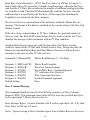
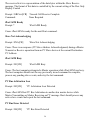
Low Level Response: /XCC0000[CR]
Master read three bytes from slave address 0x4F. First two bytes are acknowledged
by master.
Command: /X S ~4f Rrr P [CR]
Response: /XCCA~xx~xx~xx[CR] ‘(xx = 00...FF)
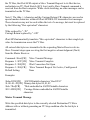
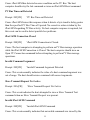
Master transmit a Write WCR command to a Xicor X9241 at slave address 0x50.
WCR data is 0x00.
Command: /X S ~50 ~a0 ~00 P [CR]
Response: /XCCAAA[CR]
Master transmit a Write WCR command to a Xicor X9241 at slave address 0x50.
WCR data is 0x3f.
Command: /X S ~50 ~a0 ~3f P [CR]
Response: /XCCAAA[CR]
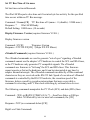
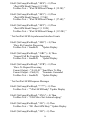
Issue a Read WCR command to a Xicor X9241 at slave address 0x50.
Command: /X S ~50 ~90 ~R P [CR]
Response: /XCCAA~xx[CR]
‘(xx = 00...FF)
Issue an Increment Wiper command to a Xicor X9241 at slave address 0x50.
Command: /X S ~50 ~20 1 P [CR]
Response: /XCCAA[CR]
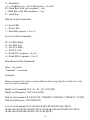
Issue an Decrement Wiper command to a Xicor X9241 at slave address 0x50.
Command: /X S ~50 ~20 0 P [CR]
Response: /XCCAA[CR]
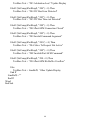
Display Tx bYte Count (requires firmware V2.00+)
Returns the number of bytes received by the slave device in the last master transmit
message.
51