1
12.4.2002
Rev. 2.0
Operation instructions
After evaluating the results, make the indicated time/temperature setting adjustments and
allow about 15 minutes for the oven to stabilize at the new temperature settings. It may be
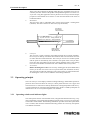
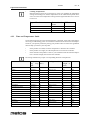
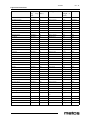
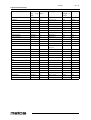
necessary to run several tests before you obtain the exact results you want. Be sure to document each test in the “Product Test Record” below so you can ultimately produce a cooking chart for your specific items.
Product
4.2
State
Temp.
Setting
Top/Bott
Cook
Time
(Min.)
Pan Type Amount
Cooking
and Size
(Weight or result
Count)
Operation procedures
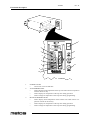
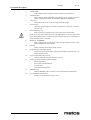
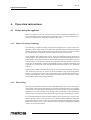
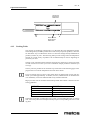
4.2.1 Operation of the G-26 MenuSelect Control Oven
1.
2.
3.
Turn oven deck ON
Turn ON main disconnect switch at the wall box.
Turn ON/OFF switch ON.
To program a new preset menu selection
Perform the procedure described in Programming the G-26 MenuSelect Control
Oven section.
At least one menu selection MUST be programmed before the oven can be operated.
To choose a preset menu selection
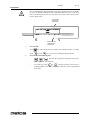
Press
4.
(or any other preset menu key 1-5). The display will read P--#. The
number in the display (# is shown above) will match the menu key that was pressed
(1-5). Wait for the READY light to illuminate. The light will illuminate after both
heating zones reach their set temperatures. Load the product onto the conveyor.
Manual Override Operation
This feature is used to operate the oven manually. The oven is taken out of the
menu select mode by entering new parameters and is returned to the menu select
mode without saving the parameters. Press
key. P--# (flashing) will be dis-
played. Set oven temperature and cooktime using the steps in Programming the G26 MenuSelect Control Oven section. Oven will function as set but settings will not
be saved. Display will flash on and off while the oven is in the manual override
mode. To cancel the temporary menu selection, press any preset menu key or disconnect electrical power to the oven.
10