1
AC-DC ADAPTOR
Use a VTech adaptor or any other standard adaptor that complies with EN61558 DC 9V
300mA center-positive adaptor.
CONNECTING THE ADAPTOR
1. Make sure the unit is OFF.
2. Locate the adaptor jack on the right side of the unit.
3. Insert the adaptor plug into the unit’s adaptor jack.
4. Plug the adaptor into a wall outlet.
5. Turn the unit ON.
NOTE:When the toy is not going to be in use for an extended period of time, unplug
the adaptor.
ADAPTOR TOYS NOTICE
- The toy is not intended for use by children under 3 years old;
- Only use the recommended adaptor with the toy;
- Never clean a plugged-in toy with liquid;
- Never use more than 1 adaptor;
- Do not leave toy or adaptor plugged in for extended periods of time.
SET-UP
- The adaptor is not a toy;
NOTICE TO PARENTS
Regularly examine the adaptor, checking for damage to the cord, plug, transformer or other
parts. Do not use the adaptor if there is any damage to it.
USING THE MOUSE
CONNECTING THE MOUSE
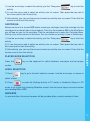
Use the mouse only on the supplied mouse pad so that the roller ball
is not damaged and the cursor moves freely across the screen. Only
use a mouse that is compatible with VTech® products.
1. Make sure the unit is OFF.
2. Locate the mouse jack on the right side of the unit.
3. Plug the mouse into the mouse jack.
USING THE MOUSE
1. Move the mouse in the direction you want the cursor to move.
2. Click the mouse button to make a selection.
6