1
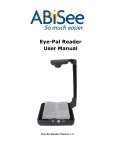
What is Eye-Pal?
Eye-Pal is a computer-connected portable electronic scanner/reader that helps those
with low vision to hear text read aloud.
Eye-Pal reads aloud books, magazines, newspapers, documents, prescription labels
and other print in a variety of naturally-sounding voices and languages.
The software program is fully customizable to accommodate individual preferences.
Default settings can be changed by going to Application and down to Settings.
Setting Up Eye-Pal
1.
Remove the device from the box and unfold the two legs. Pivot the two pins at the
base of the vertical camera stand outward over each leg. This locks the legs in
position (Picture 1).
Locks
Picture 1
2.
This part is important. Insert the software installation CD into your computer and
follow the installation instructions. Do not connect Eye-Pal to your PC until the
installation wizard instructs you.
3.
When instructed by the setup CD, plug the USB cable directly into the computer or
laptop. Do not use bus-powered USB hub.
4.
Locate Eye-Pal application by pressing the “Windows” key plus “D” key to open
the desktop. Press “Z” key to locate Eye-Pal icon. Click on Eye-Pal icon to hear
“Camera Started.” This indicates that the camera is ready to start scanning and
reading aloud.
Quick Start
3