1
Chapter 3 – Using Your Wireless Modem
SMS Examples
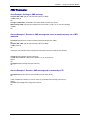
Send Example: Sending an SMS message
at+cpms="MT","MO" (set the read and write locations for SMS)
+CPMS:0,30,0,30
OK
at+cmgs="7632273726" (send SMS to the number listed in between the quotes)
TEST message ONE. (type the text message here and end with a <CTRL + Z> to send the message)
+CMGS:1
OK
Receive Example 1: Receive an SMS message and stored to modem memory via +CMTI
indication:
at+cnmi=2,1,0,0,0 (set the modem to indicate received messages with +CMTI)
OK
at+cpms="MT","MO" (set the read and write locations for SMS)
+CPMS:0,30,0,30
OK
+CMTI:"MT",0,0 (indication that a message was received and stored to location 0 of the modem)
at+cmgr=0 (read message stored in location 0)
+CMGR:"REC UNREAD","7632273726","06/03/17,13 :35 :49",0,3,0,0,0,5
TEST1
OK
at+cmgd=0 (delete message stored in location 0)
OK
Receive Example 2: Receive a SMS message and route directly to TE:
at+cnmi=2,2,0,0,0 (set modem to receive SMS and route directly to TE)
OK
+CMT:"7632273726","06/03/17,13 :38 :22",129,0,3,0,5 (indication that message was received)
TEST2
at+cnma (acknowledge that message was received)
OK
Multi-Tech Systems, Inc. MultiModem CDMA Wireless Modem User Guide
21