1
Table of Contents
Contents
Chapter 1 – Product Description and Specifications ................................................................................................ 4
Product Description .................................................................................................................................................4
Safety ......................................................................................................................................................................5
General Safety .................................................................................................................................................5
RF Interference Issues..................................................................................................................................... 5
Installation Instructions for Hazardous Locations ............................................................................................. 5
Vehicle Safety ..................................................................................................................................................5
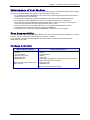
Maintenance of Your Modem ........................................................................................................................... 6
Your Responsibility ..........................................................................................................................................6
Package Contents............................................................................................................................................ 6
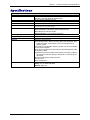
Specifications ..........................................................................................................................................................7
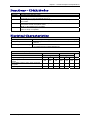
Functions – CDMA Modes ......................................................................................................................................8
Electrical Characteristics .........................................................................................................................................8
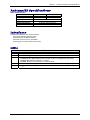
Antenna/RF Specifications ......................................................................................................................................9
Interfaces ................................................................................................................................................................9
LEDs .......................................................................................................................................................................9
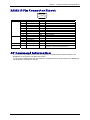
RS232 15-Pin Connector Pinout ........................................................................................................................... 10
AT Command Information ..................................................................................................................................... 10
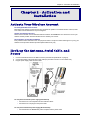
Chapter 2 – Activation and Installation .................................................................................................................... 11
Activate Your Wireless Account ............................................................................................................................ 11
Hook up the Antenna, Serial Cable, and Power .................................................................................................... 11
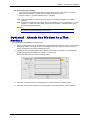
Optional – Attach the Modem to a Flat Surface .................................................................................................... 12
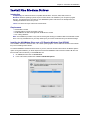
Install the Modem Driver ....................................................................................................................................... 13
Chapter 3 – Using Your Wireless Modem ................................................................................................................ 18
Phone Numbers for the Wireless Modem ............................................................................................................. 18
Examples of Useful AT Commands ...................................................................................................................... 18
Verifying Signal Strength ............................................................................................................................... 18
Checking Network Registration and Roaming Status.....................................................................................18
Checking the Modem’s Identity ...................................................................................................................... 18
Establishing a Voice Call ............................................................................................................................... 19
Establishing a Circuit-Switched Data (CSD) Connection ............................................................................... 19
Answering a Circuit-Switched Data (CSD) Connection .................................................................................. 19
Using Short Message Services (SMS) .................................................................................................................. 20
SMS Examples .............................................................................................................................................. 21
Internet Access ..................................................................................................................................................... 22
Connecting to the CDMA Network for Internet Access .................................................................................. 22
Mobile PhoneTools ............................................................................................................................................... 23
Chapter 4 – Troubleshooting and Frequently Asked Questions............................................................................24
Troubleshooting Examples .................................................................................................................................... 24
Situation A: The modem does not respond through the serial link ................................................................. 24
Frequently Asked Questions ................................................................................................................................. 24
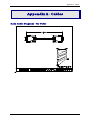
Appendix A - Cables .................................................................................................................................................. 27
Data Cable Diagram – No Voice .................................................................................................................... 27
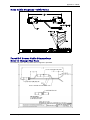
Data Cable Diagram – with Voice .................................................................................................................. 28
Fused DC Power Cable Dimensions .............................................................................................................. 28
How to Change the Fuse ............................................................................................................................... 28
Appendix B - Waste Electrical and Electronic Equipment (WEEE) Statement ..................................................... 29
Multi-Tech Systems, Inc. MultiModem CDMA Wireless Modem User Guide
3