1
Administrator Phone Guide
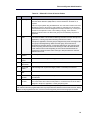
Note: You must return to the ENTER SYSTEM OPTION (1 - 4) menu to save Reminder Message
changes.
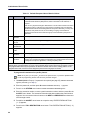
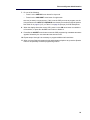
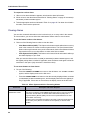
9. When you have finished programming the administrator telephone set, press the Speaker
button or # repeatedly to exit the programming session.
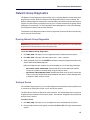
Changing Phone Extension Numbers
You can change the extension number for any system phone. The new extension number
cannot be the same as an existing number.
To change a phone extension number:
Note: At any time, you can press * to return to the previous menu, or press the Speaker button
to exit the programming session and cancel any unsaved changes.
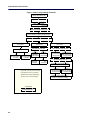
1. Dial 9932 (9132 in Europe). If a passcode is required (see page 25), ENTER PASSCODE
appears (otherwise, go to step 3).
2. Enter the passcode, and then press #. ENTER DATABASE OPTION (1 - 3) appears.
3. Press 2 or the SYSTEM menu button. ENTER SYSTEM OPTION (1 - 4) appears.
4. Press 4 or the STN EXTENSION menu button. ENTER SYS STN OPTION (1 - 2) appears.
5. Press 1 or the CHANGE EXT menu button. ENTER STATION EXTENSION appears.
6. Enter the extension number, or enter a partial extension number, and then press # or the
ACCEPT menu button. The extension information that best matches the partial number
appears. You can use the Volume buttons or the NEXT and PREVIOUS menu buttons to
scroll through entries.
7. Press # or the ACCEPT menu button to accept the entry.
8. After you select an extension, CHANGE <extension> TO EXTENSION appears.
9. Enter the new extension number for the phone, and then press # or the ACCEPT menu
button to accept the entry. UPDATING DATABASE appears for approximately four seconds
followed by DATABASE UPDATED.
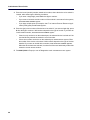
Note: If you entered an extension number that is already assigned, CONFLICTING EXTENSION
appears. After ENTER STATION EXTENSION appears, enter another extension number.
10. When you have finished programming the administrator telephone set, press the Speaker
button or # repeatedly to exit the programming session.
28