1
•
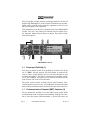
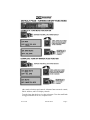
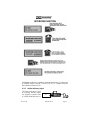
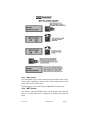
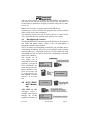
MKR button press between 1 and 2 seconds: Activates
audio mute, and marker lamp test activated. The next beacon received will re-activate the audio.
•
MKR button press > 2 seconds: toggle marker audio on/
off. When the audio is selected, MKR will appear in the
display. Marker audio can also be controlled using the
same manner as Secondary Navaid Selection
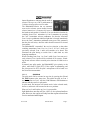
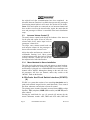
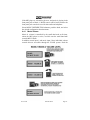
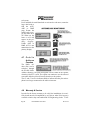
Use "HI" sensitivity initially. This allows you to hear the outer
marker beacon about a mile out. Then touch the smaller MKR button
to switch into Low Sensitivity mode. “LO” sensitivity gives you a
more accurate location of the Outer Marker.
Holding the MKR button for two seconds activates marker test lamp,
which illuminates all three lamps simultaneously to assure the lamps
(internal and external) are in working order. Releasing the button returns to the last sensitivity. The marker audio level is preset at the
factory, and a service adjustment is available if necessary.
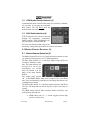
3.0 Intercom (6)
3.1
IntelliVox® VOX-Squelch
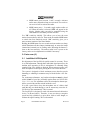
No adjustment of the IntelliVox® squelch control is necessary. There
is no field adjustment. Through three individual signal processors, the
ambient noise appearing in all six microphones is constantly being
sampled. Non-voice signals are blocked. When someone speaks, only
their microphone circuit opens, placing their voice on the intercom.
The system is designed to block continuous tones, therefore people
humming or whistling in monotone may be blocked after a few moments.
For consistent performance, any headset microphone must be placed
within ¼-inch of your lips, preferably against them. (ref: RTCA/DO214, 1.3.1.1 (a)). It is important to have the microphone element parallel to your mouth, and not twisted inside the cover.
It is also a good idea to keep the microphone out of a direct wind
path. Moving your head through a vent air stream may cause the IntelliVox® to open momentarily. This is normal.
The IntelliVox® is designed to work with normal aircraft cabin noise
levels (70 dB and above). Therefore, it may not always recognize
speech and clip syllables in a quiet cabin, such as in the hangar, or
without the engine running. This is also normal.
Page 6
PMA9000EX Pilot Guide
Revision 5