1
Lutron integration protocol
®
HomeWorks® QS (continued)
System Commands (continued)
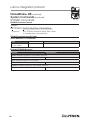
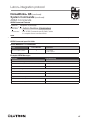
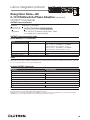
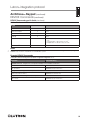
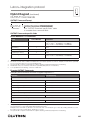
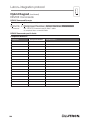
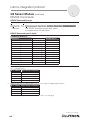
TIMECLOCK Commands
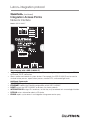
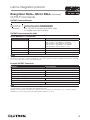
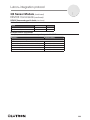
TIMECLOCK Command Formats
Operation
#TIMECLOCK,2,Action Number, Parameters
Command
Use “TIMECLOCK Command-specific fields” tables
to complete these command fields.
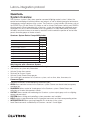
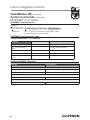
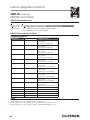
TIMECLOCK Command-specific fields
Action Numbers and Parameters:
Action
Action Number
Parameters
Get (?) Sunrise Time
2
None
Get (?) Sunset Time
3
None
Get (?) Day’s Schedule
4
None
Execute (#) event
5
Index of the event to test. The index number of the first event
is 1; the second event is 2, and so on.
Enable/Disable Event
6
Event Index, Enable State (1 = Enable, 2 = Disable)
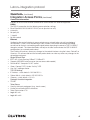
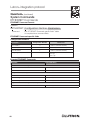
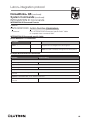
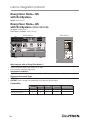
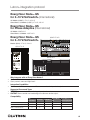
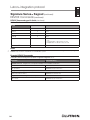
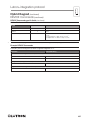
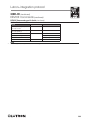
Example TIMECLOCK Messages
Operation
Command String
Execute: #TIMECLOCK, Integration ID, Action Number, Parameters
Execute the 3rd event of the timeclock.
#TIMECLOCK,2,5,3<CR><LF>
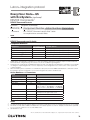
Query: ?TIMECLOCK, Integration ID, Action Number
What is the sunrise time?
?TIMECLOCK,2,2<CR><LF>
Response: ~TIMECLOCK, Integration ID, Action Number, Parameters
The time the sun rises.
~TIMECLOCK,2,2,05:32<CR><LF>
65