1
MEASUREMENT
SYSTEMS
INTERNATIONAL
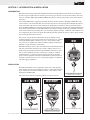
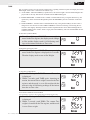
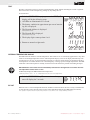
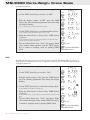
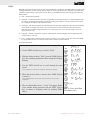
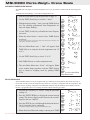
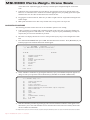
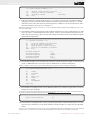
(Select) to select it.
TARE
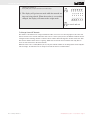
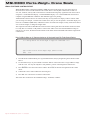
Pushing TARE (Select) reconfigures the Modem to new network settings.
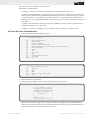
5) The display will go into test mode while the network settings are being altered. When the modem is successfully
changed, the display will return to the weight mode.
4
T
5
5
000000
111111
222222
ZERO
0
to cancel and exit
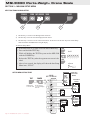
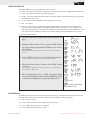
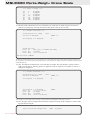
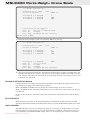
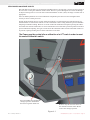
To Change Current RF Network
This feature is intended for use in large installations where, for service or work load purposes, the crane scale
must be used on a new network. When the crane scale is a remote (slave) device, the Master CellScale must be
configured with a matching channel 5 scanlist to allow seamless Network migration. In other words, the “MY
ID” must be identical to the unit it is replacing. Make sure two remote devices with the same “My ID” are
never on at the same time in the same Network.
When the crane scale is a Host (Master) device, only the network number can be changed, the master “My ID”
will not change. All remote devices on the previous network will lose communciation.
Rev 1 7/27/02 for SW Ver 1-1
MSI-9300 Crane Scale™ • User Guide
Page 17