1
OPERATIONS
3. FINE, MANUAL TUNING
1. MEMORY PRESETTING
This function used for selection the manual tuning of the fine tuning
mode.
Fine tuning mode is available only in the FM mode.
a. Manual operation
1. Press the TUNING MODE button.
2. Every time you press this button, the following will be displayed
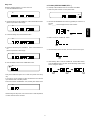
For example: presetting FM 90.1 M Hz, to Preset number. 10
1. Select the FM by using the BAND button.
2. Tune to 90.1 MHz by using the TUNING 5∞ button.
3. Press the MEMO button briefly (for less than 0.5 second) Then,
FINE ⇔ MANUAL.
a. In FINE (Tuning) mode
“MEMO” will bricking in the florescent tube display.
When you try press the TUNING 5∞ button, the frequency will be selected by 10 kHz step to ± 50 kHz. Then, it will automatically be set to
the MANUAL mode in 4 second.
4. Select the preset number by using the TUNING 5∞ button.
5. MEMO button pushed again, 90.1 MHz (broadcast station) was able
to be memorized in number 10 by this.
b. In MANUAL (Tuning) mode
1. Press the TUNING 5∞ button in the FM band, then the frequency
Note:
ENGLISH
Be sure to select the antenna A or B memorization when you preset
manual memory in FM broadcast.
will be selected by 50 kHz step.
2. In the MW band, the frequency will be selected by 10 kHz step.
b. Automatic operation
1. Select the desired broadcasting (FM or AM) by using the BAND but-
4. DIRECT TUNING
ton.
1. Press the F. DIRECT (frequency direct) button
2. Next press the numeric (0 to9) button.
2. Press the MEMO button slightly longer than 1.5 second does.
Then, broadcasting will be automatically received, and as many
broadcasting station are received well will be memorized preset number-01 after another
For example: FM 98.10 MHz
a. FM is chosen with BAND (or TUNER) button on remote controller.
3. Check the broadcasting station by using the TUNING 5∞ button.
b. Press the F. DIRECT (Frequency Direct) button.
Note:
c. Press the numeric button of “9”.
1. In the case of FM automatic presetting, the antenna A, B selector
is set to “A” automatically,
And the broadcasting station is scanned twice. The stations that
have stronger broadcasting signal are preset in the first time.;
weaker ones are preset in the second time.
d. Press the numeric button of “8”.
e. Press the numeric button of “1”.
f. Press the numeric button of “0”.
g. The display fixed 98.10 MHz and broadcast station received.
MW, LW band is same as above operations.
2. If a new broadcasting station is preset into a channel the broadcasting station which has been preset into that position aria will be
automatically erased.
5. ADJUSTING CURRENT TIME
3. In mountainous or remote area broadcasting stations which have
weak broadcasting signals cannot be automatically preset into the
memory.
You can adjust the current time regardless of power on/standby.
1. Press the TIME ADJ button. Then “Hour display” indicator will blink.
4. Max. 30 broadcasting stations each for FM, AM bands can be
preset.
blink
2. LISTENING TO RADIO
2. The hour is set with the TUNING 5∞ button.
1. Select FM or AM by using the BAND button.
2. Tune to the desired broadcast by using the TUNING or PRESET
5∞ button.
3. FM broadcasting is set up to “STEREO” mode
If the broadcasting signal is weak, or if there is a large amount of
interference in FM stereo broadcast, change the monaural mode by
presetting the FM MODE button.
3. Press the NEXT button. Then “minute display” indicator will blink.
4. Select the IF BAND (FM bandwidth)
Select the NARROW bandwidth by pressing this button if the broadcast signal is interfered with adjacent broadcast in the FM .
blink
4. The minute is set with the TUNING 5∞ button.
blink
5. Press the NEXT button.
2