1
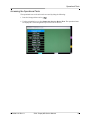
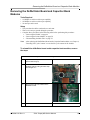
Removing the Printer Module
Tools Required
• #1 Phillips screwdriver with torque capability
• Orange (wooden) stick
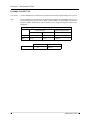
Setup
• This procedure should be conducted on a static mat.
• Wear a wrist strap to ground during the procedure.
To reinstall the printer module, reverse the steps.
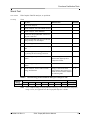
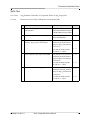
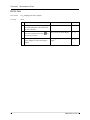
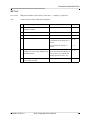
Printer Disassembly
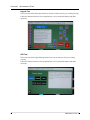
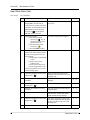
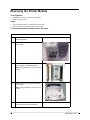
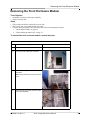
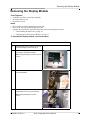
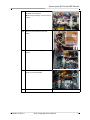
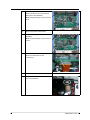
1
Place the unit screen down on the mat in a
horizontal position.
2
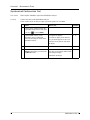
Open the printer housing and remove the
printer paper.
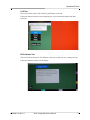
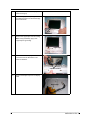
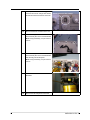
3
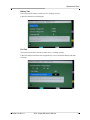
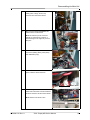
Remove the two (2) screws inside the
printer module in the illustrated areas.
Note: During reassembly, torque screws to
6 in-lbs.
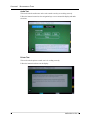
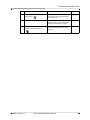
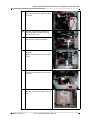
4
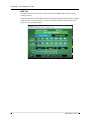
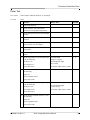
Remove the two (2) screws on the outside
of the printer.
Note: During reassembly, torque screws to
6 in-lbs.
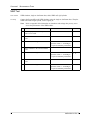
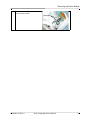
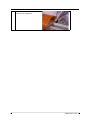
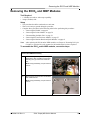
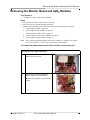
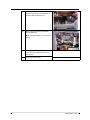
5
50
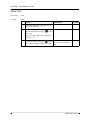
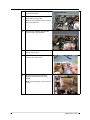
Slowly remove the printer from the unit,
being careful not to strain the cables.
9650-0801-01 Rev. A