1
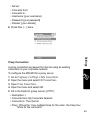
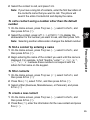
To delete shortcuts
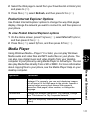
1 On the Home screen, press Programs (a), select More, select
Shortcuts, and then press Action (A).
2 Select the shortcut to delete, press Menu (b), select Delete, and
then press Action (A).
Advanced Dialing Options
International calls require a country code and an area code to be
included in the phone number. The country code is separated from the
rest of the number sequence by a plus (+) sign.
Enter the recipient’s country code, area code and phone number, then
press Talk s to complete the call.
To insert an international country code
• Press and hold 0 until a plus sign (+) appears.
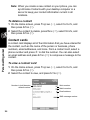
Note: You can insert a plus sign (+) into a contact’s number or dial it
directly from the keypad.
Some international calls require a three-second pause in the dialing
sequence for the call to process successfully.
Sending and Receiving Calls
To insert a 3-second pause in a dialing sequence
1 On the Home screen, press Programs (a), select Contacts (b), and
then press Action (A).
2 Select the contact, press Action (A), and then select the phone
number to modify.
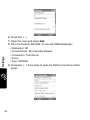
3 Press Edit (a) and then press Left (a) or Right (b) to move the
cursor between the numbers where you want to insert a 3-second
pause.
4 Press Menu (b), select Insert Pause, and then press Action (A). The
letter “p” appears where the 3-second pause will occur in the
dialing sequence. You can also add a “p” via text entry.
5 Press Done (a).
52