1
Corporate Office DX Installation
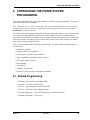
5. CONFIGURING THE PHONE SYSTEM
PROGRAMMING
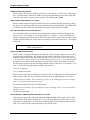
This section contains general, step-by-step instructions on phone system programming. The steps are
presented in their order of importance.
Note: When you receive a new Corporate Office DX, several sample databases are included on the
CD that can be used as the basis for configuring the DX-80 programming. Refer to the document
ReadMeFirst, included on the CD.
In addition to the required programming task of identifying the station ports as voice mail ports, there
are several other programming considerations associated with the VP system operation that are
optional for use as needed. You should make a record in the DX-80 system manual of all programming
decisions you make; it will help you keep track of what you have done, and it will help you troubleshoot any problem that might arise later.
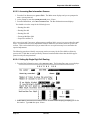
Using voice mail enhances the DX-80 system significantly. The DX-80 will accommodate the following features:
• Automated Attendant
• Extension unique voice mailboxes
• Call Forward to extension voice mailboxes
• Answering Machine Emulation (Listen / Pick Up)
• UCD Queue Announcements
• Menu Routing
• Voice Record
• Automatic Voice Record
• Specific CO Line Greetings on Automated Attendant
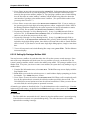
5.1 Related Programming
• Extension – Record Allow, Predefined FWD
• Extension – No Answer Call Forward
• CO Line – Answering Position, Predefined FWD
• CO Line – Automatic CO Line Ringing Modes
• Extension Application – Voice Mail Table (only for external voicemail)
• Extension Application – UCD Group
Sept ‘04
Comdial.
45