1
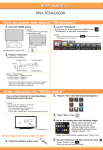
Network Login Using a USB HID Card Reader with the Aries and Virgo MFP On the Sharp C-Jupiter II, Jupiter III, Dragon III, Aries and Virgo series MFPs, you can link authority groups, favorite operation groups and page limit groups to unused attribute fields in individual user records in active directory. By using a Custom LDAP address book with LDAP Server Access Control for authentication, network users can be controlled in the same fashion as was previously possible only with local MFP accounts. However, the Aries and Virgo series have a new field (Card ID) added to the LDAP Server Access Control settings that extends this capability to users with HID cards. This allows them to login into the MFP using network authentication via a HID card! Using an HID card has several advantages over the normal network authentication method using network user names and passwords: The user is authenticated at the MFP to the network with a single card swipe without having to type in a password. The user is authenticated at the MFP to the network, even if the user’s network password has changed. Users without a HID card cannot log into the MFP, even if the user has a network user name and password. Users with HID cards cannot log into the MFP if the card IDs have not been entered in to the users’ records in Active Directory. Once the users HID cards are authenticated to the network for the first time, the users can still log into the MFP with their same permissions when the LDAP server is not available. Printing, copying and scanning permissions are granted on login based on the entries in the users’ records in Active Directory. This method requires no users be created or HID cards registered on the MFP. The following pages show logon screens seen when using HID cards with different permissions in Active Directory using the Linkage with User Control Function on the Aries or Virgo MFPs.