1
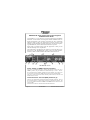
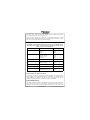
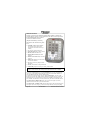
Audio Selector (4)
Navigation receiver audio is selected
through five momentary, pushbutton, backlit switches.
The users can identify which receivers are selected by noting which
green switch LEDs are lit. Nav aid audio push buttons are labeled Nav 1, Nav 2,
MKR (Marker), ADF and AUX (auxiliary). DME audio (if present) will come
through when the AUX button is selected. When one of these buttons is pressed,
the mode is active, and the LED will illuminate. Press the switch again and it
will be "off" and remove that receiver from the audio output.
In SPLIT mode, only the pilot will hear selected navigation audio.
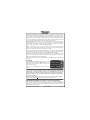
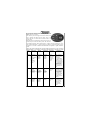
Telephone (TEL) (9)
The TEL mode serves as a full duplex interface and distribution for telephone
systems such as AirCell or portable cellular phones with earpiece jacks. Pressing
the TEL button activates the telephone mode. This connects the telephone to the
users as follows:
In ALL intercom mode, all crew and passengers
will be heard on the phone when they speak. Com
and other selected radio audio is also heard in the
headsets. If the pilot or copilot pushes the radio
PTT, their mic will be transferred to the selected
Com radio. The telephone party will not hear
ATC communications, and vice versa.
In CREW mode, only the pilot and copilot are connected to the telephone. Passengers will not hear the telephone. The pilot and copilot will also have transmit
capability on the other selected transceiver.
In ISO intercom mode, when the PMA8000-SR is in the TEL mode, the pilot
position is in the "Phone Booth." Only the pilot will hear the telephone, and only
he will be heard. He will also have access to Com 1 or 2, and will transmit on
that radio using the PTT. All selected audio is provided to the pilot.
Note: Because the cellphone uses an intercom circuit, all stations on that
circuit will lose intercom capability when the cellphone is in use.
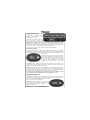
Speaker Amplifier (5)
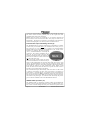
The SPR in the push-button section stands for speaker. This switch will place all
selected audio on the cockpit speaker when this switch is selected. NOTE: Except for the unswitched audio, the speaker amplifier is not active in the "Split Mode”.
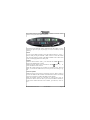
Unswitched audio, (the four inputs dedicated to
autopilot disconnect, altimeter warning, etc.) will
come through the speaker regardless of the
speaker button position.
Page 4
202-880-0000
PMA8000-SR Pilot Guide R5