1
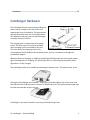
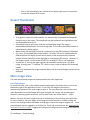
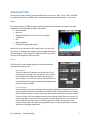
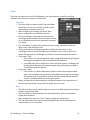
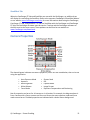
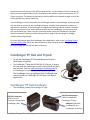
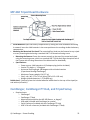
temporarily turn off sharing to kick off all shared devices. As the number of users increases the there are practical performance limits. Depending on the scenario, practical maximums of 5-‐15 clients are typical. The amount of data being shared as well as the network strength to all of the clients dictates the practical maximum. If the CamRanger is only connected to the CamRanger network, the CamRanger Share app users will also need to connect to the CamRanger network, using the same password, however no registration is required. If the CamRanger is bridged to an existing Internet network, the Share app user can connect to the same Internet network that the CamRanger is connected to, and still use the Share app. Those using the share app should consult the CamRanger Controller about the network connection and should stay within range of the CamRanger or bridged network when using the app For more information about the CamRanger Share Application, refer to the CamRanger Share App User Guide Video (Note: this video is demonstrating the setup with an iPad, but the general concept and use with the Mac is the same). CamRanger PT Hub and Tripod • To use the CamRanger PT Hub and Motorized tripod, a CamRanger is required. • The CamRanger PT Hub and MP-‐360 (MP 101, Bescor, or Hague) will only work with CamRanger firmware 6 and up and the latest Mac software. Refer to www.CamRanger.com/downloads for the CamRanger firmware update and latest Mac application. The CamRanger must be registered (see CamRanger user manual) while the CamRanger PT Hub does not require registration. CamRanger PT Hub Hardware • The CamRanger powers the CamRanger PT Hub. USB 2.0 A-‐end port (USB 2.0 A to B connector included with CamRanger Hub) © CamRanger – Patent Pending Serial Connector port (Cable included with CamRanger PT Hub) USB port (USB cable included with the CamRanger or Camera) 21