1
8
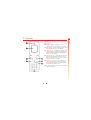
3 When you have entered the text, press
γ, Send. See the Entering text section
in this chapter for details of entering text,
numbers and symbols.
Save picture
Saves a picture which appears in the
incoming message to your phone. The
picture is stored under Pictures in the
Extras menu.
ζ Note: You can save messages you send
to others in your Inbox (if you have
sufficient memory remaining), but you
must select Save before you send the
message.
ζ Note: This option is only displayed if a
picture is included in the message and
you are allowed to save it.
4 Enter the destination phone number, or
press δ, Contacts and select a name
from your contact list.
Save ringtone
Saves a ringtone which has been sent with
the incoming message to your phone.
5 Press γ, Send to send the message.
ζ Note: If you reply to a message, you do
ζ Note: This option is only displayed if a
not have to re-enter the number. This is
done automatically.
ringtone is included in the message.
Sending ringtones, pictures and more
Time/date
Displays the date and time of the
message.
You can send ringtones, pictures,
animations, sounds, and contacts in your
messages to compatible phones.
Forward
Sends the message to someone else.
ζ Note: Messages containing ringtones,
Sending a text message
pictures, animations and sounds are
often referred to as EMS (Enhanced
Messaging Service) messages or Smart
messages. Your Sendo M550 phone
can send SMS (text only) and EMS
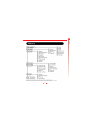
messages. See the Compatible formats
section at the end of this chapter for
details of compatible formats.
To send a text message:
1 Enter the Messages menu and select the
Send option.
2 Select the New option to enter a new
message or select the Saved option to
choose from a list of messages that you
can add to.
19
Messages
Save no.
Adds the sender’s phone number to your
contact list.




![[[[ ]]] Inhaltsverzeichnis](http://vs1.manualzilla.com/store/data/006790718_1-3e8b99485de3776a5639fa28085f2212-150x150.png)