1
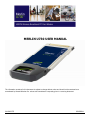
MER L IN U7 30 U SER GU ID E 4 5
8
APPENDIX A
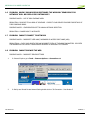
8.1 UNLOCKING A SIMLOCKED MODEM WITH MOBILINK
The term SIMLOCK is often used by the industry when a modem/data card is configured for use only with SIMs of
a particular carrier. Technically speaking, when a modem/data card is SIMLOCKED it is actually NETWORK
LOCKED. Carriers usually request specific configurations for the modem/data card, one of which is for the
modem to be SIMLOCKED. An algorithm generates a Mobile Equipment Personalization code (MEP), which deactivates the mechanism that restricts the modem to SIMs of a particular carrier.
Novatel Wireless cannot, and does not provide the MEP code. Any request for the MEP code configuration must
be made through the carrier from whom the modem or data card was purchased.
If your modem/ data card is SIMLOCKED, and you have obtained the MEP code from your carrier or service
provider, follow the steps below to unlock it.
1.
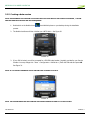
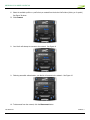
Launch MobiLink . See section "Creating a data session" if necessary.
2.
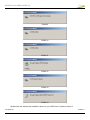
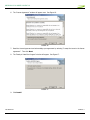
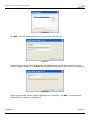
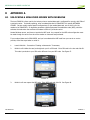
MobiLink will initialize the card, and might ask you for a PIN code. Enter PIN code in the box and click OK.
This code is particular to your SIM and is different from your MEP code. See Figure 47.
FIGURE 47
3.
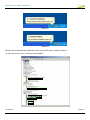
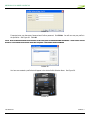
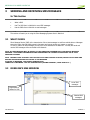
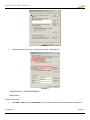
MobiLink will now request the MEP code. Enter MEP code and click OK. See Figure 48.
FIGURE 48
GU-90023775
Revision 1