1
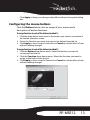
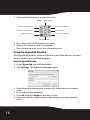
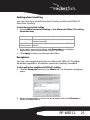
Or, click Add to add an application. The Add Exception Application dialog
box opens.
3 Click Browse to browse to the application to add to this list, then click
OK.
4 Click OK to close the Exceptions dialog box.
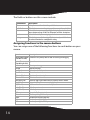
Assigning a function to the wheel button
You can assign a separate function to the wheel button itself, apart
from the scroll function.
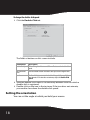
To assign a function to the wheel button:
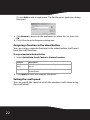
1 Select Quick/Auto Scroll Control or Button Function.
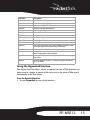
Selection
Description
Quick / Auto Scroll Select to enable the button to act as a scroll speed control when
Control
pressed.
Button Function
Select and choose a function from the drop-down menu to assign to
the wheel button.
2 Click Apply to have your changes take effect.
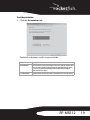
Setting the scroll speed
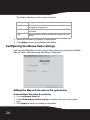
You can specify the speed at which the window scrolls when using
the scroll wheel.
22