1
Advanced CD or MP3/WMA disc playback
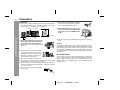
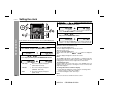
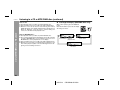
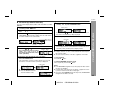
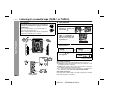
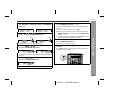
To specify a disc to play
You can play a disc by specifying the disc number.
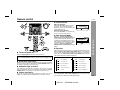
Press one of the
1-
5 buttons to select the desired disc.
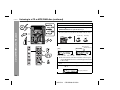
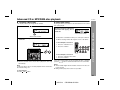
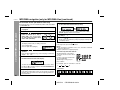
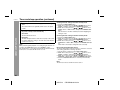
Direct track search
By using the direct search buttons, the desired tracks on the current
disc can be played.
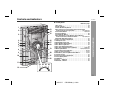
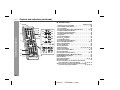
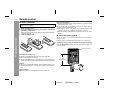
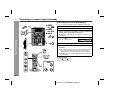
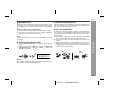
Use the direct search buttons on
the remote control to select the desired track while playing the selected disc.
Selected track number
Selected disc number
2
Within 5 seconds, press the DIRECT PLAY button on the
main unit.
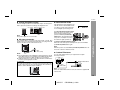
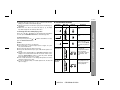
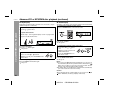
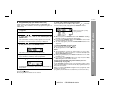
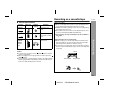
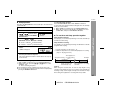
The direct search buttons allow you to select up to number 9.
When selecting number 10 or higher, use the "+10" button.
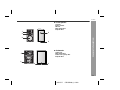
A. For example, to choose 13
1 Press the "+10" button once.
2 Press the "3" button.
CD-SW200
B. For example, to choose 30
1 Press the "+10" button three times.
2 Press the "0" button.
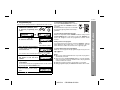
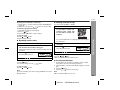
Playback will begin from track 1 on the chosen disc.
After the last track on the chosen disc is played, the unit stops
automatically.
If the direct search buttons are pressed while the disc is stopped,
press the / button to start the desired track on the current disc.
Note:
If a disc tray with no disc is selected, playback will not start and the
disc indicator will go out.
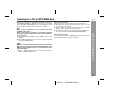
Notes:
A track number higher than the number of tracks on the disc cannot be selected.
During random play, direct search is not possible.
CD or MP3/WMA disc Playback
1
CD-SW200
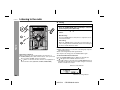
To stop playback:
Press the (CD ) button.
21
03/12/19
CD-SW200 15-25.fm