1
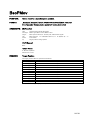
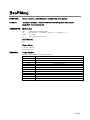
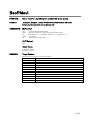
1.3 Hardware Requirements for MOTOCOM32
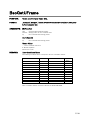
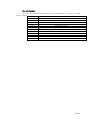
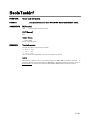
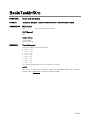
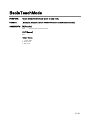
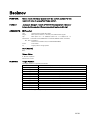
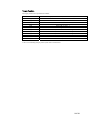
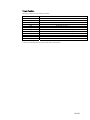
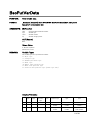
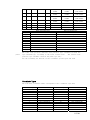
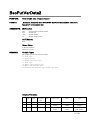
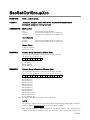
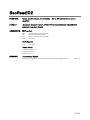
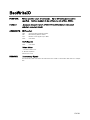
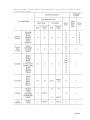
The MOTOCOM 32 operates with the configurations shown in Table 1.
Table 1
OS
CPU
Required Memory
Hardware Disk
Capacity for
Installation
Disk drive
Display
Mouse
Robot Controller
Transmission Cable
Hardware Lock Key
Hardware Requirements for MOTOCOM32
Microsoft Windows 95 /98 /NT4.0/2000/XP
Pentium, or pentium compatible processor
16 Mbyte or more
13 Mbyte or more
Hard disk and CD-ROM drive
Supported by MS-Windows
Supported by MS-Windows
NX100, YASNAC XRC, MRC, MRCⅡ, ERC, and ERCⅡ.
Ethernet cable or RS232C cable
Used under single user environment.
For details, refer to the following section “Hardware Lock.”
Notes 1: A personal computer and OS are not included with this software.
2: Use either an RS-232C cable or an Ethernet cable for transmission, depending on the data transmission
function specifications set in the robot controller manuals. Before starting this software, check the
hardware and software specifications of the robot controllers.
3: Ethernet transmission is not available for the YASNAC MRCⅡ/ ERC / ERCⅡ since they do not
support the Ethernet function.
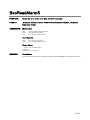
For softwares and devices, refer to the robot controller Operator’s Manuals, Data Transmission
Operator’s Manual, Ethernet I/F Board Instructions, Manuals for MS-Windows, etc.
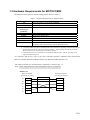
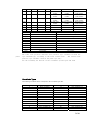
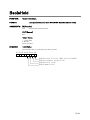
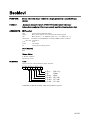
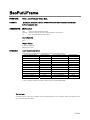
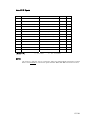
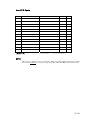
The cable connection for communications via RS232C is shown in Fig. 1.6.
Note : When using an Ethernet cable, the RS232C cable is not required.
IBM PC/AT
Robot Controller
(D-sub 25-pin male)
Personal Computer
(D-sub 9-pin female)
SD
2
2
RD
RD
3
3
SD
RS
4
5
SG
CS
5
7
RS
SG
7
8
CS
FG
1
7/201