1
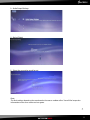
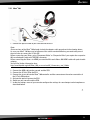
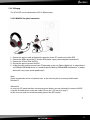
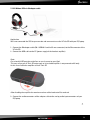
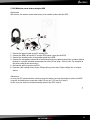
7.2.3 PC/Laptop The X-Tatic SR can be connected to a PC in different ways: 7.2.3.1 With SCU via optical connection 1. Connect the optical cable to the optical connector of your PC sound card and the SCU. 2. Connect the USB cable to the PC and the SCU (power supply and microphone connection!). 3. Connect the X-Tatic SR to the SCU. 4. Activate the optical input on the SCU. 5. Inside the audio settings menu of your PC operating system set "Optical digital out" as output device and "CMedia USB Audio device" as recording device (defining "CMediaUSB Audio device" as output device will cause pure sound reproduction). Note: Please pay attention to the microphone level, as this level may be set to zero by default under Windows 7. Alternative: In case your PC soundcard does not have an optical output, you may alternatively connect the SCU using the included stereo connection cable (3.5 mm jack > 3.5 mm jack / step 1). In this case you need to activate the analog input on the SCU (step 4). 17